6 6
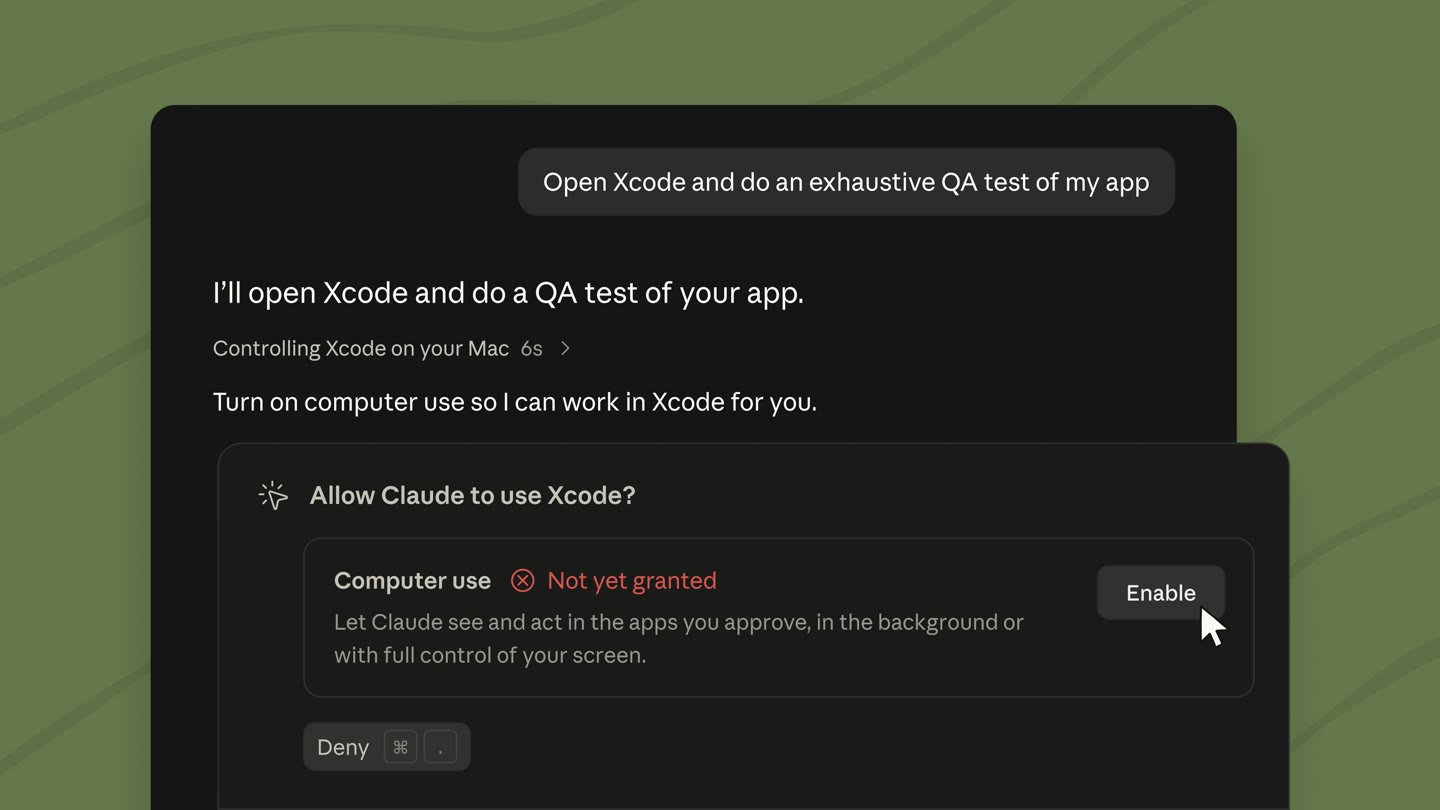
7> Switch to Claude Fable 5.1, let computer use run in the background on Desktop, and watch Claude's edits in a live /diff panel.7> Switch to Claude Fable 5.1, let computer use run in the background on Desktop, and watch Claude's edits in a live /diff panel.
8 8
9Releases [v2.1.251 → v2.1.261](/docs/en/changelog.md#2-1-251)9Releases [v2.1.251 → v2.1.261](https://code.claude.com/docs/en/changelog.md#2-1-251)
104 features · August 31 – September 4104 features · August 31 – September 4
11 11
12Claude Fable 5.112Claude Fable 5.1
22 22
23On the Anthropic API, the picker lists Fable only once the server reports it available for your organization, but typing `/model fable` checks with the server directly.23On the Anthropic API, the picker lists Fable only once the server reports it available for your organization, but typing `/model fable` checks with the server directly.
24 24
25[Work with Fable](/docs/en/model-config.md#work-with-fable)25[Work with Fable](https://code.claude.com/docs/en/model-config.md#work-with-fable)
26 26
27Computer use runs in the background on Desktop27Computer use runs in the background on Desktop
28Desktop28Desktop
31 31
3232
33 33
34[Let Claude use your computer](/docs/en/desktop.md#let-claude-use-your-computer)34[Let Claude use your computer](https://code.claude.com/docs/en/desktop.md#let-claude-use-your-computer)
35 35
36Live diff panel in fullscreen rendering36Live diff panel in fullscreen rendering
37v2.1.26037v2.1.260
48 48
49Run `/diff` again or click the `✕` in its header to close it.49Run `/diff` again or click the `✕` in its header to close it.
50 50
51[Diff panel](/docs/en/interactive-mode.md#diff-panel)51[Diff panel](https://code.claude.com/docs/en/interactive-mode.md#diff-panel)
52 52
53Find unused skills with /skill-doctor53Find unused skills with /skill-doctor
54CLI54CLI
55 55
56`/skill-doctor` shows what each of your skills costs in context and how often it gets used, so you can decide which ones to turn off. Every skill in the [skill listing](/docs/en/skills.md#skill-descriptions-are-cut-short) adds to your context on every turn, whether or not Claude ever uses it. Requires v2.1.252 or later and isn't available in sessions that skip [feature-flag fetching](/docs/en/env-vars.md#features-that-need-feature-flag-fetching).56`/skill-doctor` shows what each of your skills costs in context and how often it gets used, so you can decide which ones to turn off. Every skill in the [skill listing](https://code.claude.com/docs/en/skills.md#skill-descriptions-are-cut-short) adds to your context on every turn, whether or not Claude ever uses it. Requires v2.1.252 or later and isn't available in sessions that skip [feature-flag fetching](https://code.claude.com/docs/en/env-vars.md#features-that-need-feature-flag-fetching).
57 57
58Run it in an interactive session to open the report in the `/plugin` manager's **Stats** tab:58Run it in an interactive session to open the report in the `/plugin` manager's **Stats** tab:
59 59
63 63
64In non-interactive mode with `-p`, Claude Code prints the report as text instead.64In non-interactive mode with `-p`, Claude Code prints the report as text instead.
65 65
66[Find unused skills](/docs/en/skills.md#find-unused-skills)66[Find unused skills](https://code.claude.com/docs/en/skills.md#find-unused-skills)
67 67
68Other wins68Other wins
69 69
70A [`PreModelSwitch`](/docs/en/hooks#premodelswitch) hook can block a model switch you request, and a [`PostModelSwitch`](/docs/en/hooks#postmodelswitch) hook can add context for Claude after the session's model changes[`/cost`](/docs/en/costs#prompt-cache-statistics) adds a `Prompt cache (main)` line: the share of input tokens served from cache, the cache misses, whether the cache is warm, and a likely cause for the last miss when Claude Code can name one. Status line scripts get a matching `prompt_cache` objectOrganizations can list HTTP and SSE MCP servers under the [`managedMcpServers`](/docs/en/managed-mcp#provide-servers-through-managed-settings) managed setting to give them to every user, in addition to the servers that users add on their own`/effort` and the `/model` picker now [save a separate effort level for each model](/docs/en/model-config.md#adjust-effort-level); press `s` instead of `Enter` to apply a level to the current session onlyBy default, the auto mode classifier [now also blocks](/docs/en/permission-modes.md#what-the-classifier-blocks-by-default) actions such as requesting credentials from the cloud instance-metadata endpoint or connecting to sibling containers that Claude didn't startIn auto mode, Claude Code asks you before Claude [first reads a file outside your working directories](/docs/en/permission-modes.md#first-read-outside-the-working-directories), with an option to block such reads from then onRaise [`bashOutputMaxChars`](/docs/en/settings-reference#bashoutputmaxchars) and [`taskOutputMaxChars`](/docs/en/settings-reference#taskoutputmaxchars), up to 128,000 characters, so Claude receives more of the output from a successful command or background task inlineThe prompt's [word-editing shortcuts follow readline](/docs/en/interactive-mode.md#make-ctrl-w-delete-back-to-whitespace) for everyone, and the `keybindingFlavor` setting no longer has any effect. `Ctrl+W` deletes back to the previous whitespace, and `Alt+B`, `Alt+F`, and `Alt+D` treat punctuation such as `/` and `.` as word breaksIf you set `defaultMode` to `"bypassPermissions"` in a project's `.claude/settings.json` or `.claude/settings.local.json`, it [no longer takes effect](/docs/en/permission-modes.md#which-mode-a-session-starts-in) and the session starts in Manual mode; set `"bypassPermissions"` in user or managed settings instead, or pass `--permission-mode`Seat-based Enterprise plans now [default to Opus 5](/docs/en/model-config.md#default-model-setting)In the VS Code extension, click the model name at the bottom of the prompt box to [open the model picker](/docs/en/vs-code.md#use-the-prompt-box)In the VS Code extension, select **Output styles** in the command menu's Customize section to [pick an output style](/docs/en/vs-code.md#use-the-prompt-box), including your custom ones70A [`PreModelSwitch`](https://code.claude.com/docs/en/hooks#premodelswitch) hook can block a model switch you request, and a [`PostModelSwitch`](https://code.claude.com/docs/en/hooks#postmodelswitch) hook can add context for Claude after the session's model changes[`/cost`](https://code.claude.com/docs/en/costs#prompt-cache-statistics) adds a `Prompt cache (main)` line: the share of input tokens served from cache, the cache misses, whether the cache is warm, and a likely cause for the last miss when Claude Code can name one. Status line scripts get a matching `prompt_cache` objectOrganizations can list HTTP and SSE MCP servers under the [`managedMcpServers`](https://code.claude.com/docs/en/managed-mcp#provide-servers-through-managed-settings) managed setting to give them to every user, in addition to the servers that users add on their own`/effort` and the `/model` picker now [save a separate effort level for each model](https://code.claude.com/docs/en/model-config.md#adjust-effort-level); press `s` instead of `Enter` to apply a level to the current session onlyBy default, the auto mode classifier [now also blocks](https://code.claude.com/docs/en/permission-modes.md#what-the-classifier-blocks-by-default) actions such as requesting credentials from the cloud instance-metadata endpoint or connecting to sibling containers that Claude didn't startIn auto mode, Claude Code asks you before Claude [first reads a file outside your working directories](https://code.claude.com/docs/en/permission-modes.md#first-read-outside-the-working-directories), with an option to block such reads from then onRaise [`bashOutputMaxChars`](https://code.claude.com/docs/en/settings-reference#bashoutputmaxchars) and [`taskOutputMaxChars`](https://code.claude.com/docs/en/settings-reference#taskoutputmaxchars), up to 128,000 characters, so Claude receives more of the output from a successful command or background task inlineThe prompt's [word-editing shortcuts follow readline](https://code.claude.com/docs/en/interactive-mode.md#make-ctrl-w-delete-back-to-whitespace) for everyone, and the `keybindingFlavor` setting no longer has any effect. `Ctrl+W` deletes back to the previous whitespace, and `Alt+B`, `Alt+F`, and `Alt+D` treat punctuation such as `/` and `.` as word breaksIf you set `defaultMode` to `"bypassPermissions"` in a project's `.claude/settings.json` or `.claude/settings.local.json`, it [no longer takes effect](https://code.claude.com/docs/en/permission-modes.md#which-mode-a-session-starts-in) and the session starts in Manual mode; set `"bypassPermissions"` in user or managed settings instead, or pass `--permission-mode`Seat-based Enterprise plans now [default to Opus 5](https://code.claude.com/docs/en/model-config.md#default-model-setting)In the VS Code extension, click the model name at the bottom of the prompt box to [open the model picker](https://code.claude.com/docs/en/vs-code.md#use-the-prompt-box)In the VS Code extension, select **Output styles** in the command menu's Customize section to [pick an output style](https://code.claude.com/docs/en/vs-code.md#use-the-prompt-box), including your custom ones
71 71
72[Full changelog for v2.1.251–v2.1.261 →](/docs/en/changelog.md#2-1-251)72[Full changelog for v2.1.251–v2.1.261 →](https://code.claude.com/docs/en/changelog.md#2-1-251)