
guides/realtime-websocket.md +0 −197 deleted
File Deleted View Diff
1# Realtime API with WebSocket
2
3> For the complete documentation index, see [llms.txt](/llms.txt). Markdown versions of documentation pages are available by appending `.md` to the page URL.
4
5[WebSockets](https://developer.mozilla.org/en-US/docs/Web/API/WebSockets_API) are a broadly supported API for realtime data transfer, and a great choice for connecting to the OpenAI Realtime API in server-to-server applications. For browser and mobile clients, we recommend connecting via [WebRTC](https://developers.openai.com/api/docs/guides/realtime-webrtc).
6
7In a server-to-server integration with Realtime, your backend system will connect via WebSocket directly to the Realtime API. You can use a [standard API key](https://platform.openai.com/settings/organization/api-keys) to authenticate this connection, since the token will only be available on your secure backend server.
8
9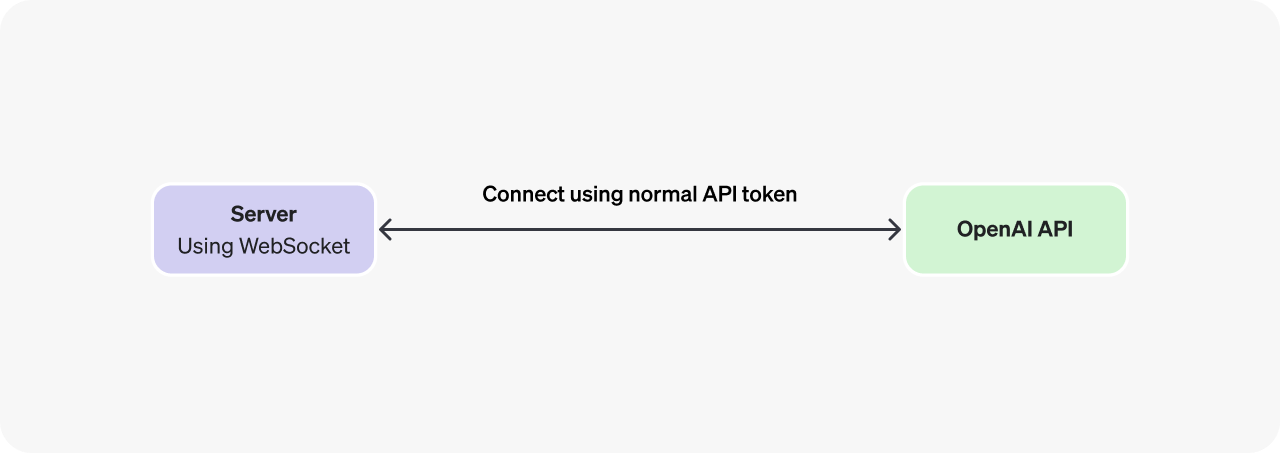
10
11## Connect via WebSocket
12
13Below are several examples of connecting via WebSocket to the Realtime API. In addition to using the WebSocket URL below, you will also need to pass an authentication header using your OpenAI API key. If your application assigns [safety identifiers](https://developers.openai.com/api/docs/guides/safety-best-practices#implement-safety-identifiers), pass the stable, privacy-preserving identifier for the end user in the `OpenAI-Safety-Identifier` header.
14
15It is possible to use WebSocket in browsers with an ephemeral API token as shown in the [WebRTC connection guide](https://developers.openai.com/api/docs/guides/realtime-webrtc), but if you are connecting from a client like a browser or mobile app, WebRTC will be a more robust solution in most cases.
16
17
18
19ws module (Node.js)
20
21 Connect using the ws module (Node.js)
22
23```javascript
24import WebSocket from "ws";
25
26const url = "wss://api.openai.com/v1/realtime?model=gpt-realtime-2.1";
27const ws = new WebSocket(url, {
28 headers: {
29 Authorization: "Bearer " + process.env.OPENAI_API_KEY,
30 "OpenAI-Safety-Identifier": "hashed-user-id",
31 },
32});
33
34ws.on("open", function open() {
35 console.log("Connected to server.");
36});
37
38ws.on("message", function incoming(message) {
39 console.log(JSON.parse(message.toString()));
40});
41```
42
43
44
45
46
47
48websocket-client (Python)
49
50 Connect with websocket-client (Python)
51
52```python
53# example requires websocket-client library:
54# pip install websocket-client
55
56import os
57import json
58import websocket
59
60OPENAI_API_KEY = os.environ["OPENAI_API_KEY"]
61
62url = "wss://api.openai.com/v1/realtime?model=gpt-realtime-2.1"
63headers = [
64 "Authorization: Bearer " + OPENAI_API_KEY,
65 "OpenAI-Safety-Identifier: hashed-user-id",
66]
67
68
69def on_open(ws):
70 print("Connected to server.")
71
72
73def on_message(ws, message):
74 data = json.loads(message)
75 print("Received event:", json.dumps(data, indent=2))
76
77
78ws = websocket.WebSocketApp(
79 url,
80 header=headers,
81 on_open=on_open,
82 on_message=on_message,
83)
84
85ws.run_forever()
86```
87
88
89
90
91
92
93OpenAI SDK (Ruby)
94
95
96
97 Install the required gems with
98 `gem install openai async-websocket`.
99
100
101 Connect with the OpenAI SDK (Ruby)
102
103```ruby
104require "openai"
105
106client = OpenAI::Client.new(
107 default_headers: {"OpenAI-Safety-Identifier" => "hashed-user-id"}
108)
109
110client.realtime.connect(model: "gpt-realtime-2.1") do |connection|
111 puts("Connected to the Realtime API: #{connection.url.host}")
112 connection.each { |event| puts("Received event: #{event.type}") }
113end
114```
115
116
117
118
119
120
121WebSocket (browsers)
122
123 Connect with standard WebSocket (browsers)
124
125```javascript
126/*
127Note that in client-side environments like web browsers, we recommend
128using WebRTC instead. It is possible, however, to use the standard
129WebSocket interface in browser-like environments like Deno and
130Cloudflare Workers.
131*/
132
133const ws = new WebSocket(
134 "wss://api.openai.com/v1/realtime?model=gpt-realtime-2.1",
135 [
136 "realtime",
137 // Use a short-lived token fetched from your application server.
138 "openai-insecure-api-key." + OPENAI_REALTIME_EPHEMERAL_KEY,
139 // Optional
140 "openai-organization." + OPENAI_ORG_ID,
141 "openai-project." + OPENAI_PROJECT_ID,
142 ]
143);
144
145ws.addEventListener("open", function open() {
146 console.log("Connected to server.");
147});
148
149ws.addEventListener("message", function incoming(event) {
150 console.log(event.data);
151});
152```
153
154
155
156## Sending and receiving events
157
158Realtime API sessions are managed using a combination of [client-sent events](https://developers.openai.com/api/reference/resources/realtime/client-events#session.update) emitted by you as the developer, and [server-sent events](https://developers.openai.com/api/reference/resources/realtime/server-events#error) created by the Realtime API to indicate session lifecycle events.
159
160Over a WebSocket, you will both send and receive JSON-serialized events as strings of text, as in this Node.js example below (the same principles apply for other WebSocket libraries):
161
162```javascript
163import WebSocket from "ws";
164
165const url = "wss://api.openai.com/v1/realtime?model=gpt-realtime-2.1";
166const ws = new WebSocket(url, {
167 headers: {
168 Authorization: "Bearer " + process.env.OPENAI_API_KEY,
169 "OpenAI-Safety-Identifier": "hashed-user-id",
170 },
171});
172
173ws.on("open", function open() {
174 console.log("Connected to server.");
175
176 // Send client events over the WebSocket once connected
177 ws.send(
178 JSON.stringify({
179 type: "session.update",
180 session: {
181 type: "realtime",
182 instructions: "Be extra nice today!",
183 },
184 })
185 );
186});
187
188// Listen for and parse server events
189ws.on("message", function incoming(message) {
190 console.log(JSON.parse(message.toString()));
191});
192```
193
194
195The WebSocket interface is perhaps the lowest-level interface available to interact with a Realtime model, where you will be responsible for both sending and processing Base64-encoded audio chunks over the socket connection.
196
197To learn how to send and receive audio over Websockets, refer to the [Realtime conversations guide](https://developers.openai.com/api/docs/guides/realtime-conversations#handling-audio-with-websockets).