2 2
3Use Codex in Linear to delegate work from issues. Assign an issue to Codex or mention `@Codex` in a comment, and Codex creates a cloud task and replies with progress and results.3Use Codex in Linear to delegate work from issues. Assign an issue to Codex or mention `@Codex` in a comment, and Codex creates a cloud task and replies with progress and results.
4 4
5Codex in Linear is available on paid plans (see [Pricing](https://developers.openai.com/codex/pricing)).5Codex in Linear is available on paid plans (see [Pricing](https://learn.chatgpt.com/docs/pricing)).
6 6
7If you’re on an Enterprise plan, ask your ChatGPT workspace admin to turn on Codex cloud tasks in [workspace settings](https://chatgpt.com/admin/settings) and enable **Codex for Linear** in [connector settings](https://chatgpt.com/admin/ca).7If you're on an Enterprise plan, ask your ChatGPT workspace admin to turn on Codex cloud tasks in [workspace settings](https://chatgpt.com/admin/settings) and enable **Codex for Linear** in [connector settings](https://chatgpt.com/admin/ca).
8 8
9## Set up the Linear integration9## Set up the Linear integration
10 10
111. Set up [Codex cloud tasks](https://developers.openai.com/codex/cloud) by connecting GitHub in [Codex](https://chatgpt.com/codex) and creating an [environment](https://developers.openai.com/codex/cloud/environments) for the repository you want Codex to work in.111. Set up [Codex cloud tasks](https://learn.chatgpt.com/docs/cloud) by connecting GitHub in [Codex](https://chatgpt.com/codex) and creating an [environment](https://learn.chatgpt.com/docs/environments/cloud-environment) for the repository you want Codex to work in.
122. Go to [Codex settings](https://chatgpt.com/codex/settings/connectors) and install **Codex for Linear** for your workspace.122. Go to [Codex settings](https://chatgpt.com/codex/settings/connectors) and install **Codex for Linear** for your workspace.
133. Link your Linear account by mentioning `@Codex` in a comment thread on a Linear issue.133. Link your Linear account by mentioning `@Codex` in a comment thread on a Linear issue.
14 14
20 20
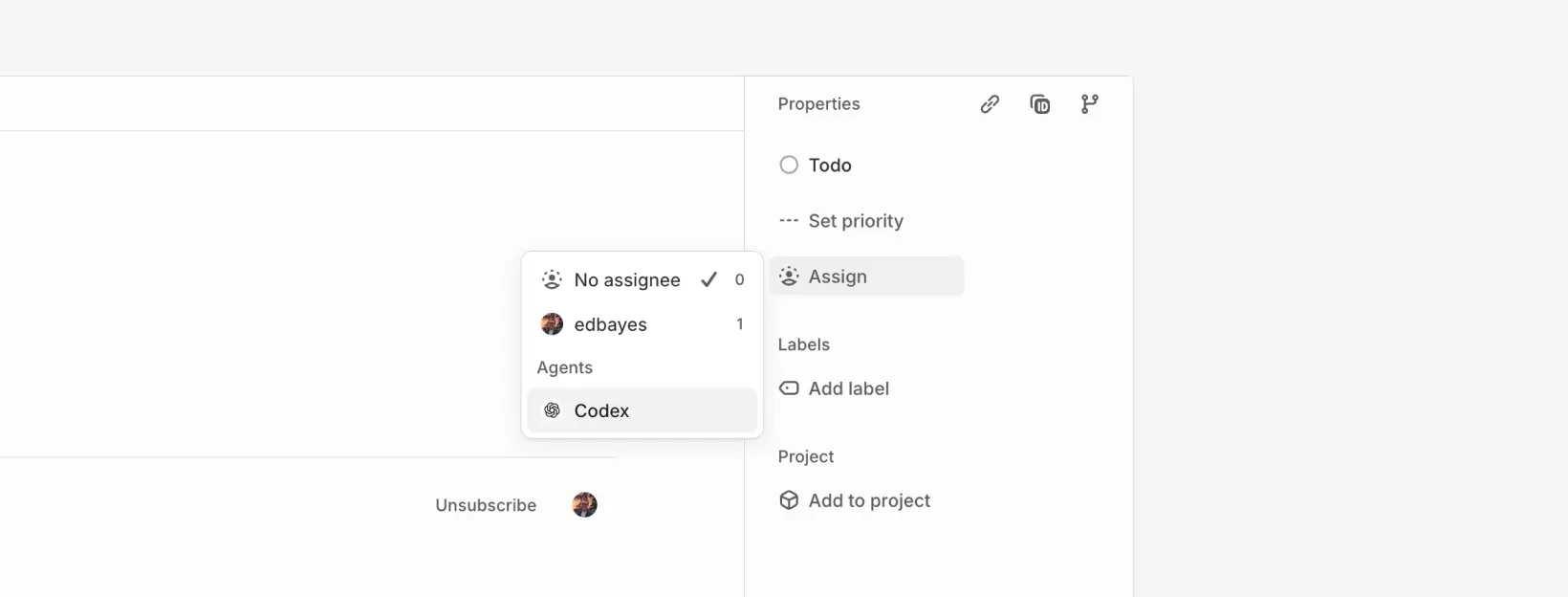
21After you install the integration, you can assign issues to Codex the same way you assign them to teammates. Codex starts work and posts updates back to the issue.21After you install the integration, you can assign issues to Codex the same way you assign them to teammates. Codex starts work and posts updates back to the issue.
22 22
2323<div class="not-prose max-w-3xl mr-auto my-4">
24 <img src="https://developers.openai.com/images/codex/integrations/linear-assign-codex-light.webp"
25 alt="Assigning Codex to a Linear issue (light mode)"
26 class="block h-auto w-full rounded-lg border border-default my-0 dark:hidden"
27 />
28 <img src="https://developers.openai.com/images/codex/integrations/linear-assign-codex-dark.webp"
29 alt="Assigning Codex to a Linear issue (dark mode)"
30 class="hidden h-auto w-full rounded-lg border border-default my-0 dark:block"
31 />
32</div>
24 33
25### Mention `@Codex` in comments34### Mention `@Codex` in comments
26 35
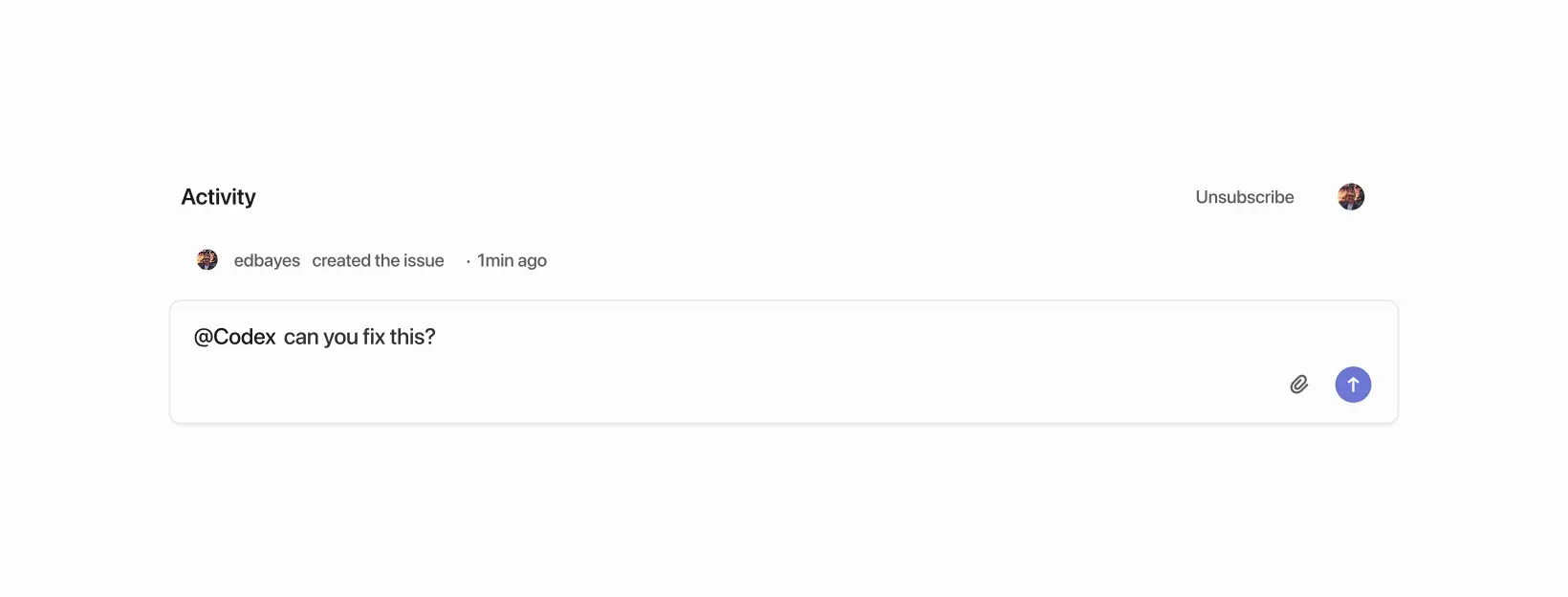
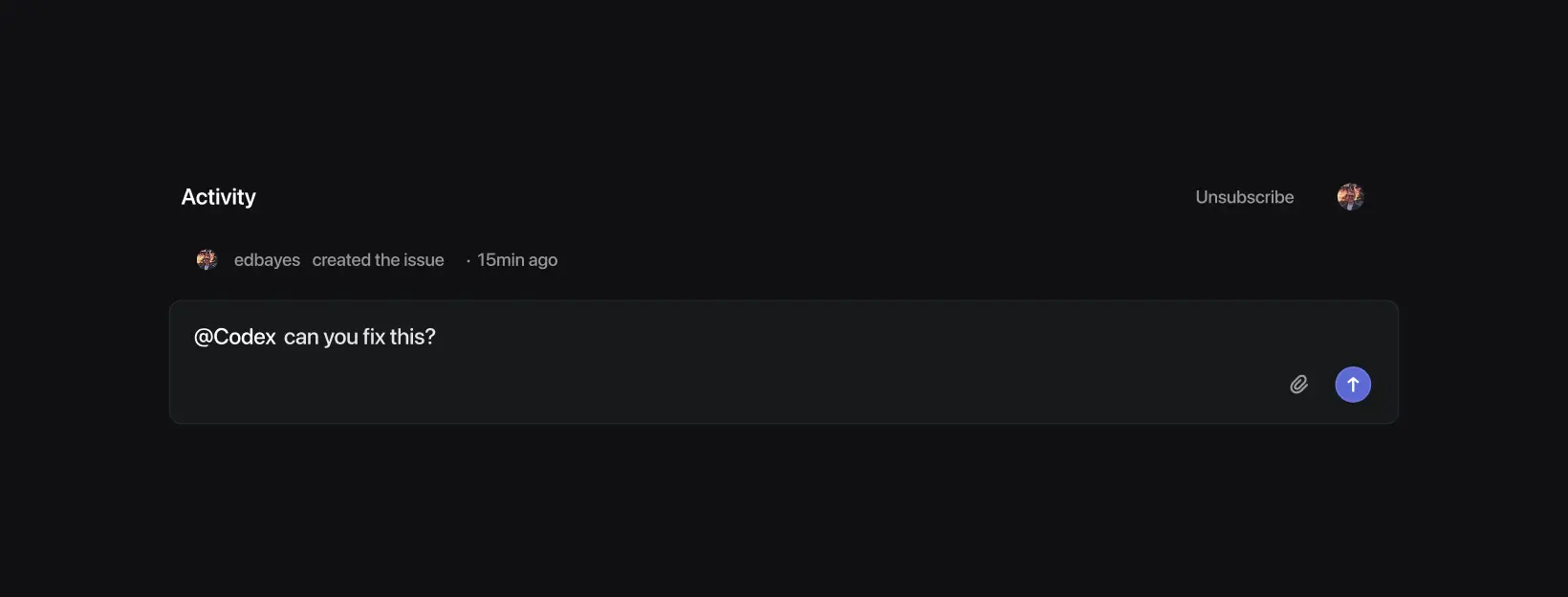
27You can also mention `@Codex` in comment threads to delegate work or ask questions. After Codex replies, follow up in the thread to continue the same session.36You can also mention `@Codex` in comment threads to delegate work or ask questions. After Codex replies, follow up in the thread to continue the same task.
28 37
2938<div class="not-prose max-w-3xl mr-auto my-4">
39 <img src="https://developers.openai.com/images/codex/integrations/linear-comment-light.webp"
40 alt="Mentioning Codex in a Linear issue comment (light mode)"
41 class="block h-auto w-full rounded-lg border border-default my-0 dark:hidden"
42 />
43 <img src="https://developers.openai.com/images/codex/integrations/linear-comment-dark.webp"
44 alt="Mentioning Codex in a Linear issue comment (dark mode)"
45 class="hidden h-auto w-full rounded-lg border border-default my-0 dark:block"
46 />
47</div>
30 48
31After Codex starts working on an issue, it [chooses an environment and repo](#how-codex-chooses-an-environment-and-repo) to work in.49After Codex starts working on an issue, it [chooses an environment and repo](#how-codex-chooses-an-environment-and-repo) to work in.
32To pin a specific repo, include it in your comment, for example: `@Codex fix this in openai/codex`.50To pin a specific repo, include it in your comment, for example: `@Codex fix this in openai/codex`.
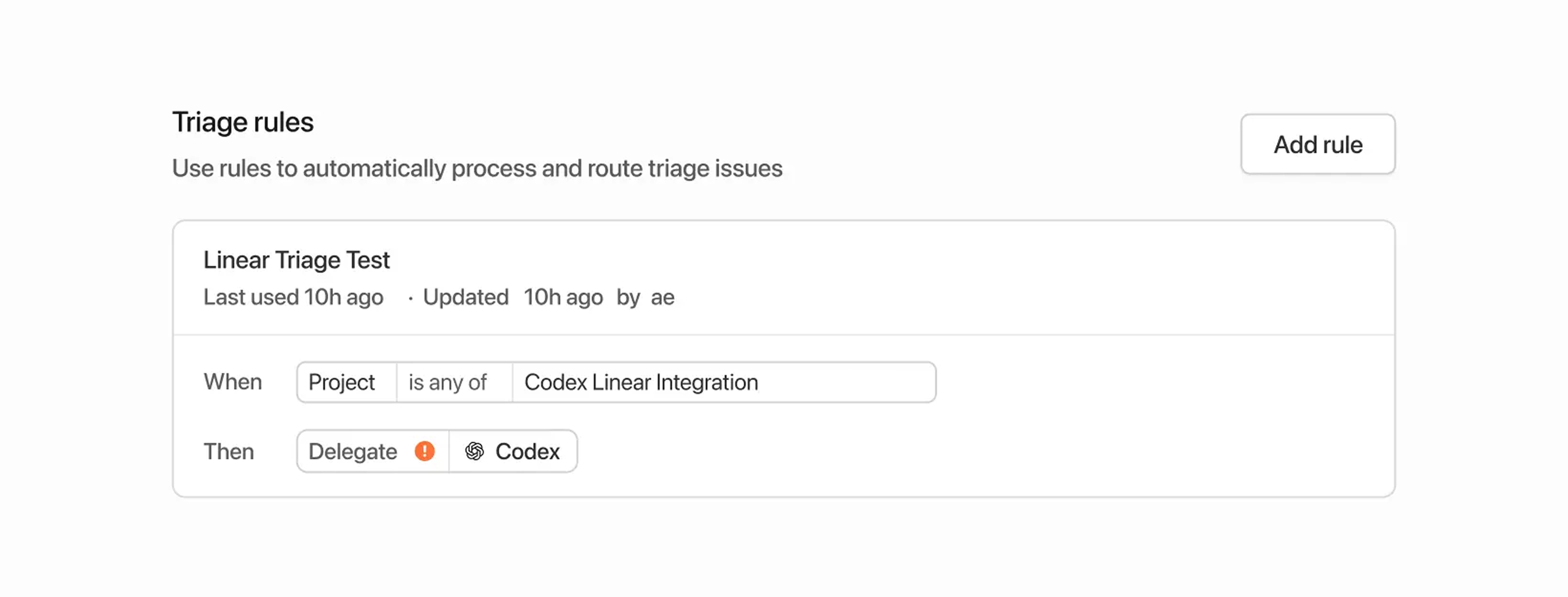
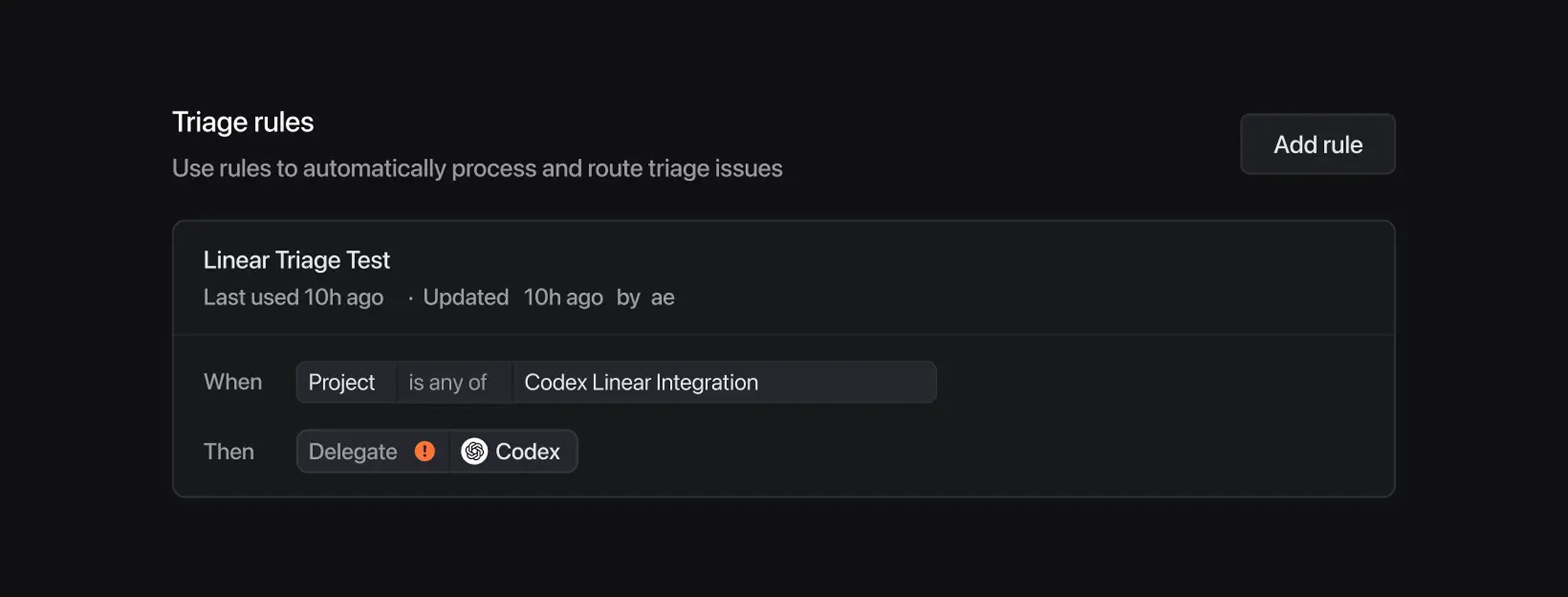
56Linear assigns new issues that enter triage to Codex automatically.74Linear assigns new issues that enter triage to Codex automatically.
57When you use triage rules, Codex runs tasks using the account of the issue creator.75When you use triage rules, Codex runs tasks using the account of the issue creator.
58 76
5977<div class="not-prose max-w-3xl mr-auto my-4">
78 <img src="https://developers.openai.com/images/codex/integrations/linear-triage-rule-light.webp"
79 alt='Screenshot of an example triage rule assigning everything to Codex and labeling it in the "Triage" status (light mode)'
80 class="block h-auto w-full rounded-lg border border-default my-0 dark:hidden"
81 />
82 <img src="https://developers.openai.com/images/codex/integrations/linear-triage-rule-dark.webp"
83 alt='Screenshot of an example triage rule assigning everything to Codex and labeling it in the "Triage" status (dark mode)'
84 class="hidden h-auto w-full rounded-lg border border-default my-0 dark:block"
85 />
86</div>
60 87
61## Data usage, privacy, and security88## Data usage, privacy, and security
62 89
63When you mention `@Codex` or assign an issue to it, Codex receives your issue content to understand your request and create a task.90When you mention `@Codex` or assign an issue to it, Codex receives your issue content to understand your request and create a task.
64Data handling follows OpenAI’s [Privacy Policy](https://openai.com/privacy), [Terms of Use](https://openai.com/terms/), and other applicable [policies](https://openai.com/policies).91Data handling follows OpenAI's [Privacy Policy](https://openai.com/privacy), [Terms of Use](https://openai.com/terms/), and other applicable [policies](https://openai.com/policies).
65For more on security, see the [Codex security documentation](https://developers.openai.com/codex/agent-approvals-security).92For more on security, see the [Codex security documentation](https://learn.chatgpt.com/docs/agent-approvals-security).
66 93
67Codex uses large language models that can make mistakes. Always review answers and diffs.94Codex uses large language models that can make mistakes. Always review answers and diffs.
68 95
69## Tips and troubleshooting96## Tips and troubleshooting
70 97
71- **Missing connections**: If Codex can’t confirm your Linear connection, it replies in the issue with a link to connect your account.98- **Missing connections**: If Codex can't confirm your Linear connection, it replies in the issue with a link to connect your account.
72- **Unexpected environment choice**: Reply in the thread with the environment you want (for example, `@Codex please run this in openai/codex`).99- **Unexpected environment choice**: Reply in the thread with the environment you want (for example, `@Codex please run this in openai/codex`).
73- **Wrong part of the code**: Add more context in the issue, or give explicit instructions in your `@Codex` comment.100- **Wrong part of the code**: Add more context in the issue, or give explicit instructions in your `@Codex` comment.
74- **More help**: See the [OpenAI Help Center](https://help.openai.com/).101- **More help**: See the [OpenAI Help Center](https://help.openai.com/).
75 102
76## Connect Linear for local tasks (MCP)103## Connect Linear for local tasks (MCP)
77 104
78If you’re using the Codex app, CLI, or IDE Extension and want Codex to access Linear issues locally, configure Codex to use the Linear Model Context Protocol (MCP) server.105If you're using the ChatGPT desktop app, Codex CLI, or IDE extension and want it to access Linear issues locally, configure the Linear Model Context Protocol (MCP) server.
79 106
80To learn more, [check out the Linear MCP docs](https://linear.app/integrations/codex-mcp).107To learn more, [check out the Linear MCP docs](https://linear.app/integrations/codex-mcp).
81 108
85 112
86If you have the CLI installed, run:113If you have the CLI installed, run:
87 114
88```115```bash
89codex mcp add linear --url https://mcp.linear.app/mcp116codex mcp add linear --url https://mcp.linear.app/mcp
90```117```
91 118
961. Open `~/.codex/config.toml` in your editor.1231. Open `~/.codex/config.toml` in your editor.
972. Add the following:1242. Add the following:
98 125
99```126```toml
100[mcp_servers.linear]127[mcp_servers.linear]
101url = "https://mcp.linear.app/mcp"128url = "https://mcp.linear.app/mcp"
102```129```