
Codex code review in GitHub
Use Codex code review to get another high-signal review pass on GitHub pull requests. Codex reviews the pull request diff, follows your repository guidance, and posts a standard GitHub code review focused on serious issues.
Before you start
Make sure you have:
- Codex cloud set up for the repository you want to review.
- Access to Codex code review settings.
- An
AGENTS.mdfile if you want Codex to follow repository-specific review guidance.
Set up Codex code review
- Set up Codex cloud.
- Go to Codex settings.
- Turn on Code review for your repository.
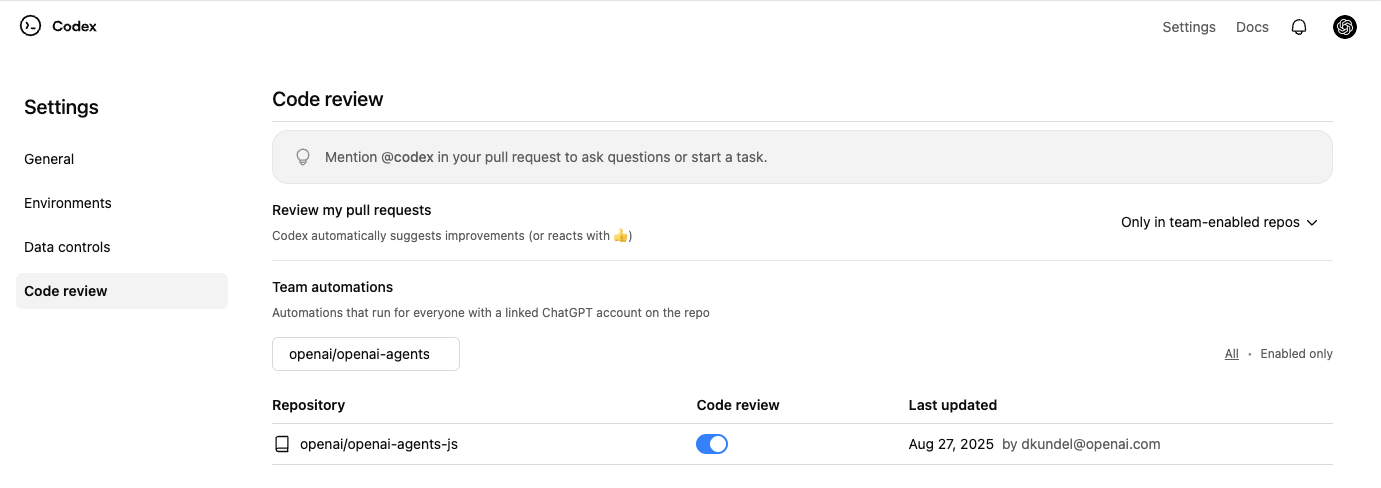
Request a Codex review
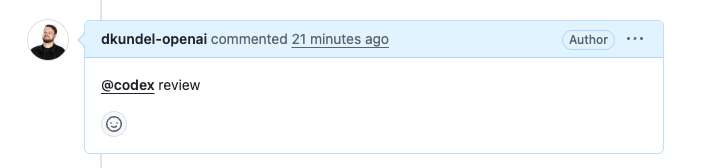
- In a pull request comment, mention
@codex review. - Wait for Codex to react (👀) and post a review.
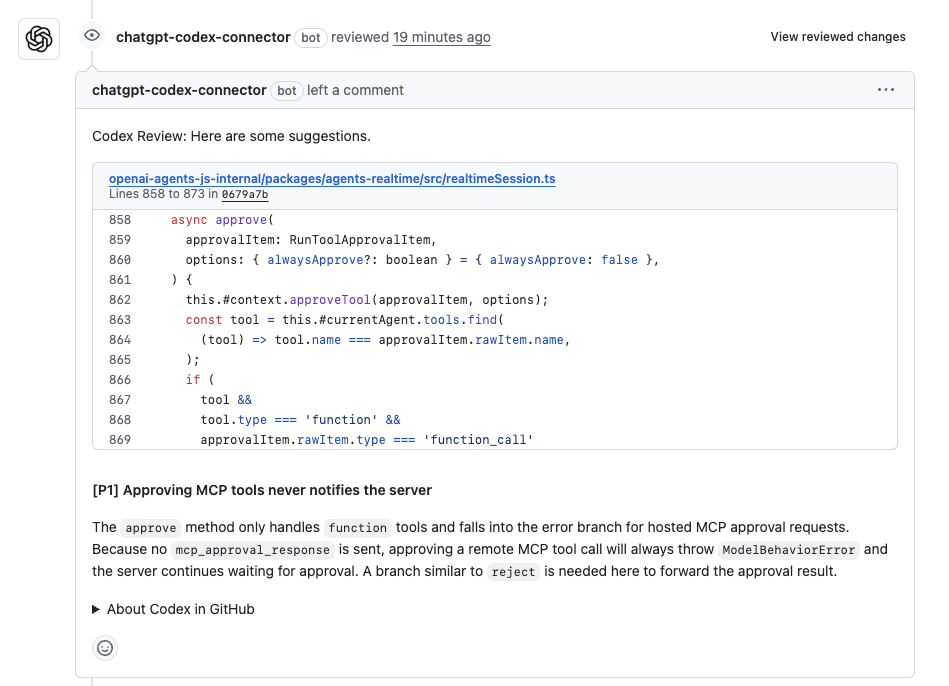
Codex posts a review on the pull request, just like a teammate would. In GitHub, Codex flags only P0 and P1 issues so review comments stay focused on high-priority risks.
Enable automatic reviews
If you want Codex to review every pull request automatically, turn on
Automatic reviews in Codex settings.
Codex will post a review whenever someone opens a new PR for review, without
needing an @codex review comment.
Customize what Codex reviews
Codex searches your repository for AGENTS.md files and follows the applicable
code review rules. Add a ## Code Review Rules section to the file closest to
the code the rules govern. Use ### headings to group related checks when
helpful.
For example, an experiment-reporting service can keep post-exposure behavior from changing a comparison cohort:
## Code Review Rules

### Experiment cohorts

- Do not filter treatment comparisons on post-exposure behavior, including conversion or retention.
  Safe path: build cohorts from assignment or exposure; report conversion as an outcome.
Put repository-wide rules in the root AGENTS.md and service-specific rules
in a nested file, such as services/experiment_reporting/AGENTS.md. Codex
applies the root and more-specific guidance that covers each changed file, so
unrelated changes don't have to carry service-specific context.
Start with two or three concise rules that encode checks reviewers often explain. Useful rules:
- Focus on consequential, repository-specific behavior. Describe the compatibility constraint, data boundary, or unsafe side effect to flag and why it matters.
- State the safe path or exception. Give Codex enough context to distinguish a real issue from expected behavior.
- Keep rules scoped and durable. Prefer outcomes over function names that can change, and place guidance near the code it governs.
- Leave mechanical checks in CI. Keep formatting, lint, and other deterministic checks out of review rules.
Open a representative pull request and request a review with @codex review.
Refine the rules based on the findings and feedback you see, and narrow or
remove guidance that produces noise.
Code review rules guide Codex; they don't replace tests, branch protections, or required approvals.
For a one-off focus, add it to your pull request comment:
@codex review for security regressions
Act on review findings
After Codex posts a review, you can ask it to fix issues in the same pull request by leaving another comment:
@codex fix the P1 issue
Codex starts a cloud chat with the pull request as context and can push a fix back to the branch when it has permission to do so.
Give Codex other tasks
If you mention @codex in a comment with anything other than review, Codex starts a cloud chat using your pull request as context.
@codex fix the CI failures
Troubleshoot code review
If Codex doesn't react or post a review:
- Confirm you turned on Code review for the repository in Codex settings.
- Confirm the pull request belongs to a repository with Codex cloud set up.
- Use the exact trigger
@codex reviewin a pull request comment. - For automatic reviews, check that you turned on Automatic reviews and that the pull request event matches your review trigger settings.