2 2
3> For the complete documentation index, see [llms.txt](https://learn.chatgpt.com/llms.txt). Markdown versions of documentation pages are available by appending `.md` to the page URL.3> For the complete documentation index, see [llms.txt](https://learn.chatgpt.com/llms.txt). Markdown versions of documentation pages are available by appending `.md` to the page URL.
4 4
5Sites is in public beta and is available with ChatGPT Plus, Pro, Business,5Sites lets you build, host, and share a website by describing it in ChatGPT or Codex. You can get started without writing any code. You can also host web apps, games, or a compatible project you've already built, without a separate deployment setup.
6 Enterprise and Edu plans. Plan-specific usage limits apply across all Sites
7 during the beta. ChatGPT shows the current limits and notifies you as you
8 approach one. Reaching a limit can prevent you from creating a Site, adding
9 storage, or keeping a high-usage Site public, but you can still edit and
10 manage existing Sites.
11 6
12Sites lets ChatGPT create, host, refine, and share websites, web apps, and games.7If you're part of an organization, Sites can give your team a place to find answers, explore results from a spreadsheet, or walk through a project kickoff. Start with the documents and data you already have, and ask for changes as you go.
13Use Sites when you want to turn a prompt or compatible existing project into a
14hosted experience without setting up a separate deployment workflow.
15 8
16<ContentModeSwitch group="codex-surface" id="app">9<figure class="not-prose my-6" id="sites-intro-video">
17 10
18Open **Sites** in the ChatGPT desktop app. You can start a site from a prompt or
19from a compatible local project, then return to the Sites view to manage it.
20 11
21</ContentModeSwitch>12[Watch: Build and publish web apps directly in ChatGPT](https://www.youtube.com/watch?v=8zH_O74hZBw)
22 13
23<ContentModeSwitch group="codex-surface" id="web">14</figure>
24 15
25Use Sites in ChatGPT on the web to create and manage hosted sites. Select
26**More** > **Sites**, or go directly to
27[Sites in ChatGPT](https://chatgpt.com/sites), to find Sites you've created.
28 16
29</ContentModeSwitch>
30 17
31<ContentModeSwitch group="codex-surface" id="cli">
32 18
33Sites doesn't have a standalone Codex CLI management view. Use ChatGPT web or
34the desktop app to create, save, deploy, and manage a Sites project. You can
35still use Codex CLI to edit and test a local project before publishing it.
36 19
37</ContentModeSwitch>
38 20
39<ContentModeSwitch group="codex-surface" id="ide">21 {
22 "For current availability, pricing, plan information, and usage limits, visit our "
23 }
24 [{"Help Center"}](https://help.openai.com/en/articles/20001339)
25 {"."}
40 26
41Sites doesn't have a standalone IDE extension management view. Use ChatGPT web
42or the desktop app for Sites operations, and use the IDE extension to edit and
43test the local source project.
44 27
45</ContentModeSwitch>
46 28
47Every Sites deployment URL is a production deployment. If you want to review a29<a id="explore-site-types"></a>
48 build before it becomes live, ask ChatGPT to save a version without deploying
49 it.
50 30
51## Get started with Sites31## Explore ways to use sites
52 32
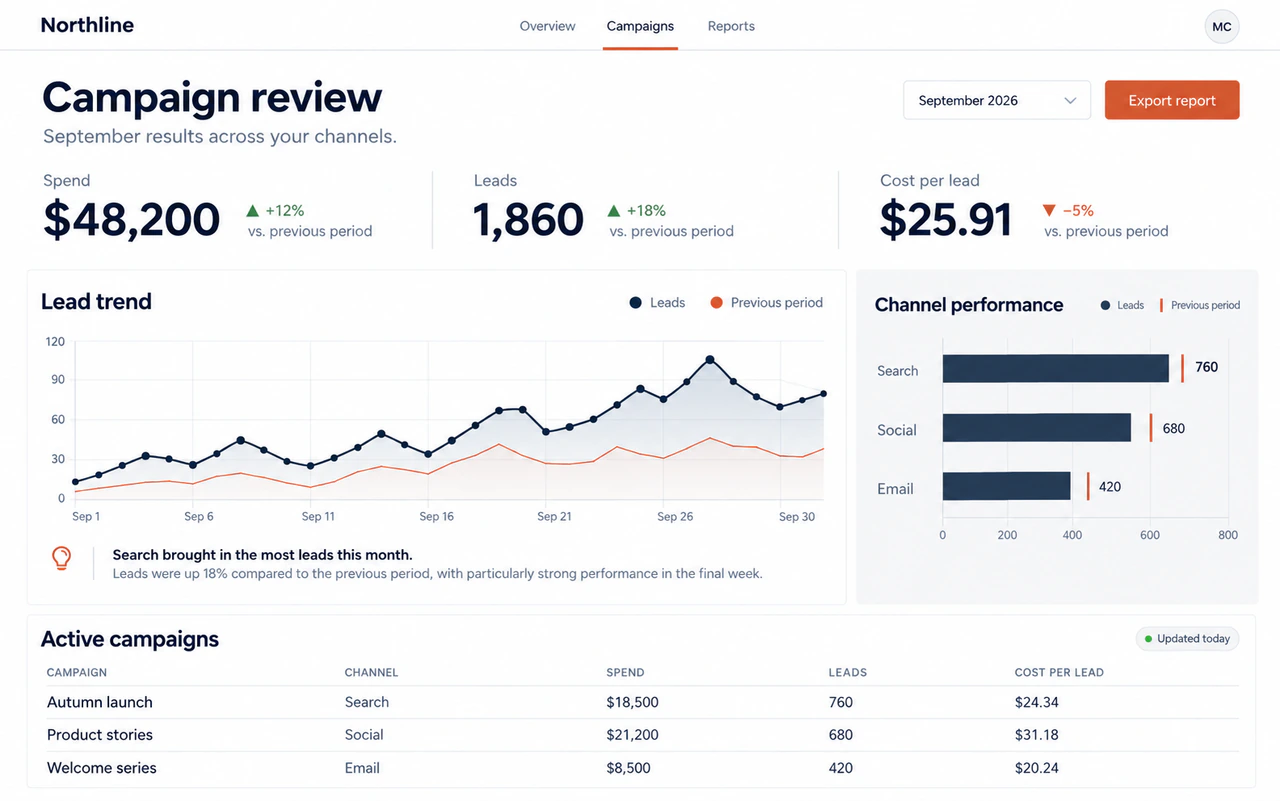
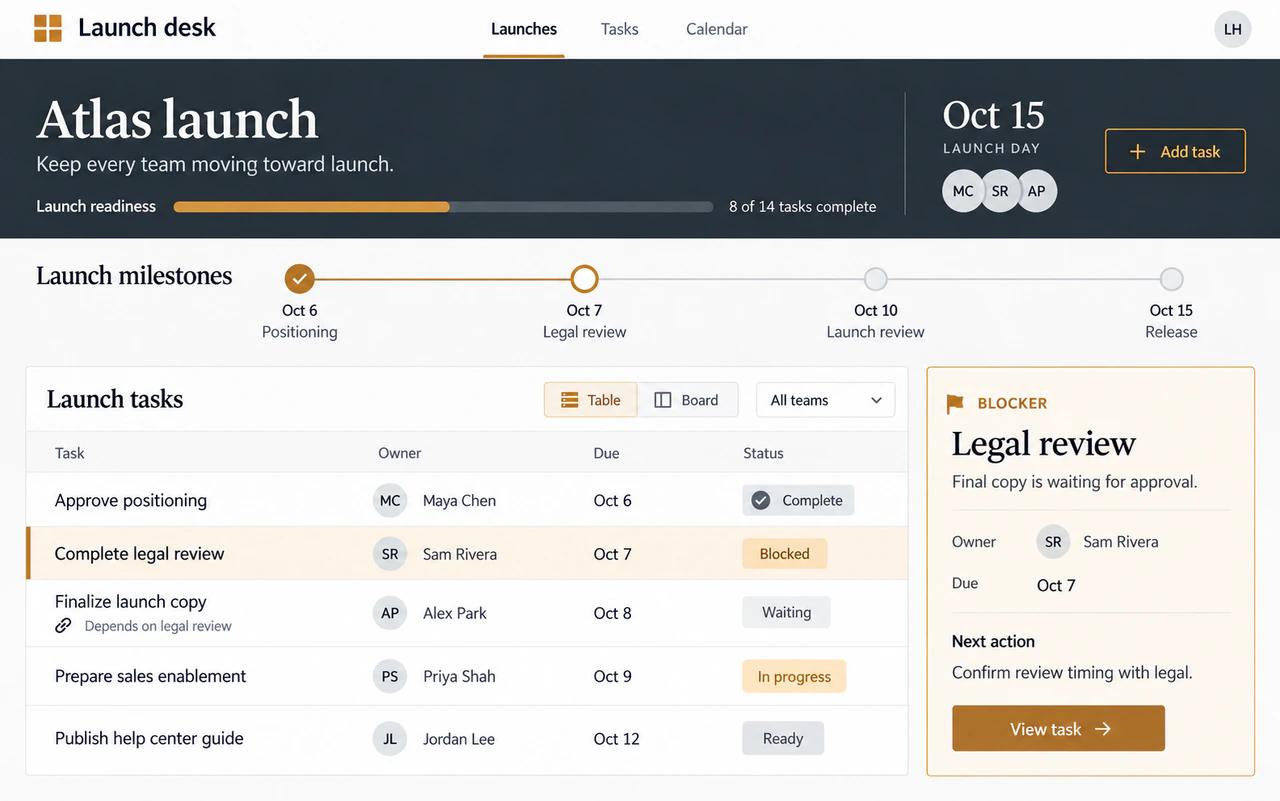
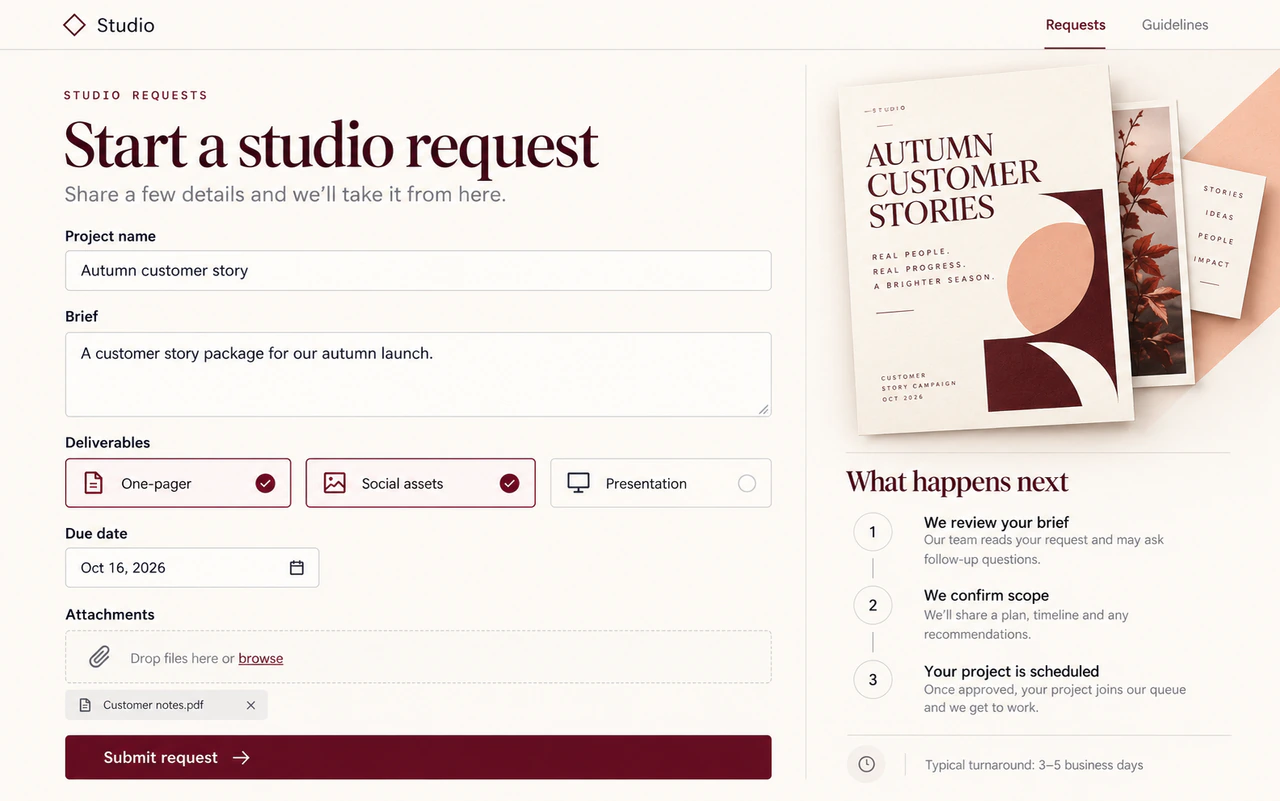
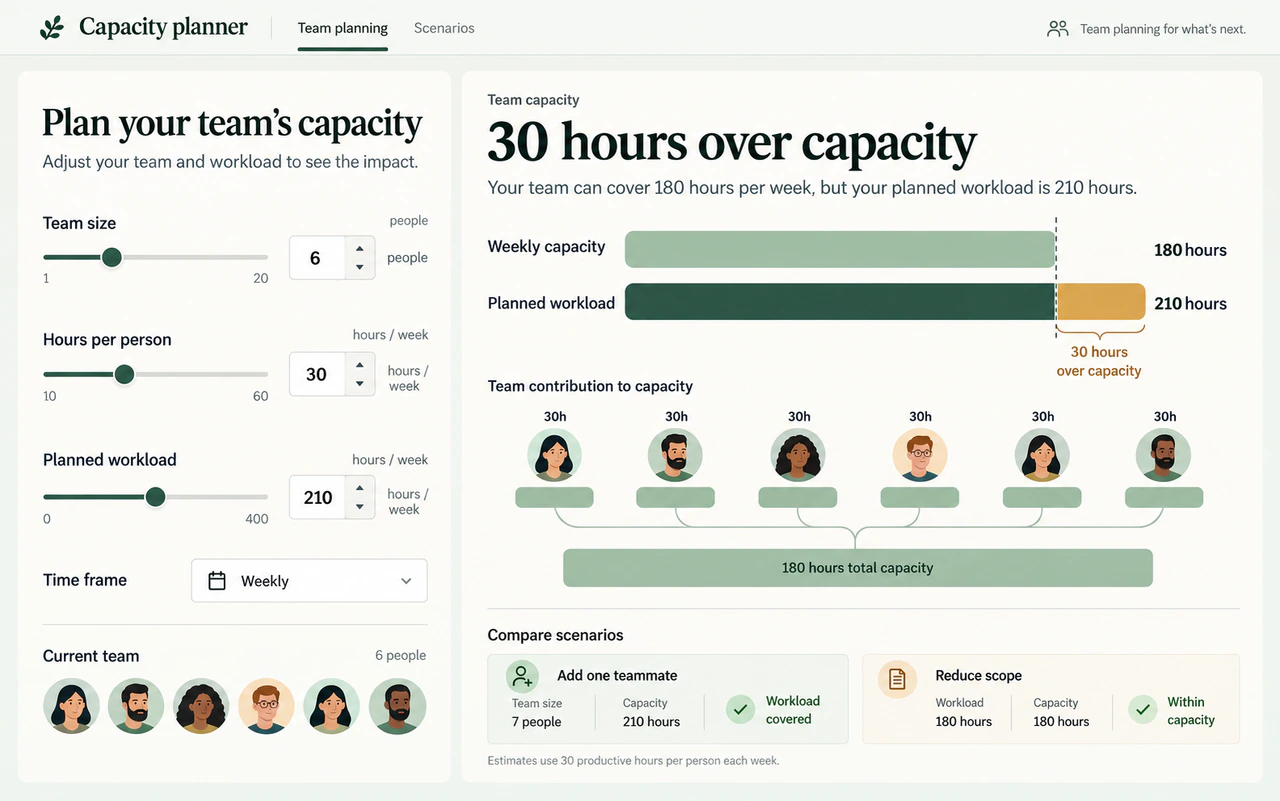
53In ChatGPT, include the word "website" in your prompt or mention `@Sites` to33The examples below are just inspiration for what you can build with Sites. Explore a few common patterns, combine their features, or try an idea of your own.
54start the Sites workflow explicitly.
55 34
56<WorkflowSteps variant="headings">
57 35
581. Describe the Site
59 36
60 Describe the audience, purpose, required behavior, and information the Site37### Resource hub
61 should use.
62 38
632. Review the Site39A resource hub could group documents and links by topic, with search and short descriptions to help people find what they need. Each result might open the original document or page.
64 40
65 Review the generated content and behavior. Check that the Site uses the41#### Example use cases
66 intended information and handles data as expected.
67 42
683. Refine the Site43- New employee onboarding portal
44- Team policy and procedure library
45- Product launch resource center
46- Customer training and support hub
69 47
70 Describe the changes you want. Add relevant files or visual context when48
71 they will help ChatGPT make the change.
72 49
734. Manage and share the Site50#### How you might build it
74 51
75 Return to **Sites** to reopen or refine the Site. When it's ready, choose who521. **What to share** Provide documents or links with titles, short descriptions, and categories. Say who will use the hub and which resources to feature.
76 can visit it and share the resulting link.
77 53
78</WorkflowSteps>542. **What to ask for** Ask for resource cards, search across titles and descriptions, and category filters. Specify what each card shows, whether it opens a source link or a page in the hub, and how the list should be updated. Define what visitors see when a search has no matches.
79 55
80<ContentModeSwitch group="codex-surface" id="web">563. **What to check** Search for a known item, combine a search with a filter, and try a search with no matches. Check that an intended visitor can open the linked resources and browse on a phone.
81 57
82In the preview, select **Edit**. Under **Describe website edits**, describe the58### Dashboard
83changes you want. Use **Screenshot** or **Add files and more** when additional
84context would help.
85 59
86</ContentModeSwitch>60A dashboard could combine summary numbers, charts, and tables in one view. Filters might let people explore a date range, team, or category and compare the results.
87 61
62#### Example use cases
88 63
64- Marketing campaign performance
65- Sales pipeline and forecast
66- Customer support volume and response times
67- Product adoption and engagement
89 68
90 {"For help creating and managing Sites, see "}69
91 [{"Creating and managing ChatGPT Sites"}](https://help.openai.com/articles/20001339)
92 {" in the Help Center."}
93 70
71#### How you might build it
94 72
731. **What to share** Share a spreadsheet or sample of your data. Explain what each row and column means, and define the metrics and units.
95 74
96## Prompt Sites for common tasks752. **What to ask for** Ask for summary numbers, charts, and a detail table with date or category filters. Specify which views should update together and how new data should be added or refreshed. Define what to show when a filter has no results. Keep missing values distinct from zero, and show a rate as unavailable if it would require dividing by zero.
97 76
98For a new website, dashboard, or internal tool, include the audience, core773. **What to check** Compare totals and calculations with the source data before and after filtering. Try a filter with no results, a missing value, and a rate that would require dividing by zero. Confirm each follows the rules you specified.
99experience, and required information:
100 78
79### Tracker
101 80
81A tracker could keep tasks or items in a table, with owners, dates, and status labels. People might filter what they see and update the items they have permission to change.
102 82
103**Prompt:**83#### Example use cases
104 84
105```text85- Product launch tasks
106Build a project request dashboard for my operations team. Let team members submit requests, see who owns each one, update the status, and filter the list. Require people to sign in with their workspace account, and keep the request data saved between visits.86- Project milestones and dependencies
107```87- Editorial calendar and content reviews
88- Customer onboarding progress
108 89
109<ContentModeSwitch group="codex-surface" ids="app,cli,ide">90
110 91
111For an existing project, ask Sites to prepare and publish the current app:92#### How you might build it
112 93
941. **What to share** Share sample items with fields such as name, owner, date, and status. Explain your status labels and any dependencies between items.
113 95
962. **What to ask for** Ask for a table or board, filters by owner and status, and a way to add or edit items. Define when an item should be marked overdue or blocked. Say where updates should be saved and who should be able to view or change them.
114 97
115**Prompt:**983. **What to check** Add or edit an item, then reload to confirm the change was saved. Try each status and an overdue date. If access differs by person, use separate accounts to check who can view and edit items.
116 99
117```text100### Request form
118Deploy this project with Sites. Check whether it is compatible, make any required changes, and give me the deployment URL.
119```
120 101
121</ContentModeSwitch>102A request form could collect details through fields, choices, and attachments. You might ask it to check required answers, save submissions for reviewers, and show a confirmation explaining what happens next.
122 103
123When a site needs durable application data or uploaded files, say so in the104#### Example use cases
124request:
125 105
106- Creative briefs and design requests
107- Event and workshop support requests
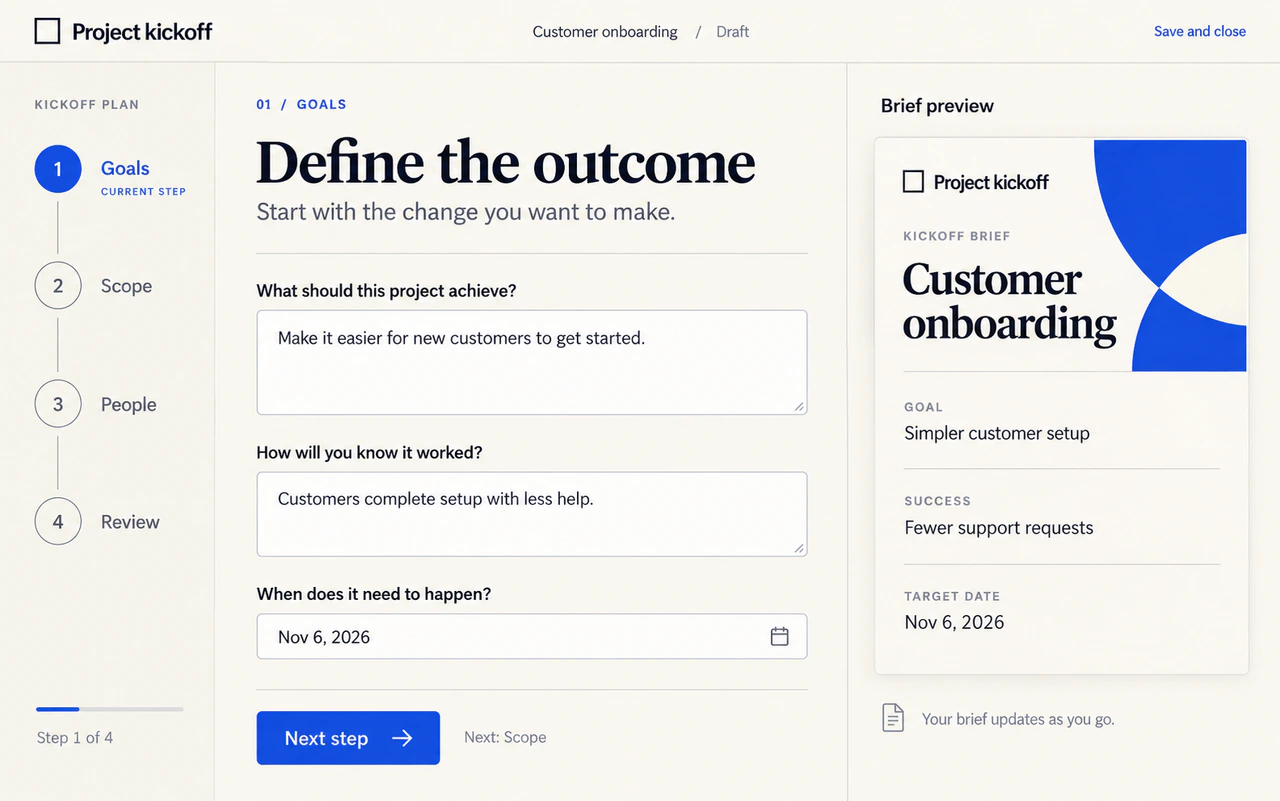
108- IT and software access requests
109- Customer feedback submissions
126 110
111
127 112
128**Prompt:**113#### How you might build it
129 114
130```text1151. **What to share** Share a form template or list the details to collect. Mark required fields and list allowed choices and attachments.
131Add player scores and avatar uploads to this game. Keep the scores and uploaded avatars between visits.
132```
133 116
134Browse the [Sites showcase](https://developers.openai.com/showcase) for deployed internal apps and the full1172. **What to ask for** Ask for checks on required fields and accepted formats, with messages explaining what to fix. Specify which answers trigger follow-up questions. Say where submissions and attachments should be saved, who can review them, and what the confirmation should tell the person who submitted the form.
135 prompts used to create them.
136 118
137## Review Site analytics1193. **What to check** Submit a complete form and confirm the saved request is available to the intended reviewers. Leave a required field blank and try an invalid entry to check that the form explains what to fix. If you included uploads, confirm reviewers can open the saved attachment.
138 120
139Sites records traffic automatically, so you can see how people use a deployed121### Calculator
140Site without adding an analytics SDK. The analytics view shows total unique
141visitors and page views, plus both metrics over time. Change the date range or
142granularity to inspect a different period.
143 122
144<ContentModeSwitch group="codex-surface" id="app">123A calculator could turn editable inputs into an estimate using formulas you provide. People might change the numbers, compare scenarios, and see the units and assumptions beside each result.
145 124
146Open **Sites**, find the Site, then select **More actions** > **Analytics**.125#### Example use cases
147 126
148</ContentModeSwitch>127- Event budget scenarios
128- Team staffing and workload estimates
129- Workshop duration and group sizes
130- Project timeline estimates
149 131
150<ContentModeSwitch group="codex-surface" id="web">132
151 133
152Go to [Sites in ChatGPT](https://chatgpt.com/sites), find the Site, then select134#### How you might build it
153**More actions** > **Analytics**.
154 135
155</ContentModeSwitch>1361. **What to share** Share the formula, units, assumptions, and a worked example with its expected result. Explain which inputs people can change and which values should stay fixed.
156 137
157<ContentModeSwitch group="codex-surface" ids="cli,ide">1382. **What to ask for** Ask for labeled input fields or sliders, starting values, and allowed ranges. Show results with their units and assumptions. Define what happens for zero, blank, and out-of-range inputs, including when to show an error or an unavailable result. If people should compare scenarios, specify which results to show side by side.
158 139
159Sites doesn't have a standalone analytics view in the CLI or IDE extension. Open1403. **What to check** Enter your worked example and compare the result. Change one input to check that the output updates correctly. Try zero, blank, and out-of-range values, and confirm each shows the response you specified.
160the Site in ChatGPT on the web or in the desktop app to review its analytics.
161 141
162</ContentModeSwitch>142### Guided process
163 143
144A guided process could break a task into steps, with questions that change based on earlier answers. People might go back, save progress if needed, and finish with a brief, checklist, or other output you define.
164 145
146#### Example use cases
165 147
166> Illustration: Interactive Sites analytics dashboard showing unique visitors and page views over seven days.148- Employee onboarding checklist
149- Project kickoff planning
150- Campaign brief development
151- Vendor review and approval steps
167 152
153
168 154
155#### How you might build it
169 156
170Analytics is currently available for Sites that aren't owned by an Enterprise1571. **What to share** Share a checklist or outline of the process. Put the steps in order, mark required answers, and explain where a choice should lead to different questions. Include an example of the finished output.
171 workspace.
172 158
173## Add Sign in with ChatGPT1592. **What to ask for** Ask for one step at a time, a progress indicator, and a way to go back without losing answers. Define the final output, what happens when a required answer is blank, and whether answers that no longer apply should be removed or flagged. If progress should be saved, say where and who can return to it.
174 160
175Public Sites can remain open to everyone while offering optional Sign in with1613. **What to check** Try the main path and each branch. Leave a required answer blank, then change an earlier choice. Check that questions and the output update, and answers that no longer apply are removed or flagged. If you requested saved progress, reload to confirm it resumes.
176ChatGPT for identity-aware features, such as saved progress, personalized views,
177or records that belong to a specific person. Workspace-restricted Sites already
178use ChatGPT identity to enforce their sharing settings.
179 162
180Ask Sites to add the sign-in experience:163Illustrated examples with fictional content.
181 164
182 165
183 166
184**Prompt:**167## Sites use cases
185 168
186```text169Here are some example use cases you can try with Sites.
187Add Sign in with ChatGPT to this public Site. Keep the Site available to signed-out visitors. Show a Sign in with ChatGPT action when someone is signed out. After they sign in, greet them with their full name when available, or their email address otherwise. Add a Sign out action, and keep authorization decisions in server-side code.
188```
189 170
190<ToggleSection title="How it works">171- [Manage creative requests from brief to delivery](https://learn.chatgpt.com/use-cases/collect-and-schedule-team-requests): Turn your creative brief template into a request app where colleagues submit work, designers...
172- [Build an onboarding portal](https://learn.chatgpt.com/use-cases/build-personal-onboarding-plan): Turn your team's first-week plan into daily activities, resource links, and a practice task...
173- [See which campaigns bring in leads](https://learn.chatgpt.com/use-cases/compare-campaign-performance): Turn weekly campaign exports into a dashboard where your team can compare lead volume and...
174- [Build a hackathon site](https://learn.chatgpt.com/use-cases/build-workshop-practice-site): Turn your event brief and agenda into a site that guides participants through registration...
191 175
192Sites handles the sign-in and sign-out flows through platform-provided paths,176## Understand limits and unsupported uses
193then returns the visitor to your Site:
194
195```html
196<a href="/signin-with-chatgpt">Sign in with ChatGPT</a>
197<a href="/signout-with-chatgpt">Sign out</a>
198```
199
200After a visitor signs in, Sites forwards their identity to the server through
201these request headers:
202
203- `oai-authenticated-user-email` contains the authenticated email address.
204- `oai-authenticated-user-full-name` may contain a non-empty profile name. Treat
205 it as optional and fall back to the email address.
206
207Keep authorization decisions in server-side code, and don't depend on
208name-split headers.
209
210</ToggleSection>
211
212<a id="load-visitor-data-via-plugins"></a>
213
214## Bring user data to your Site with plugins
215
216Use plugins in Sites to build a Site that loads
217data from each Site viewer's own connected apps. For example, an issue dashboard
218can show your assigned issues to you and your teammate's assigned issues to
219them. Each visitor signs in with ChatGPT and chooses which connected accounts
220and access to allow.
221
222Using plugins in Sites requires a workspace where the feature is enabled and a
223 Site that is private to that workspace. Connected features require membership
224 in the Site's workspace and remain subject to each visitor's existing app
225 permissions. Admins can follow [Enable plugin use in
226 Sites](https://learn.chatgpt.com/docs/enterprise/sites#enable-plugin-use-in-sites) to review
227 individual plugin permissions and check tenant restrictions.
228
229### Build a Site with connected data
230
231<WorkflowSteps>
232
2331. Ask ChatGPT Work or Codex to build a Site. Name the plugin connector and what it should do, or ask which plugins are available.
2342. Try the preview with real data. The agent uses your available connections
235 while building and previewing the Site.
2363. Ask the agent to publish the Site for your workspace and
237 share its link with teammates.
238
239</WorkflowSteps>
240
241For example:
242
243
244
245**Prompt:**
246
247```text
248Build a Site using my connected issue tracker that shows issues assigned to me, grouped by priority. Add project filters, links to the original issues, and a Refresh button.
249```
250
251GPT-6 Astra · Medium
252
253You can also build a document finder that links to original documents or a
254project overview that combines tickets and messages.
255
256### Data loading
257
258On page load, Sites reads connected data using the visitor's connection and permissions. Sites manages caching and reloading; ask ChatGPT Work or Codex to add a manual refresh action if needed.
259
260By default, Sites uses a **Load more** action to fetch another page when the connector returns a cursor.
261
262Sites uses `getContext()` to find a plugin's actions. It returns cached tool names, descriptions, and schemas; it doesn't refresh discovery.
263
264### Write to an app
265
266If your Site needs to write to an app, ask for write access. Write actions must be enabled and configured, and require visitor consent and an explicit user action.
267
268### Let visitors choose their connections
269
270To use connected features, a visitor signs in with ChatGPT, reviews the app
271access the Site requests, chooses the connected account and access to allow,
272and returns to the Site. Sharing the Site doesn't grant access to your
273connected accounts. The Site receives data from the apps each visitor allows.
274
275Visitors can continue without granting app access, but features that need it
276won't work. If an app is unavailable, check that it's connected in the right
277workspace and allowed by workspace settings.
278
279## Understand projects, versions, and deployments
280
281A Site is a persistent hosted output that you can reopen, refine, configure,
282and share from **Sites** in ChatGPT.
283
284<ContentModeSwitch group="codex-surface" ids="app,cli,ide">
285
286A Sites project links a local source project to hosting managed through Sites.
287Sites stores that linkage and optional storage binding names in
288`.openai/hosting.json`. A newly created local starter can begin without a
289`project_id`; Sites adds one after it provisions the hosted project.
290
291For example, a provisioned site that uses a relational database binding and no
292file storage can contain:
293
294```json
295{
296 "project_id": "<project-id>",
297 "d1": "DB",
298 "r2": null
299}
300```
301
302</ContentModeSwitch>
303
304<ContentModeSwitch group="codex-surface" id="web">
305
306A Site appears in your Sites list even after the ChatGPT Work chat that created it ends.
307You don't need a local project or manifest to start a Site on the web. A Site is
308separate from a ChatGPT Project.
309
310</ContentModeSwitch>
311
312<ContentModeSwitch group="codex-surface" ids="app,cli,ide">
313
314Sites publishing has two separate stages:
315
3161. **Save a version.** ChatGPT builds a deployable version. For a local source
317 project, ChatGPT associates the version with the Git commit used for the
318 build. Use this stage when you want a reviewable deployment candidate.
3192. **Deploy a version.** ChatGPT publishes a saved version and reports the
320 production URL when deployment succeeds. Use this only when you intend for
321 the selected audience to access the site.
322
323Ask ChatGPT to list or inspect saved versions when you need to identify a
324previous deployment candidate.
325
326</ContentModeSwitch>
327
328## Choose a supported site shape
329
330For new projects, the Sites workflow can start with its recommended Site
331starter. For an existing project, ask ChatGPT to confirm that the project can
332produce compatible deployment artifacts before you request a deployment.
333
334Tell ChatGPT about the product behavior you need so it can select the appropriate
335site shape:
336
337| Site need | What to ask Sites for |
338| -------------------------------------------------------------- | ----------------------------------------------------------------------------- |
339| Content-led website or landing page | A Site with no persistent application state unless the experience requires it |
340| Saved records, user progress, or game scores | D1, a relational database for durable structured data |
341| Images, documents, audio, video, or other uploads | R2, object storage for files |
342| Uploaded files with searchable metadata | D1 for metadata and R2 for file contents |
343| Internal site that needs the current workspace user's identity | Workspace-authenticated user identity |
344| Public sign-in or an external identity provider | An authentication-enabled Site |
345
346Don't request durable storage for temporary presentation state, such as a
347theme choice or a dismissed banner. Do request it for product data that people
348expect the hosted site to remember.
349
350## Control access and secrets
351
352A new Site is limited to its owner and workspace admins until you change its
353access. Keep access limited while you review the content, data handling, and
354expected audience.
355
356Depending on your account and workspace settings, sharing options can include:
357
358- **Owner and workspace admins**
359- **Selected active users or groups**, where supported
360- **Invited external viewers**, when external invitations are available
361- **Anyone in the workspace**, where supported
362- **Anyone on the internet**, only when public publishing is enabled
363
364Visitor access lets people open the Site; it doesn't give them editing access.
365In Enterprise workspaces, public publishing is off by default and must be
366enabled by an admin.
367
368For limited sharing, invited visitors must sign in with the account that
369received access. A public Site is available without ChatGPT workspace access. A
370Site's audience setting and any sign-in feature built into the Site are separate
371controls.
372
373For example:
374
375
376
377**Prompt:**
378
379```text
380Change this Site's access to everyone in my workspace after showing me the current Site and confirming its URL.
381```
382
383### Invite people outside your workspace
384
385External invitations let you give named people access to a Site without making
386it public. You can invite viewers outside your workspace, or share a private
387Site from a personal account. The feature is rolling out to Sites users on
388Plus, Pro, Business, and Enterprise plans.
389
390<WorkflowSteps>
391
3921. Open a Site you own and select **Share**.
3932. To keep the Site private, set **Who has access** to **Only those invited**.
3943. Enter the viewer's email address under **Search for people or groups**, or
395 **Enter an email address** for a personal Site, then select the recipient.
3964. Review the audience and the recipient's **Viewer** access, then select
397 **Invite**.
3985. Confirm that the viewer appears in the saved access list. Share the Site's
399 link and ask them to sign in with the account that received access.
400
401</WorkflowSteps>
402
403External viewers can open and use the Site. They don't become workspace
404members or Site editors, and can't edit or publish the Site. The invitation
405grants access to this Site; review its content and connected data before sharing.
406
407In Enterprise, admins manage **Allow members to invite external visitors to
408sites** under **Workspace settings > Permissions & roles**. This permission
409is separate from permission to publish Sites publicly.
410Business workspaces don't have a separate external-invitation permission
411toggle; Sites must be enabled, and the feature must be available to the account.
412If the invitation option is missing, check the selected account, Site
413ownership, workspace permissions, and rollout availability.
414
415To remove a viewer, open the Site's sharing controls and remove their access.
416Also check the remaining audience settings: removing one invitation doesn't
417remove access the person has through public, workspace, or group sharing.
418
419### Collaborate on a Site
420
421Site collaboration requires a workspace. When the feature is available, a Site
422owner can invite active members of the same workspace as editors.
423
424Editors can read the Site's live database data. Invite only people you trust
425with the Site's code and data.
426
427<WorkflowSteps>
428
4291. Open the Site and select **Share**.
4302. Under **Add people or groups**, find and select a workspace member. They
431 are added as a visitor.
4323. Open **Can view** next to that person and choose **Can edit**. Access saves
433 automatically. The Site appears under **Shared with you** in the member's
434 Sites view.
4354. The editor can open the Site, make changes, save versions, and publish
436 updates after the owner has published the Site for the first time.
437
438</WorkflowSteps>
439
440The Site owner manages editor access and can promote an existing visitor to
441editor, change an editor to **Can view**, or remove their access. Co-editing
442doesn't add a separate workspace permission toggle.
443
444Editors can't change the Site's audience, invite or remove other people, manage
445settings or analytics, restore an earlier version, or transfer ownership. An
446editor also can't perform the Site's first publish; the owner must publish the
447Site before editors can publish later updates.
448
449Editor access is separate from visitor access. The steps above first add the
450person as a visitor, then grant editing access. Promoting a visitor to editor
451doesn't change the Site's audience setting.
452
453### Configure runtime environment values
454
455Open **Sites**, then open the Site's settings to add, update, or remove hosted
456environment variables and secrets. Keep secret values out of prompts, attached
457files, and Site content.
458
459<ContentModeSwitch group="codex-surface" id="web">
460
461Go to [Sites in ChatGPT](https://chatgpt.com/sites), find the Site, then select
462**More actions** > **Settings**.
463
464</ContentModeSwitch>
465
466<ContentModeSwitch group="codex-surface" ids="app,cli,ide">
467
468Don't store these values in `.openai/hosting.json`. Keep local `.env` and
469`.env.example` files aligned with the keys needed for local development, and
470don't commit secret values.
471
472When you add, update, or remove hosted environment values, ask ChatGPT to
473redeploy the approved saved version so the next deployment uses the updated
474configuration.
475
476</ContentModeSwitch>
477
478## Change a Site URL
479 177
480Where URL editing is available, Site owners can change the ChatGPT-hosted URL178Sites hosts web experiences in its supported runtime. Some frameworks, private networks, databases, background services, and hosting patterns aren't supported.
481for an existing Site without creating another deployment.
482 179
4831. Open **Sites**, find the Site, and open its settings.180HTTP, HTTPS, and WebSockets are supported. Raw inbound and outbound TCP connections aren't supported.
4842. Find the Site URL and select **Change URL**.
4853. Enter an available name. It must contain at least five characters, start
486 with a lowercase letter, and use only lowercase letters, numbers, and single
487 hyphens. It can't end with a hyphen or contain consecutive hyphens.
4884. Confirm the change and wait while Sites updates the address.
489 181
490The URL change doesn't create another deployment. The previous address182| Resource | Storage limit per site |
491redirects to the new one, including routes and query parameters.183| ----------------- | ---------------------- |
184| D1 database | 10 GB |
185| R2 object storage | No fixed storage limit |
492 186
493Changing the ChatGPT-hosted URL doesn't add, remove, or change a custom domain.187For current residency coverage and workspace requirements, see [Managing ChatGPT Sites for your workspace](https://help.openai.com/en/articles/20001338-managing-chatgpt-sites-for-your-workspace) in the Help Center.
494Custom domains are a separate, existing feature; use the custom-domain
495settings when that feature is available.
496 188
497## Connect a custom domain189You can sell goods or services and collect payments through a third-party payment processor. Payment-card data must be collected and processed solely by that provider, not by your site or OpenAI. Other financial transactions remain prohibited. You're responsible for the integration, fulfillment, refunds, customer support, and applicable taxes. See the [Sites Terms](https://openai.com/policies/chatgpt-sites-terms/) for requirements.
498 190
499Where custom domains are available, you can connect an apex domain or subdomain191Don't use sites to process Protected Health Information; target children under 13 or the applicable age of digital consent; distribute malware; enable phishing; impersonate people or organizations; or otherwise violate OpenAI policies.
500that you already own. Sites doesn't register domains for you, so you must be
501able to change the domain's DNS records. Custom domains aren't available in
502Enterprise workspaces at launch.
503 192
504To connect a domain:193See [Creating and managing ChatGPT sites](https://help.openai.com/en/articles/20001339) for current limits and policy links.
505 194
5061. Open the Site's settings and select **Add domain**.195## Next up
5072. Enter the apex domain or subdomain you want to use.
5083. Copy the DNS records and values Sites provides, then add them through your
509 domain provider.
5104. Wait a few minutes, then return to the Site's settings and refresh the domain
511 status.
512 196
513You can also ask ChatGPT to help point the domain at your Site. If browsing or
514computer use is enabled, ChatGPT can help you navigate your domain provider
515after you sign in.
516 197
517## Review before you share
518 198
519Before you share a Site:199 [Create a site
520 200
521- Review its content, generated text and images, links, uploaded files, forms,
522 and interactive behavior.
523- Confirm that it doesn't expose confidential or sensitive information, secret
524 values, or third-party content you don't have the right to share.
525- Test the Site from the intended visitor experience, including its access and
526 sign-in behavior.
527- Review features that collect personal information or other visitor content.
528 Decide whether the Site should collect, share, or publish that information.
529- If the Site uses Sign in with ChatGPT, explain what visitor information it
530 receives and how it uses that information.
531- If the Site collects or processes personal data, comply with
532 [applicable privacy and data-protection laws](https://help.openai.com/en/articles/20001340).
533- Choose the narrowest sharing option that fits the intended audience.
534- Open the shared Site and confirm that the intended audience can visit it.
535 201
536<ContentModeSwitch group="codex-surface" id="app">
537 202
538For a Site built from a local project, also review the source changes and any203 <TextPrompt />
539database migrations in the Codex [review pane](https://learn.chatgpt.com/docs/code-review?surface=app).
540 204
541</ContentModeSwitch>
542 205
543## Take down or delete a Site206 Describe, build, and refine a website in ChatGPT or Codex.](https://learn.chatgpt.com/docs/sites/creating-a-site)
207 [Data and connections
544 208
545To remove access without deleting a Site, open its sharing settings and restrict
546access to yourself or selected people. Confirm that the previous audience can no
547longer open it.
548 209
549To permanently delete a Site:
550 210
5511. Open **Sites** and locate the Site.211 <Mcp />
5522. Select **Delete site** and follow the instructions in the prompt.
5533. Enter the Site slug, then select **Permanently delete**.
554 212
555Deleting a Site permanently removes it. You can't restore a deleted Site.
556 213
557## Understand limits and unsupported uses214 Choose storage, add sign-in, and connect apps to your site.](https://learn.chatgpt.com/docs/sites/data-and-connections)
215 [Publish and share
558 216
559Sites hosts web experiences that run in the supported Sites runtime. Some
560frameworks, private networks, databases, background services, and hosting
561patterns aren't supported.
562 217
563HTTP, HTTPS, and WebSockets are supported. Raw inbound and outbound TCP
564connections aren't.
565 218
566Each Site has these storage limits:219 <Globe />
567
568| Resource | Limit |
569| ------------------- | ---------------------- |
570| D1 database storage | 10 GB |
571| R2 object storage | No fixed storage limit |
572 220
573Sites doesn't support data residency or inference residency at launch. This
574includes deployed Sites, Site code, D1 and R2 data and file storage, generated
575artifacts, and logs.
576 221
577Don't use Sites to process Protected Health Information or payment-card data;222 Review your site, choose its audience, and collaborate with editors.](https://learn.chatgpt.com/docs/sites/publishing-and-sharing)
578target children under 13 or the applicable age of digital consent; enable223 [Manage a site
579financial transactions; distribute malware; enable phishing; impersonate people
580or organizations; or otherwise violate OpenAI policies. See
581[Creating and managing ChatGPT Sites](https://help.openai.com/en/articles/20001339)
582for the current limits and policy links.
583 224
584## Related documentation
585 225
586<ContentModeSwitch group="codex-surface" id="app">
587 226
588- [ChatGPT desktop app](https://learn.chatgpt.com/docs/app) introduces app navigation, projects, and chats.227 <Folder />
589- [Review and ship changes](https://learn.chatgpt.com/docs/code-review?surface=app) explains how to inspect source
590 changes before publishing them.
591 228
592</ContentModeSwitch>
593 229
594<ContentModeSwitch group="codex-surface" ids="cli,ide">230 Review analytics, change domains and settings, and manage site versions.](https://learn.chatgpt.com/docs/sites/managing-a-site)
595 231
596- [Projects and chats](https://learn.chatgpt.com/docs/projects) explains how folder and workspace
597 context carries across chats.
598- [Review and ship changes](https://learn.chatgpt.com/docs/code-review) explains the review workflow for
599 each Codex client.
600- [Sandboxing](https://learn.chatgpt.com/docs/sandboxing) explains the local execution boundary.
601 232
602</ContentModeSwitch>
603 233
604<ContentModeSwitch group="codex-surface" id="web">
605 234
606- [Open Sites in ChatGPT](https://chatgpt.com/sites) to return to Sites you've
607 created.
608- [Projects and chats](https://learn.chatgpt.com/docs/projects?surface=web) explains how to keep
609 related chats and source files together.
610- [Work with files](https://learn.chatgpt.com/docs/artifacts-viewer?surface=web) explains how to review
611 generated files in ChatGPT web.
612 235
613</ContentModeSwitch>236<SitesReferenceNavigation />