
Sites
For the complete documentation index, see llms.txt. Markdown versions of documentation pages are available by appending
.mdto the page URL.
Sites lets you build, host, and share a website by describing it in ChatGPT or Codex. You can get started without writing any code. You can also host web apps, games, or a compatible project you've already built, without a separate deployment setup.
If you're part of an organization, Sites can give your team a place to find answers, explore results from a spreadsheet, or walk through a project kickoff. Start with the documents and data you already have, and ask for changes as you go.
{
  "For current availability, pricing, plan information, and usage limits, visit our "
}
[{"Help Center"}](https://help.openai.com/en/articles/20001339)
{"."}
Explore ways to use sites
The examples below are just inspiration for what you can build with Sites. Explore a few common patterns, combine their features, or try an idea of your own.
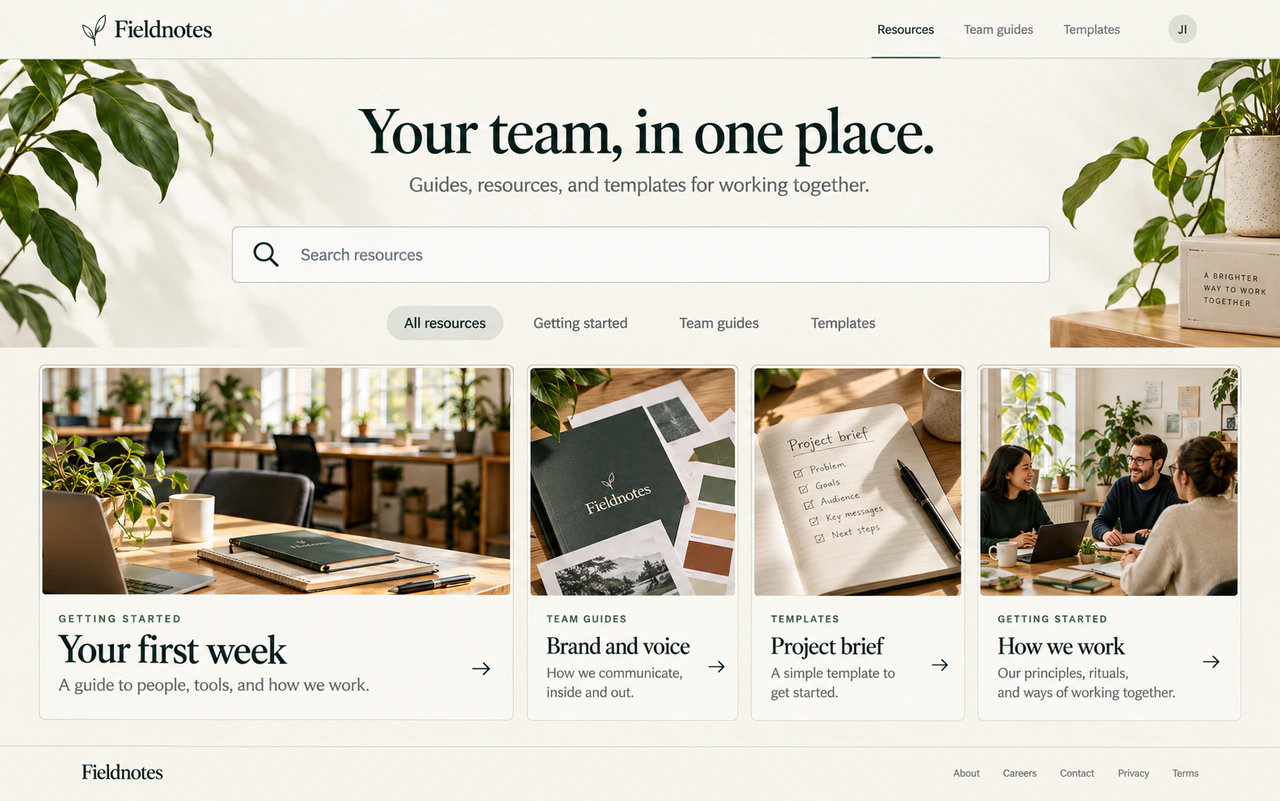
Resource hub
A resource hub could group documents and links by topic, with search and short descriptions to help people find what they need. Each result might open the original document or page.
Example use cases
- New employee onboarding portal
- Team policy and procedure library
- Product launch resource center
- Customer training and support hub
How you might build it
-
What to share Provide documents or links with titles, short descriptions, and categories. Say who will use the hub and which resources to feature.
-
What to ask for Ask for resource cards, search across titles and descriptions, and category filters. Specify what each card shows, whether it opens a source link or a page in the hub, and how the list should be updated. Define what visitors see when a search has no matches.
-
What to check Search for a known item, combine a search with a filter, and try a search with no matches. Check that an intended visitor can open the linked resources and browse on a phone.
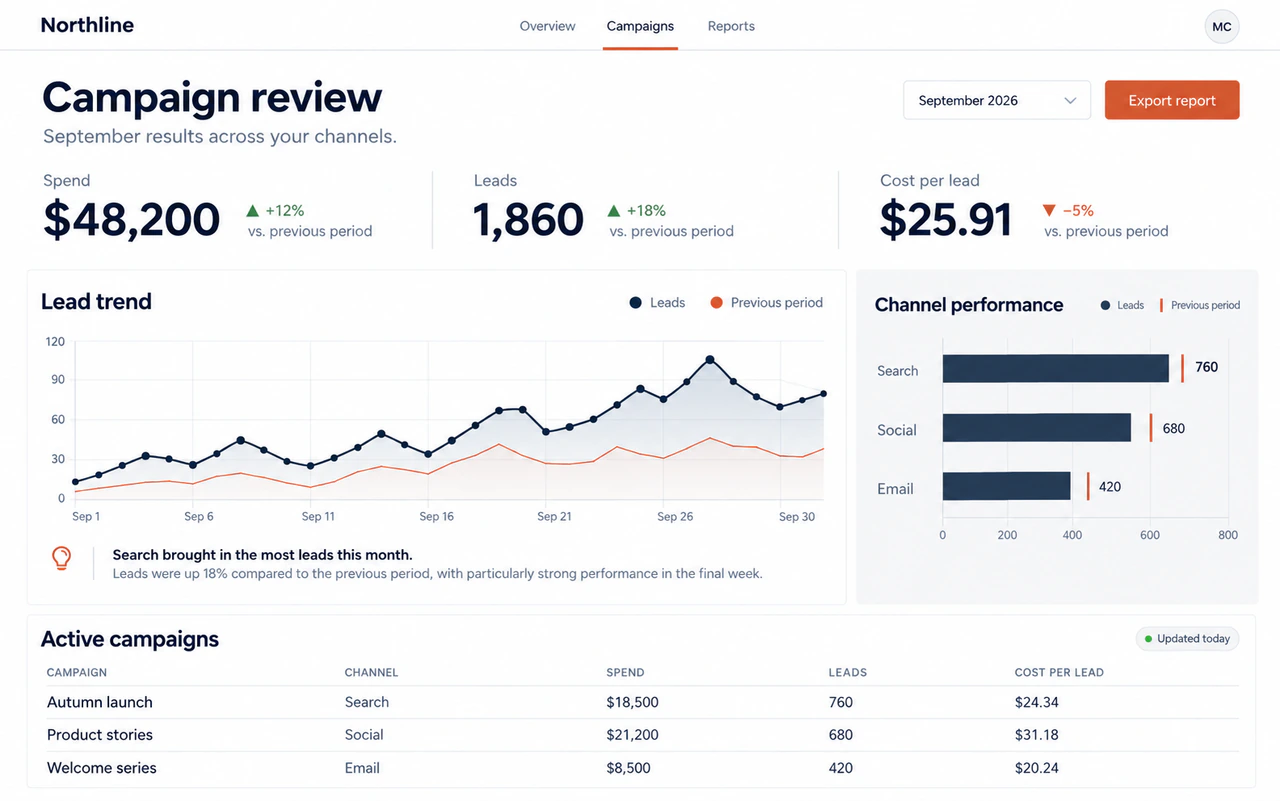
Dashboard
A dashboard could combine summary numbers, charts, and tables in one view. Filters might let people explore a date range, team, or category and compare the results.
Example use cases
- Marketing campaign performance
- Sales pipeline and forecast
- Customer support volume and response times
- Product adoption and engagement
How you might build it
-
What to share Share a spreadsheet or sample of your data. Explain what each row and column means, and define the metrics and units.
-
What to ask for Ask for summary numbers, charts, and a detail table with date or category filters. Specify which views should update together and how new data should be added or refreshed. Define what to show when a filter has no results. Keep missing values distinct from zero, and show a rate as unavailable if it would require dividing by zero.
-
What to check Compare totals and calculations with the source data before and after filtering. Try a filter with no results, a missing value, and a rate that would require dividing by zero. Confirm each follows the rules you specified.
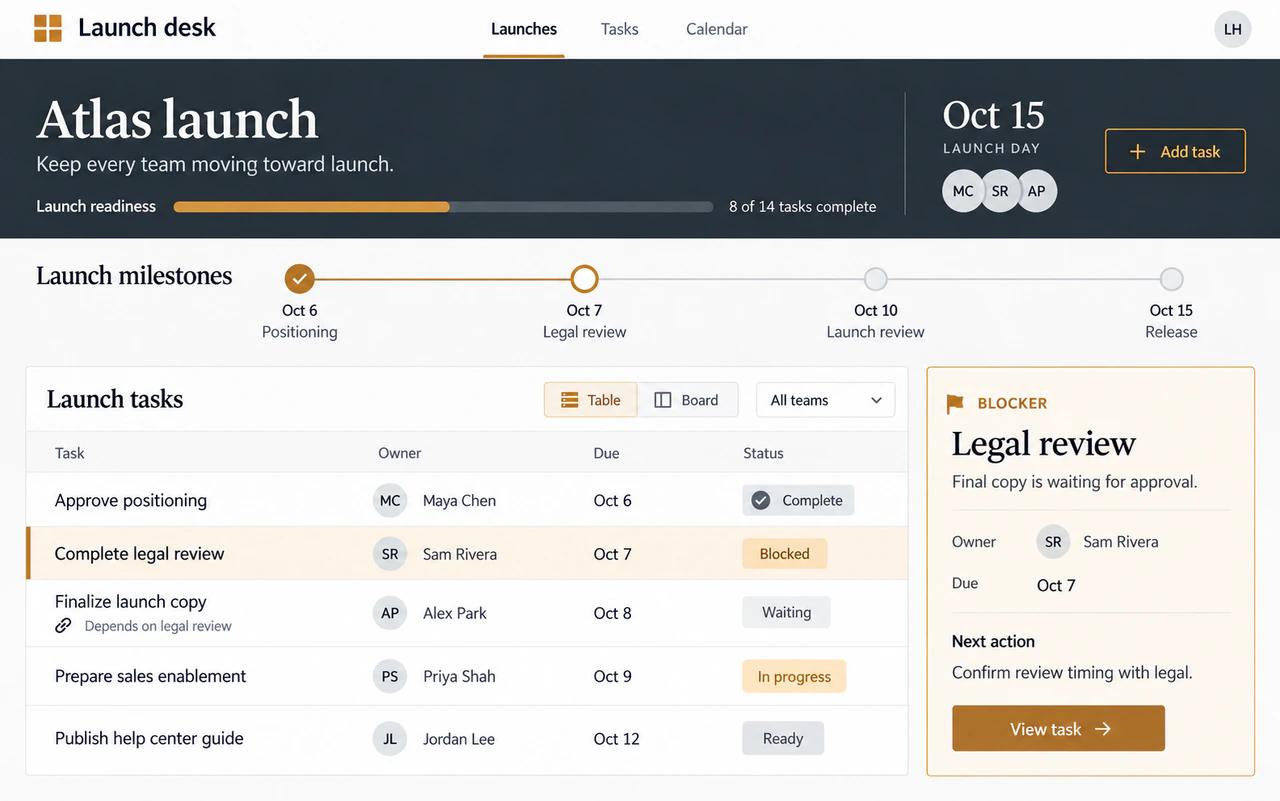
Tracker
A tracker could keep tasks or items in a table, with owners, dates, and status labels. People might filter what they see and update the items they have permission to change.
Example use cases
- Product launch tasks
- Project milestones and dependencies
- Editorial calendar and content reviews
- Customer onboarding progress
How you might build it
-
What to share Share sample items with fields such as name, owner, date, and status. Explain your status labels and any dependencies between items.
-
What to ask for Ask for a table or board, filters by owner and status, and a way to add or edit items. Define when an item should be marked overdue or blocked. Say where updates should be saved and who should be able to view or change them.
-
What to check Add or edit an item, then reload to confirm the change was saved. Try each status and an overdue date. If access differs by person, use separate accounts to check who can view and edit items.
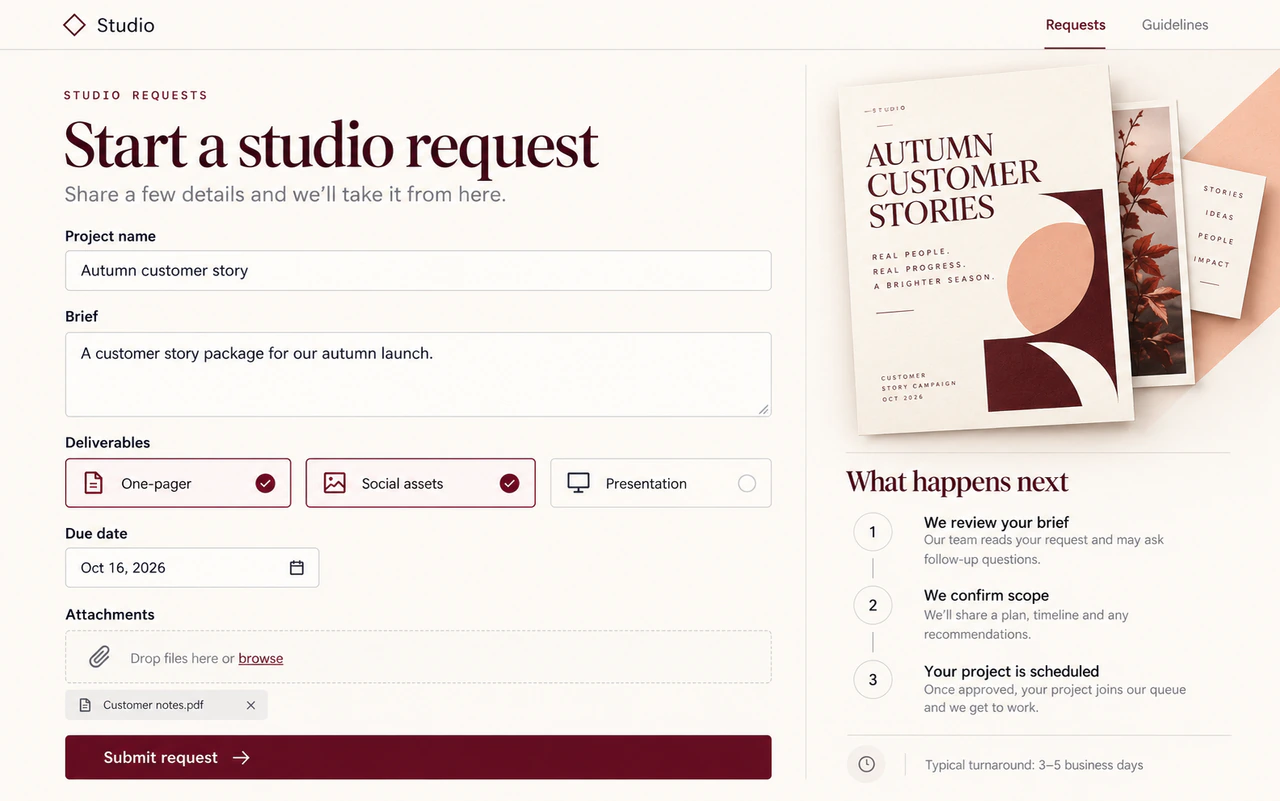
Request form
A request form could collect details through fields, choices, and attachments. You might ask it to check required answers, save submissions for reviewers, and show a confirmation explaining what happens next.
Example use cases
- Creative briefs and design requests
- Event and workshop support requests
- IT and software access requests
- Customer feedback submissions
How you might build it
-
What to share Share a form template or list the details to collect. Mark required fields and list allowed choices and attachments.
-
What to ask for Ask for checks on required fields and accepted formats, with messages explaining what to fix. Specify which answers trigger follow-up questions. Say where submissions and attachments should be saved, who can review them, and what the confirmation should tell the person who submitted the form.
-
What to check Submit a complete form and confirm the saved request is available to the intended reviewers. Leave a required field blank and try an invalid entry to check that the form explains what to fix. If you included uploads, confirm reviewers can open the saved attachment.
Calculator
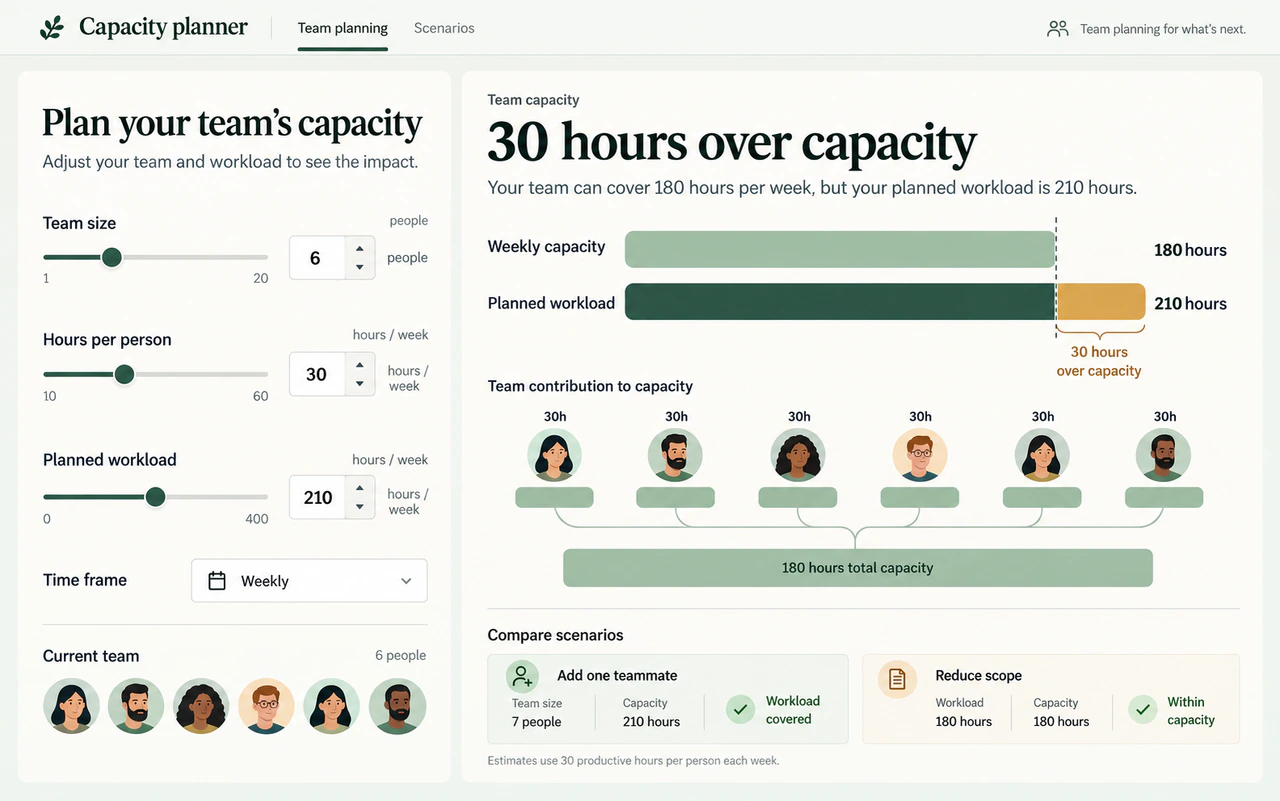
A calculator could turn editable inputs into an estimate using formulas you provide. People might change the numbers, compare scenarios, and see the units and assumptions beside each result.
Example use cases
- Event budget scenarios
- Team staffing and workload estimates
- Workshop duration and group sizes
- Project timeline estimates
How you might build it
-
What to share Share the formula, units, assumptions, and a worked example with its expected result. Explain which inputs people can change and which values should stay fixed.
-
What to ask for Ask for labeled input fields or sliders, starting values, and allowed ranges. Show results with their units and assumptions. Define what happens for zero, blank, and out-of-range inputs, including when to show an error or an unavailable result. If people should compare scenarios, specify which results to show side by side.
-
What to check Enter your worked example and compare the result. Change one input to check that the output updates correctly. Try zero, blank, and out-of-range values, and confirm each shows the response you specified.
Guided process
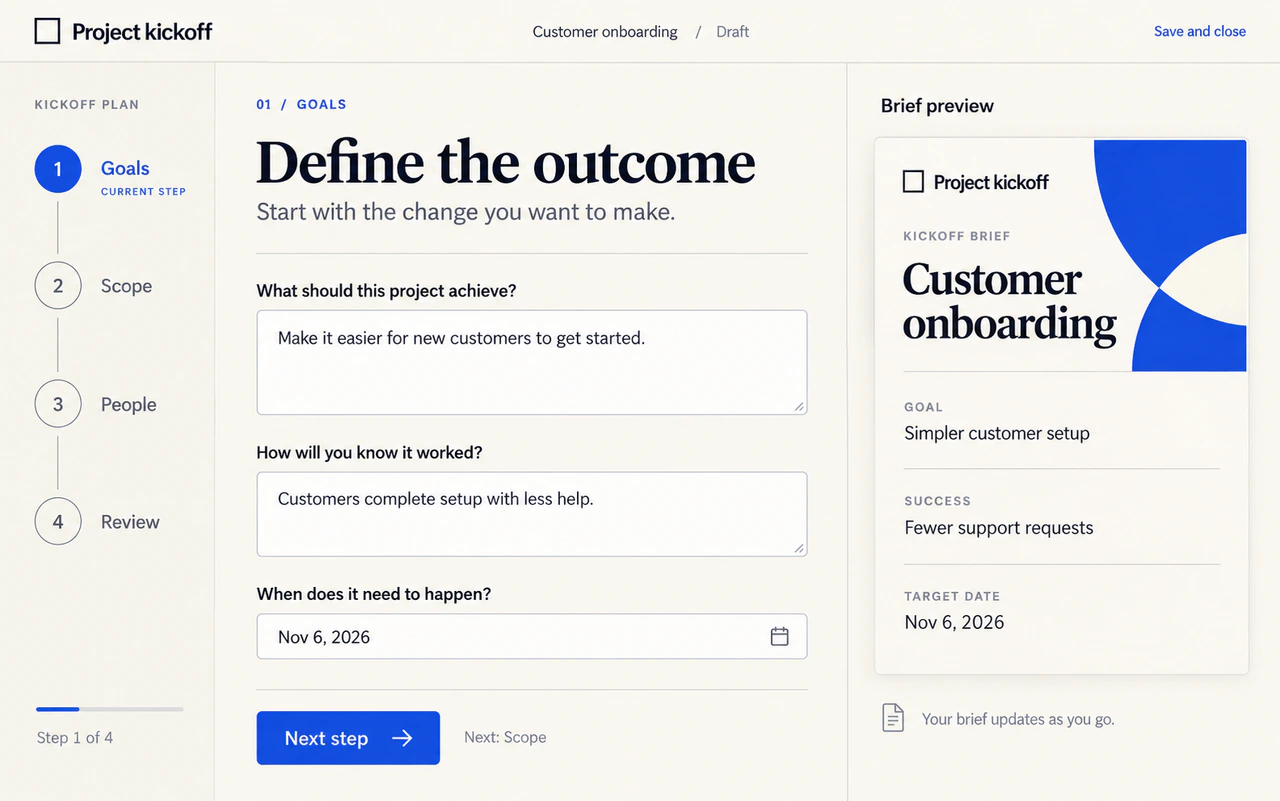
A guided process could break a task into steps, with questions that change based on earlier answers. People might go back, save progress if needed, and finish with a brief, checklist, or other output you define.
Example use cases
- Employee onboarding checklist
- Project kickoff planning
- Campaign brief development
- Vendor review and approval steps
How you might build it
-
What to share Share a checklist or outline of the process. Put the steps in order, mark required answers, and explain where a choice should lead to different questions. Include an example of the finished output.
-
What to ask for Ask for one step at a time, a progress indicator, and a way to go back without losing answers. Define the final output, what happens when a required answer is blank, and whether answers that no longer apply should be removed or flagged. If progress should be saved, say where and who can return to it.
-
What to check Try the main path and each branch. Leave a required answer blank, then change an earlier choice. Check that questions and the output update, and answers that no longer apply are removed or flagged. If you requested saved progress, reload to confirm it resumes.
Illustrated examples with fictional content.
Sites use cases
Here are some example use cases you can try with Sites.
- Manage creative requests from brief to delivery: Turn your creative brief template into a request app where colleagues submit work, designers...
- Build an onboarding portal: Turn your team's first-week plan into daily activities, resource links, and a practice task...
- See which campaigns bring in leads: Turn weekly campaign exports into a dashboard where your team can compare lead volume and...
- Build a hackathon site: Turn your event brief and agenda into a site that guides participants through registration...
Understand limits and unsupported uses
Sites hosts web experiences in its supported runtime. Some frameworks, private networks, databases, background services, and hosting patterns aren't supported.
HTTP, HTTPS, and WebSockets are supported. Raw inbound and outbound TCP connections aren't supported.
| Resource | Storage limit per site |
|---|---|
| D1 database | 10 GB |
| R2 object storage | No fixed storage limit |
For current residency coverage and workspace requirements, see Managing ChatGPT Sites for your workspace in the Help Center.
You can sell goods or services and collect payments through a third-party payment processor. Payment-card data must be collected and processed solely by that provider, not by your site or OpenAI. Other financial transactions remain prohibited. You're responsible for the integration, fulfillment, refunds, customer support, and applicable taxes. See the Sites Terms for requirements.
Don't use sites to process Protected Health Information; target children under 13 or the applicable age of digital consent; distribute malware; enable phishing; impersonate people or organizations; or otherwise violate OpenAI policies.
See Creating and managing ChatGPT sites for current limits and policy links.
Pricing
You can create as many Sites as you want. Once a Site is running, its traffic and storage count toward hosting usage. Building and editing a Site count toward your plan’s Codex usage.
What will my plan cover?
On Plus, Pro, and Business, all your Sites share one monthly hosting allowance. It covers traffic and storage, regardless of how many Sites you publish.
| Plan | Monthly hosting allowance |
|---|---|
| Plus | 125 credits |
| Pro | 375 credits |
| Business | 125 credits per seat |
| Enterprise (credit-based) | Draws from your organization’s contracted credit pool |
For Enterprise customers with a dollar commitment, the proposed billing model prices Codex tokens and Sites hosting separately. Both charges would draw from the same commitment. For example, $10 of Codex usage and $2 of hosting would use $12 of the commitment.
Traffic and storage contribute to hosting usage in the following ways.
- Traffic is measured by the requests your Site handles, such as loading a page, image, or other resource. A page visit can generate multiple requests, typically 30–50, though the number varies by Site.
- Database storage holds saved records, such as form responses. A Site with a database has a monthly base fee, even when the database is empty, plus usage for the data it stores.
- File storage holds uploaded files, such as images or PDFs. Usage depends on how much you store and for how long.
Hosting is free through December 31, 2026. Starting January 1, 2027, Plus, Pro, and Business customers will pay for hosting usage above their monthly allowance. Enterprise billing follows your organization’s agreement.
Starting December 1, 2026, you’ll be able to view traffic and storage usage for each Site. Workspace admins will be able to compare usage across their workspace.
Hosting usage rates
The following rates are proposed to take effect on January 1, 2027. They show approximate usage in credits. For Enterprise agreements billed in dollars, ask your account team for hosting rates.
| What you use | Billing unit | Approx. credits |
|---|---|---|
| Site without storage | 1 Site per month | 0 |
| Site with storage, including an empty database | 1 Site per month | 25 |
| Traffic | 100,000 requests | 16 |
| Database storage (saved records, such as form responses) | 1 GiB stored for a month | 150 |
| File storage (uploaded files, such as images or PDFs) | 1 GiB stored for a month | 3.75 |
| Custom domain (domain registration costs extra) | 1 domain per month | 25 |
| Private connection (Enterprise only; a tunnel to a private system) | 1 tunnel per month | 125 |
For example, a Site with an empty database uses approximately 25 credits per month before traffic. With 1 GiB of saved records for a full month, its base fee and database storage use approximately 175 credits, excluding traffic and files. One GiB is about 1.07 GB.
Estimate your monthly cost
Choose an example Site or adjust monthly requests, saved records, and uploaded files. Select your plan to compare this Site’s estimated hosting usage with your monthly allowance.
<SitesCostEstimator client:load plans={[ { label: "Plus", monthlyCredits: 125 }, { label: "Pro", monthlyCredits: 375 }, { label: "Business", monthlyCredits: 125, perSeat: true }, { label: "Enterprise" }, ]} rates={{ traffic: { credits: 16, requests: 100000 }, monthlyStorageBase: 25, databasePerGiB: 150, filesPerGiB: 3.75, }} />
Estimates assume a full month of storage. Select This Site has a database to include its base fee even when saved records are zero. Custom domains and private connections cost extra, as listed in Hosting usage rates.
Next up
Describe, build, and refine a website in ChatGPT or Codex.
Choose storage, add sign-in, and connect apps to your site.
Review your site, choose its audience, and collaborate with editors.
Review analytics, change domains and settings, and manage site versions.