SpyBara
Go Premium

Documentation 2026-11-05 23:00 UTC to 2026-11-06 23:00 UTC

17 files changed +437 −1,640. View all changes and history on the product overview
2026
Fri 13 23:58 Thu 12 22:57 Wed 11 23:57 Tue 10 23:02 Mon 9 23:02 Sun 8 22:59 Sat 7 22:59 Fri 6 23:00 Thu 5 23:00 Wed 4 22:58 Tue 3 22:58 Mon 2 23:58 Sun 1 23:00
Details

454 454 

455## Update settings for an existing session455## Update settings for an existing session

456 456 

457Send `POST /v1/agents/sessions/{session_id}` with an `agent` object to change `model`, `reasoning.effort`, or `service_tier` for one session. These settings are available in the beta and GA API contracts. You can update `metadata` in the same request.457Send `POST /v1/agents/sessions/{session_id}` with an `agent` object to change `tools`, `model`, `reasoning.effort`, or `service_tier` for one session. These settings are available in the beta and GA API contracts. You can update `metadata` in the same request.

458 458 

459Changes apply to new turns started by messages sent after the update completes. Messages already in flight can use the previous settings. An active turn keeps its settings, including when you send a steering message. The session keeps its conversation history. The selected model must support the resulting settings, or the update fails.459Model, reasoning effort, and service tier changes apply to new turns started by messages sent after the update completes. Messages already in flight can use the previous settings. An active turn keeps those settings, including when you send a steering message. The session keeps its conversation history. The selected model must support the resulting settings, or the update fails.

460 460 

461- The `agent` and `reasoning` objects merge supplied fields into the current settings. Omitted fields stay unchanged, including reasoning summary. Changing only `model` preserves the session's reasoning effort and service tier.461- The `agent` and `reasoning` objects merge supplied fields into the current settings. Omitted fields stay unchanged, including reasoning summary. Changing only `model` preserves the session's reasoning effort and service tier.

462- `tools` replaces the full tool list. Functions and MCP servers change on the next model call. Built-in tools change by the next turn. Omit `tools` to preserve the current tools, or pass `null` or `[]` to clear them.

462- `reasoning.effort: null` resets effort to the selected model's default.463- `reasoning.effort: null` resets effort to the selected model's default.

463- `service_tier: null` restores automatic tier selection.464- `service_tier: null` restores automatic tier selection.

464- A model must remain set, so you cannot supply `model: null`. The `agent` and `reasoning` objects also reject `null`.465- A model must remain set, so you cannot supply `model: null`. The `agent` and `reasoning` objects also reject `null`.


477 478 

478Updating a session does not change the saved agent or other sessions. Later saved-agent updates do not change the session.479Updating a session does not change the saved agent or other sessions. Later saved-agent updates do not change the session.

479 480 

480You cannot update `reasoning.summary`, `text`, `tools`, `instructions`, or `multi_agent` through this endpoint. Create a new session to change those settings.481You cannot update `reasoning.summary`, `text`, `instructions`, or `multi_agent` through this endpoint. Create a new session to change those settings. See the [Update session reference](https://developers.openai.com/api/reference/resources/beta/subresources/agents/subresources/sessions/methods/update) for request fields.

481 482 

482## Automatic action review483## Automatic action review

483 484 

Details

247Responses API and Agents SDK applications don't automatically inherit247Responses API and Agents SDK applications don't automatically inherit

248[Codex Auto-review](https://developers.openai.com/codex/sandboxing/auto-review). Add review and enforcement248[Codex Auto-review](https://developers.openai.com/codex/sandboxing/auto-review). Add review and enforcement

249to your own harness. The249to your own harness. The

250[open-source Codex reviewer policy](https://github.com/openai/codex/blob/main/codex-rs/core/src/guardian/policy.md)250[open-source Codex reviewer policy](https://github.com/openai/codex/blob/rust-v0.167.0/codex-rs/prompts/templates/guardian/policy.md)

251illustrates one approach. Review [Models and Trusted Access](https://developers.openai.com/codex/cyber-safety)251illustrates one approach. Review [Models and Trusted Access](https://developers.openai.com/codex/cyber-safety)

252for approved model access and [Recommended configuration](https://developers.openai.com/codex/cyber-safety/recommended-configuration)252for approved model access and [Recommended configuration](https://developers.openai.com/codex/cyber-safety/recommended-configuration)

253for safe engagement setup.253for safe engagement setup.

Details

279smallest local loop because the runner can create a temporary workspace from the279smallest local loop because the runner can create a temporary workspace from the

280agent's default manifest and clean it up after the run.280agent's default manifest and clean it up after the run.

281 281 

282For the TypeScript SDK, install a trusted Python 3 interpreter on the host before

283creating a session with `UnixLocalSandboxClient`. The SDK uses Python for protected local

284file access and checks `/usr/bin/python3`, `/usr/local/bin/python3`, and

285`/opt/homebrew/bin/python3`. If Python is installed elsewhere, set

286`OPENAI_AGENTS_PYTHON` in the host environment to its absolute executable path

287before starting Node.js. This is a host prerequisite, not a package to install

288inside the sandbox. Session creation fails if no suitable Python

289interpreter is available.

290 

282Run a Unix-local sandbox agent291Run a Unix-local sandbox agent

283 292 

284```javascript293```javascript

Details

1800The JavaScript sample uses `npm install openai@^7.10.0 ws`.1800The JavaScript sample uses `npm install openai@^7.10.0 ws`.

1801The Ruby sample uses `gem install openai async-websocket`.1801The Ruby sample uses `gem install openai async-websocket`.

1802 1802 

1803For Go, run `go get github.com/openai/openai-go/v3@v3.94.0`.1803For Go, run `go get github.com/openai/openai-go/v3@v3.96.0`.

1804For Java, add the Maven dependency `com.openai:openai-java:4.95.0`.1804For Java, add the Maven dependency `com.openai:openai-java:4.101.0`.

1805These Go and Java SDK versions provide native Responses WebSocket support.1805These Go and Java SDK versions provide native Responses WebSocket support.

1806 1806 

1807Start a Responses API WebSocket session1807Start a Responses API WebSocket session

Details

284 284 

285 285 

286 Learn to fine-tune for computer vision with image inputs.](https://developers.openai.com/api/docs/guides/vision-fine-tuning)286 Learn to fine-tune for computer vision with image inputs.](https://developers.openai.com/api/docs/guides/vision-fine-tuning)

287 

288[Reinforcement fine-tuning

289 

290 

291 

292 Fine-tune a reasoning model by grading its outputs.](https://developers.openai.com/api/docs/guides/reinforcement-fine-tuning)

Details

52 52 

53## Design your eval process53## Design your eval process

54 54 

55There are a few important components of an eval workflow:55An eval workflow has a few important components:

56 56 

571. **Define eval objective**. What's the success criteria for the eval?571. **Define eval objective**. What's the success criteria for the eval?

581. **Collect dataset**. Which data will help you evaluate against your objective? Consider synthetic eval data, domain-specific eval data, purchased eval data, human-curated eval data, production data, and historical data.581. **Collect dataset**. Which data will help you evaluate against your objective? Consider synthetic eval data, domain-specific eval data, purchased eval data, human-curated eval data, production data, and historical data.


117 117 

118## Identify where you need evals118## Identify where you need evals

119 119 

120Complexity increases as you move from simple to more complex architectures. Here are four common architecture patterns:120Complexity increases as you move from basic to more complex architectures. Here are four common architecture patterns:

121 121 

122- [Single-turn model interactions](#single-turn-model-interactions)122- [Single-turn model interactions](#single-turn-model-interactions)

123- [Workflows](#workflow-architectures)123- [Workflows](#workflow-architectures)


404 404 

405Quantitative evals provide a numerical score you can use to filter and rank results. They provide useful benchmarks for automated regression testing.405Quantitative evals provide a numerical score you can use to filter and rank results. They provide useful benchmarks for automated regression testing.

406 406 

407- **Examples**: Exact match, string match, ROUGE/BLEU scoring, function call accuracy, executable evals (executed to assess functionality or behavior—e.g., text2sql)407- **Examples**: Exact match, string match, ROUGE/BLEU scoring, function call accuracy, executable evals (executed to assess functionality or behavior—for example, text2sql)

408- **Challenges**: May not be tailored to specific use cases, may miss nuance408- **Challenges**: May not be tailored to specific use cases, may miss nuance

409 409 

410### Human evals410### Human evals

411 411 

412Human judgment evals provide the highest quality but are slow and expensive.412Human judgment evals provide the highest quality but are slow and expensive.

413 413 

414- **Examples**: Skim over system outputs to get a sense of whether they look better or worse; create a randomized, blinded test in which employees, contractors, or outsourced labeling agencies judge the quality of system outputs (e.g., ranking a small set of possible outputs, or giving each a grade of 1-5)414- **Examples**: Skim over system outputs to get a sense of whether they look better or worse; create a randomized, blinded test in which employees, contractors, or outsourced labeling agencies judge the quality of system outputs (for example, ranking a small set of possible outputs, or giving each a grade of 1-5)

415- **Challenges**: Disagreement among human experts, expensive, slow415- **Challenges**: Disagreement among human experts, expensive, slow

416- **Recommendations**:416- **Recommendations**:

417 - Conduct multiple rounds of detailed human review to refine the scorecard417 - Conduct multiple rounds of detailed human review to refine the scorecard

418 - Implement a "show rather than tell" policy by providing examples of different score levels (e.g., 1, 3, and 8 out of 10)418 - Implement a "show rather than tell" policy by providing examples of different score levels (for example, 1, 3, and 8 out of 10)

419 - Include a pass/fail threshold in addition to the numerical score419 - Include a pass/fail threshold in addition to the numerical score

420 - A simple way to aggregate multiple reviewers is to take consensus votes420 - One way to aggregate multiple reviewers is to take consensus votes

421 421 

422### LLM-as-a-judge and model graders422### LLM-as-a-judge and model graders

423 423 


450Because users provide input to the model, our system must be flexible to handle the different ways our users may interact, like:450Because users provide input to the model, our system must be flexible to handle the different ways our users may interact, like:

451 451 

452- Non-English or multilingual inputs452- Non-English or multilingual inputs

453- Formats other than input text (e.g., XML, JSON, Markdown, CSV)453- Formats other than input text (for example, XML, JSON, Markdown, CSV)

454- Input modalities (e.g., images)454- Input modalities (for example, images)

455 455 

456Your evals for instruction following and functional correctness need to accommodate inputs that users might try.456Your evals for instruction following and functional correctness need to accommodate inputs that users might try.

457 457 


463 463 

464- Multiple questions or intents in a single request464- Multiple questions or intents in a single request

465- Typos and misspellings465- Typos and misspellings

466- Short requests with minimal context (e.g., if a user just says: "returns")466- Short requests with minimal context (for example, if a user just says: "returns")

467- Long context or long-running conversations467- Long context or long-running conversations

468- Tool calls that return data with ambiguous property names (e.g., `"on: 123"`, where "on" is the order number)468- Tool calls that return data with ambiguous property names (for example, `"on: 123"`, where "on" is the order number)

469- Multiple tool calls, sometimes leading to incorrect arguments469- Multiple tool calls, sometimes leading to incorrect arguments

470- Multiple agent handoffs, sometimes leading to circular handoffs470- Multiple agent handoffs, sometimes leading to circular handoffs

471 471 

472### Personalization and customization472### Personalization and customization

473 473 

474While AI improves UX by adapting to user-specific requests, this flexibility introduces many edge cases. Clearly define evals for use cases you want to specifically support and block:474While AI improves UX by adapting to user-specific requests, this flexibility introduces many edge cases. Define evals in clear terms for use cases you want to specifically support and block:

475 475 

476- Jailbreak attempts to get the model to do something different476- Jailbreak attempts to get the model to do something different

477- Formatting requests (e.g., format as JSON, or use bullet points)477- Formatting requests (for example, format as JSON, or use bullet points)

478- Cases where user prompts conflict with your system prompts478- Cases where user prompts conflict with your system prompts

479 479 

480## Use evals to improve performance480## Use evals to improve performance

481 481 

482When your evals reach a level of maturity that consistently measures performance, shift to using your evals data to improve your application's performance.482When your evals reach a level of maturity that consistently measures performance, shift to using your evals data to improve your application's performance.

483 483 

484Learn more about [reinforcement fine-tuning](https://developers.openai.com/api/docs/guides/reinforcement-fine-tuning) to create a data flywheel.

485 

486## Other resources484## Other resources

487 485 

488For more inspiration, visit the [OpenAI Cookbook](https://developers.openai.com/cookbook), which contains example code and links to third-party resources, or learn more about our tools for evals:486For more inspiration, visit the [OpenAI Cookbook](https://developers.openai.com/cookbook), which contains example code and links to third-party resources, or learn more about our tools for evals:

guides/google-cloud.md +365 −0 created

Details

1# OpenAI on Google Cloud

2 

3> For the complete documentation index, see [llms.txt](/llms.txt). Markdown versions of documentation pages are available by appending `.md` to the page URL.

4 

5Access to OpenAI models through Google Cloud is currently in **private preview**. To use them in your project, [request access](https://openai.com/form/openai-on-google-cloud/).

6 

7OpenAI models are available on the Gemini platform through Google Cloud, with usage billed to your Google Cloud account. The models run within Google Cloud’s security perimeter, and your organization manages access through Google Cloud IAM.

8 

9This guide covers how to make a Responses API request through Google Cloud and how feature support differs from the first-party OpenAI API.

10 

11The following models are available:

12 

13| Model | Model ID |

14| ------------- | --------------- |

15| GPT-6 Luna | `gpt-6-luna` |

16| GPT-6.1 Sol | `gpt-6.1-sol` |

17| GPT-6.1 Terra | `gpt-6.1-terra` |

18| GPT-6 Astra | `gpt-6-astra` |

19 

20## Before you begin

21 

22Before you can make requests, your Google Cloud administrator needs to:

23 

24- Enable billing for the project, arrange project approval, and coordinate acceptance of the Marketplace private offer with your billing administrator.

25- Enable the Vertex AI API (`aiplatform.googleapis.com`) and the model in Model Garden, including acceptance of the model terms.

26- If your organization’s policy restricts model access, [allow the model in that policy](https://docs.cloud.google.com/gemini-enterprise-agent-platform/models/control-model-access).

27- Grant the user or service account making requests permission to call the model, for example by assigning the `roles/aiplatform.user` role.

28 

29Once the project is ready, ask your administrator for the project ID.

30 

31## Make your first API call

32 

33For local development, install the [Google Cloud CLI](https://cloud.google.com/sdk/docs/install-sdk) and sign in with the Google account that has access to your project:

34 

35```bash

36gcloud auth application-default login

37```

38 

39Get an access token in the terminal where you’ll run the request:

40 

41```bash

42export GOOGLE_CLOUD_ACCESS_TOKEN="$(gcloud auth application-default print-access-token)"

43```

44 

45When the access token expires, run this command again to get a new one using your saved sign-in.

46 

47Send the request with cURL or the [OpenAI SDK](https://developers.openai.com/api/docs/libraries#install-an-official-sdk), replacing `your-project-id` with your project ID.

48 

49Responses API request on Google Cloud

50 

51```bash

52PROJECT_ID="your-project-id"

53PROJECT_URL="https://aiplatform.googleapis.com/v1/projects/$PROJECT_ID"

54 

55curl --fail-with-body "$PROJECT_URL/locations/global/publishers/openai/v1/responses" \

56 -H "Authorization: Bearer $GOOGLE_CLOUD_ACCESS_TOKEN" \

57 -H "Content-Type: application/json" \

58 -d '{

59 "model": "gpt-6-luna",

60 "input": "Write a one-sentence bedtime story about a unicorn.",

61 "store": false

62 }'

63```

64 

65```javascript

66import OpenAI from "openai";

67 

68const projectId = "your-project-id";

69 

70const client = new OpenAI({

71 apiKey: process.env.GOOGLE_CLOUD_ACCESS_TOKEN,

72 baseURL: `https://aiplatform.googleapis.com/v1/projects/${projectId}/locations/global/publishers/openai/v1`,

73});

74 

75const response = await client.responses.create({

76 model: "gpt-6-luna",

77 input: "Write a one-sentence bedtime story about a unicorn.",

78 store: false,

79});

80 

81console.log(response.output_text);

82```

83 

84```python

85import os

86 

87from openai import OpenAI

88 

89project_id = "your-project-id"

90 

91client = OpenAI(

92 api_key=os.environ["GOOGLE_CLOUD_ACCESS_TOKEN"],

93 base_url=(

94 f"https://aiplatform.googleapis.com/v1/projects/{project_id}"

95 "/locations/global/publishers/openai/v1"

96 ),

97)

98response = client.responses.create(

99 model="gpt-6-luna",

100 input="Write a one-sentence bedtime story about a unicorn.",

101 store=False,

102)

103print(response.output_text)

104```

105 

106```go

107package main

108 

109import (

110 "context"

111 "fmt"

112 "os"

113 

114 "github.com/openai/openai-go/v3"

115 "github.com/openai/openai-go/v3/option"

116 "github.com/openai/openai-go/v3/responses"

117)

118 

119func main() {

120 ctx := context.Background()

121 projectID := "your-project-id"

122 client := openai.NewClient(

123 option.WithAPIKey(os.Getenv("GOOGLE_CLOUD_ACCESS_TOKEN")),

124 option.WithBaseURL("https://aiplatform.googleapis.com/v1/projects/"+projectID+"/locations/global/publishers/openai/v1"),

125 )

126 

127 response, err := client.Responses.New(ctx, responses.ResponseNewParams{

128 Model: "gpt-6-luna",

129 Input: responses.ResponseNewParamsInputUnion{

130 OfString: openai.String("Write a one-sentence bedtime story about a unicorn."),

131 },

132 Store: openai.Bool(false),

133 })

134 if err != nil {

135 panic(err)

136 }

137 fmt.Println(response.OutputText())

138}

139```

140 

141 

142To get access tokens through Google’s authentication library instead of exporting them in your terminal, follow Google’s [getting-started guide](https://github.com/GoogleCloudPlatform/vertex-ai-samples/blob/main/notebooks/official/generative_ai/openai_gpt_intro.ipynb), which explains how to use Application Default Credentials (ADC) and troubleshoot API errors.

143 

144## Feature availability

145 

146The table compares feature support on Google Cloud with the first-party OpenAI API.

147 

148 

149 

150 <table aria-label="Feature availability">

151 <thead>

152 <tr>

153 <th scope="col">Capability</th>

154 <th scope="col">OpenAI API</th>

155 <th scope="col">Google Cloud</th>

156 </tr>

157 </thead>

158 <tbody>

159 <tr>

160 <th scope="rowgroup" colSpan="3">

161 API requests

162 </th>

163 </tr>

164 <tr>

165 <td>Text generation</td>

166 <td>Available</td>

167 <td>Available</td>

168 </tr>

169 <tr>

170 <td>Streaming responses over HTTP (SSE)</td>

171 <td>Available</td>

172 <td>Available</td>

173 </tr>

174 <tr>

175 <td>Responses API endpoint</td>

176 <td>Available</td>

177 <td>Available</td>

178 </tr>

179 <tr>

180 <td>Response token usage</td>

181 <td>Available</td>

182 <td>Available</td>

183 </tr>

184 <tr>

185 <td>Input token count endpoint</td>

186 <td>Available</td>

187 <td>Not available</td>

188 </tr>

189 <tr>

190 <td>Realtime WebSocket connections</td>

191 <td>Available</td>

192 <td>Not available</td>

193 </tr>

194 <tr>

195 <td>Background requests</td>

196 <td>Available</td>

197 <td>Not available</td>

198 </tr>

199 <tr>

200 <td>Background stream resume</td>

201 <td>Available</td>

202 <td>Not available</td>

203 </tr>

204 <tr>

205 <td>Chat Completions API</td>

206 <td>Available</td>

207 <td>Not available</td>

208 </tr>

209 <tr>

210 <td>Batch processing</td>

211 <td>Available</td>

212 <td>Not available</td>

213 </tr>

214 </tbody>

215 <tbody>

216 <tr>

217 <th scope="rowgroup" colSpan="3">

218 Output and reasoning

219 </th>

220 </tr>

221 <tr>

222 <td>Structured outputs with JSON Schema</td>

223 <td>Available</td>

224 <td>Available</td>

225 </tr>

226 <tr>

227 <td>JSON mode</td>

228 <td>Available</td>

229 <td>Available</td>

230 </tr>

231 <tr>

232 <td>Reasoning effort</td>

233 <td>Available</td>

234 <td>Available</td>

235 </tr>

236 <tr>

237 <td>Encrypted reasoning</td>

238 <td>Available</td>

239 <td>Available</td>

240 </tr>

241 <tr>

242 <td>Reasoning summaries</td>

243 <td>Available</td>

244 <td>Not available</td>

245 </tr>

246 </tbody>

247 <tbody>

248 <tr>

249 <th scope="rowgroup" colSpan="3">

250 Tools and integrations

251 </th>

252 </tr>

253 <tr>

254 <td>Client-side function calling</td>

255 <td>Available</td>

256 <td>Available</td>

257 </tr>

258 <tr>

259 <td>Parallel tool calls</td>

260 <td>Available</td>

261 <td>Available</td>

262 </tr>

263 <tr>

264 <td>Structured function arguments</td>

265 <td>Available</td>

266 <td>Available</td>

267 </tr>

268 <tr>

269 <td>Custom tools</td>

270 <td>Available</td>

271 <td>Available with freeform input or regex constraints</td>

272 </tr>

273 <tr>

274 <td>Client-side tool search</td>

275 <td>Available</td>

276 <td>Available</td>

277 </tr>

278 <tr>

279 <td>Client-run MCP and namespaced tools</td>

280 <td>Available</td>

281 <td>Available</td>

282 </tr>

283 <tr>

284 <td>Client-side shell tool</td>

285 <td>Available</td>

286 <td>Available</td>

287 </tr>

288 <tr>

289 <td>Hosted web search</td>

290 <td>Available</td>

291 <td>Not available</td>

292 </tr>

293 <tr>

294 <td>Hosted file search and vector stores</td>

295 <td>Available</td>

296 <td>Not available</td>

297 </tr>

298 <tr>

299 <td>Hosted code execution</td>

300 <td>Available</td>

301 <td>Not available</td>

302 </tr>

303 <tr>

304 <td>Server-side remote MCP</td>

305 <td>Available</td>

306 <td>Not available</td>

307 </tr>

308 </tbody>

309 <tbody>

310 <tr>

311 <th scope="rowgroup" colSpan="3">

312 Documents and media

313 </th>

314 </tr>

315 <tr>

316 <td>PDF text extraction</td>

317 <td>Available</td>

318 <td>Available</td>

319 </tr>

320 <tr>

321 <td>Inline image input</td>

322 <td>Available</td>

323 <td>Available</td>

324 </tr>

325 <tr>

326 <td>Image generation</td>

327 <td>Available</td>

328 <td>Not available</td>

329 </tr>

330 </tbody>

331 <tbody>

332 <tr>

333 <th scope="rowgroup" colSpan="3">

334 Conversation state

335 </th>

336 </tr>

337 <tr>

338 <td>Saved conversation continuation</td>

339 <td>Available</td>

340 <td>Available</td>

341 </tr>

342 <tr>

343 <td>Stateless conversation continuation</td>

344 <td>Available</td>

345 <td>Available</td>

346 </tr>

347 <tr>

348 <td>Conversation compaction</td>

349 <td>Available</td>

350 <td>Available</td>

351 </tr>

352 <tr>

353 <td>Explicit prompt-cache controls</td>

354 <td>Available</td>

355 <td>Available</td>

356 </tr>

357 </tbody>

358 </table>

359 

360 

361## Data retention

362 

363Your prompts and responses are not used to train OpenAI models. Default retention is up to 30 days.

364 

365If you require Zero Data Retention (ZDR), contact your OpenAI or Google Cloud representative during onboarding and wait for confirmation of support. Setting `store: false` on a request does not enable ZDR.

guides/graders.md +7 −124

Details

2 2 

3> For the complete documentation index, see [llms.txt](/llms.txt). Markdown versions of documentation pages are available by appending `.md` to the page URL.3> For the complete documentation index, see [llms.txt](/llms.txt). Markdown versions of documentation pages are available by appending `.md` to the page URL.

4 4 

5Graders are a way to evaluate your model's performance against reference answers. Our [graders API](https://developers.openai.com/api/reference/resources/graders) is a way to test your graders, experiment with results, and improve your fine-tuning or evaluation framework to get the results you want.5Graders are a way to evaluate your model's performance against reference answers. Our [graders API](https://developers.openai.com/api/reference/resources/graders) is a way to test your graders, experiment with results, and improve your evaluation framework to get the results you want.

6 6 

7OpenAI is deprecating graders as part of the evals and fine-tuning workflows7OpenAI is deprecating graders as part of the evals and fine-tuning workflows

8 they support. See the [deprecations page](https://developers.openai.com/api/docs/deprecations) for the8 they support. See the [deprecations page](https://developers.openai.com/api/docs/deprecations) for the


19- [Score model grader](#score-model-graders)19- [Score model grader](#score-model-graders)

20- [Python code execution](#python-graders)20- [Python code execution](#python-graders)

21 21 

22In reinforcement fine-tuning, you can nest and combine graders by using [`multigrader` objects](#combined-graders).22Use this guide to learn about each grader type and see starter examples. To get started with evals, see the [Evals guide](https://developers.openai.com/api/docs/guides/evals).

23 

24Use this guide to learn about each grader type and see starter examples. To build a grader and get started with reinforcement fine-tuning, see the [RFT guide](https://developers.openai.com/api/docs/guides/reinforcement-fine-tuning). Or to get started with evals, see the [Evals guide](https://developers.openai.com/api/docs/guides/evals).

25 23 

26## Templating24## Templating

27 25 


33 31 

34### Item namespace32### Item namespace

35 33 

36The item namespace will be populated with variables from the input data source for evals, and from each dataset item for fine-tuning. For example, if a row contains the following34The item namespace will be populated with variables from the input data source for evals. For example, if a row contains the following

37 35 

38```json36```json

39{37{


45 43 

46### Sample namespace44### Sample namespace

47 45 

48The sample namespace will be populated with variables from the model sampling step during evals or during the fine-tuning step. The following variables are included46The sample namespace will be populated with variables from the model sampling step during evals. The following variables are included

49 47 

50- `output_text`, the model output content as a string.48- `output_text`, the model output content as a string.

51- `output_json`, the model output content as a JSON object, only if `response_format` is included in the sample.49- `output_json`, the model output content as a JSON object, only if `response_format` is included in the sample.


55 53 

56For example, to access the model output content as a string, `{{ sample.output_text }}` can be used within the grader.54For example, to access the model output content as a string, `{{ sample.output_text }}` can be used within the grader.

57 55 

58 

59 

60#### Details on grading tool calls

61 

62 

63 

64When training a model to improve tool-calling behavior, you will need to write your grader to operate over the `sample.output_tools` variable. The contents of this variable will be the same as the contents of the `response.choices[0].message.tool_calls` ([see function calling docs](https://developers.openai.com/api/docs/guides/function-calling?api-mode=chat)).

65 

66A common way of grading tool calls is to use two graders, one that checks the name of the tool that is called and another that checks the arguments of the called function. An example of a grader that does this is shown below:

67 

68```json

69{

70 "type": "multi",

71 "graders": {

72 "function_name": {

73 "name": "function_name",

74 "type": "string_check",

75 "input": "get_acceptors",

76 "reference": "{{sample.output_tools[0].function.name}}",

77 "operation": "eq"

78 },

79 "arguments": {

80 "name": "arguments",

81 "type": "string_check",

82 "input": "{\"smiles\": \"{{item.smiles}}\"}",

83 "reference": "{{sample.output_tools[0].function.arguments}}",

84 "operation": "eq"

85 }

86 },

87 "calculate_output": "0.5 * function_name + 0.5 * arguments"

88}

89```

90 

91This is a `multi` grader that combined two simple `string_check` graders, the first checks the name of the tool called via the `sample.output_tools[0].function.name` variable, and the second checks the arguments of the called function via the `sample.output_tools[0].function.arguments` variable. The `calculate_output` field is used to combine the two scores into a single score.

92 

93The `arguments` grader is prone to under-rewarding the model if the function arguments are subtly incorrect, like if `1` is submitted instead of the floating point `1.0`, or if a state name is given as an abbreviation instead of spelling it out. To avoid this, you can use a `text_similarity` grader instead of a `string_check` grader, or a `score_model` grader to have a LLM check for semantic similarity.

94 

95 

96 

97 

98 

99## String check graders56## String check graders

100 57 

101Use these basic string operations to return a 0 or 1. String check graders are good for scoring straightforward pass or fail answers—for example, the correct name of a city, a yes or no answer, or an answer containing or starting with the correct information.58Use these basic string operations to return a 0 or 1. String check graders are good for scoring straightforward pass or fail answers—for example, the correct name of a city, a yes or no answer, or an answer containing or starting with the correct information.


145 102 

146## Model graders103## Model graders

147 104 

148In general, using a model grader means prompting a separate model to grade the outputs of the model you're fine-tuning. Your two models work together to do reinforcement fine-tuning. The _grader model_ evaluates the _training model_.105Using a model grader means prompting a separate model to grade the outputs of the model you're evaluating.

149 106 

150### Score model graders107### Score model graders

151 108 


325model_grader(answer_1, reference_answer) > model_grader(answer_2, reference_answer) > model_grader(answer_3, reference_answer)282model_grader(answer_1, reference_answer) > model_grader(answer_2, reference_answer) > model_grader(answer_3, reference_answer)

326```283```

327 284 

328### Grader hacking

329 

330Models being trained sometimes learn to exploit weaknesses in model graders, also known as “grader hacking” or “reward hacking." You can detect this by checking the model's performance across model grader evals and expert human evals. A model that's hacked the grader will score highly on model grader evals but score poorly on expert human evaluations. Over time, we intend to improve observability in the API to make it easier to detect this during training.

331 

332## Python graders285## Python graders

333 286 

334This grader allows you to execute arbitrary python code to grade the model output. The grader expects a grade function to be present that takes in two arguments and outputs a float value. Any other result (exception, invalid float value, etc.) will be marked as invalid and return a 0 grade.287This grader allows you to execute arbitrary python code to grade the model output. The grader expects a grade function to be present that takes in two arguments and outputs a float value. Any other result (exception, invalid float value, etc.) will be marked as invalid and return a 0 grade.


353```306```

354 307 

355 308 

356The first argument supplied to the grading function will be a dictionary populated with the model’s output during training for you to grade. `output_json` will only be populated if the output uses `response_format`.309The first argument supplied to the grading function will be a dictionary populated with the model’s output for you to grade. `output_json` will only be populated if the output uses `response_format`.

357 310 

358```json311```json

359{312{


365}318}

366```319```

367 320 

368The second argument supplied is a dictionary populated with input grading context. For evals, this will include keys from the data source. For fine-tuning this will include keys from each training data row.321The second argument supplied is a dictionary populated with input grading context. For evals, this will include keys from the data source.

369 322 

370```json323```json

371{324{


491names444names

492```445```

493 446 

494## Combined graders

495 

496> Currently, this grader is only used for Reinforcement fine-tuning

497 

498A `multigrader` object combines the output of multiple graders to produce a single score. Combined graders compute grades over the fields of other grader objects and turn those sub-grades into an overall grade. This is useful when a correct answer depends on multiple things being true—for example, that the text is similar _and_ that the answer contains a specific string.

499 

500As an example, say you wanted the model to output JSON with the following two fields:

501 

502```json

503{

504 "name": "John Doe",

505 "email": "john.doe@gmail.com"

506}

507```

508 

509You'd want your grader to compare the two fields and then take the average between them.

510 

511You can do this by combining multiple graders into an object grader, and then defining a formula to calculate the output score based on each field:

512 

513```json

514{

515 "type": "multi",

516 "graders": {

517 "name": {

518 "name": "name_grader",

519 "type": "text_similarity",

520 "input": "{{sample.output_json.name}}",

521 "reference": "{{item.name}}",

522 "evaluation_metric": "fuzzy_match",

523 "pass_threshold": 0.9

524 },

525 "email": {

526 "name": "email_grader",

527 "type": "string_check",

528 "input": "{{sample.output_json.email}}",

529 "reference": "{{item.email}}",

530 "operation": "eq"

531 }

532 },

533 "calculate_output": "(name + email) / 2"

534}

535```

536 

537In this example, it’s important for the model to get the email exactly right (`string_check` returns either 0 or 1) but we tolerate some misspellings on the name (`text_similarity` returns range from 0 to 1). Samples that get the email wrong will score between 0-0.5, and samples that get the email right will score between 0.5-1.0.

538 

539You cannot nest one `multigrader` inside another.

540 

541The calculate output field will have the keys of the input `graders` as possible variables and the following features are supported:

542 

543**Operators**

544 

545- `+` (addition)

546- `-` (subtraction)

547- `*` (multiplication)

548- `/` (division)

549- `^` (power)

550 

551**Functions**

552 

553- `min`

554- `max`

555- `abs`

556- `floor`

557- `ceil`

558- `exp`

559- `sqrt`

560- `log`

561 

562## Limitations and tips447## Limitations and tips

563 448 

564Designing and creating graders is an iterative process. Start small, experiment, and continue to make changes to get better results.449Designing and creating graders is an iterative process. Start small, experiment, and continue to make changes to get better results.


567 452 

568To get the most value from your graders, use these design principles:453To get the most value from your graders, use these design principles:

569 454 

570- **Produce a smooth score, not a pass/fail stamp**. A score that shifts gradually as answers improve helps the optimizer see which changes matter.

571- **Guard against reward hacking**. This happens when the model finds a shortcut that earns high scores without real skill. Make it hard to loophole your grading system.

572- **Avoid skewed data**. Datasets in which one label shows up most of the time invite the model to guess that label. Balance the set or up‑weight rare cases so the model must think.455- **Avoid skewed data**. Datasets in which one label shows up most of the time invite the model to guess that label. Balance the set or up‑weight rare cases so the model must think.

573- **Use an LLM‑as‑a-judge when code falls short**. For rich, open‑ended answers, ask another language model to grade. When building LLM graders, run multiple candidate responses and ground truths through your LLM judge to ensure grading is stable and aligned with preference. Provide few-shot examples of great, fair, and poor answers in the prompt.456- **Use an LLM‑as‑a-judge when code falls short**. For rich, open‑ended answers, ask another language model to grade. When building LLM graders, run multiple candidate responses and ground truths through your LLM judge to ensure grading is stable and aligned with preference. Provide few-shot examples of great, fair, and poor answers in the prompt.

Details

26673. Send the annotation layer as `markup`. Multipart requests accept a file upload. JSON requests accept an object containing exactly one of `image_url` or `file_id`; `image_url` can contain an HTTPS URL or a base64 data URL. JSON edit requests use `images` for the input image array.26673. Send the annotation layer as `markup`. Multipart requests accept a file upload. JSON requests accept an object containing exactly one of `image_url` or `file_id`; `image_url` can contain an HTTPS URL or a base64 data URL. JSON edit requests use `images` for the input image array.

26684. Describe the requested change and the details you want to preserve. Review the result before using it.26684. Describe the requested change and the details you want to preserve. Review the result before using it.

2669 2669 

2670Markup applies to the first input image. Additional images serve as references. The first input image and the annotation layer can each contain at most 16,777,216 pixels. The annotation file also has a 50 MB size limit. Do not combine `markup` with `mask` or `prompt_rewriter`.2670Markup applies to the first input image. Additional images serve as references. The first input image and the annotation layer can each contain at most 16,777,216 pixels. The annotation file also has a 50 MB size limit. Do not combine `markup` with `mask`.

2671 2671 

2672### Edit an image using a mask2672### Edit an image using a mask

2673 2673 


3297 3297 

3298Set `output_format: "svg"` on `POST /v1/images/generations`. Use SVG for graphics that need editable paths, shapes, and colors, such as icons and illustrations.3298Set `output_format: "svg"` on `POST /v1/images/generations`. Use SVG for graphics that need editable paths, shapes, and colors, such as icons and illustrations.

3299 3299 

3300Set `n` to `1`. SVG output does not support streaming, partial images, `output_compression`, or `prompt_rewriter`. The image edit endpoint does not support SVG output, and an SVG is not a supported raster input for image edits.3300Set `n` to `1`. SVG output does not support streaming, partial images, or `output_compression`. The image edit endpoint does not support SVG output, and an SVG is not a supported raster input for image edits.

3301 3301 

3302The API creates a reference image and uses it to produce the SVG. The `quality` setting controls that reference image. Decode `data[0].b64_json` as base64 and save the resulting UTF-8 XML bytes with a `.svg` extension. The returned document contains static vector content; it does not support scripts, external resources, or embedded raster images.3302The API creates a reference image and uses it to produce the SVG. The `quality` setting controls that reference image. Decode `data[0].b64_json` as base64 and save the resulting UTF-8 XML bytes with a `.svg` extension. The returned document contains static vector content; it does not support scripts, external resources, or embedded raster images.

3303 3303 


3342 3342 

3343`size` describes each finished frame. The frame count, frame dimensions, and number of animations must fit the model's size limits and the total request pixel budget. If the request exceeds those limits, reduce `frame_count`, the frame dimensions, or `n`. Use `auto` to let the API choose a frame size within the model's limits.3343`size` describes each finished frame. The frame count, frame dimensions, and number of animations must fit the model's size limits and the total request pixel budget. If the request exceeds those limits, reduce `frame_count`, the frame dimensions, or `n`. Use `auto` to let the API choose a frame size within the model's limits.

3344 3344 

3345The response contains the finished animation. Decode each result's `b64_json` value as base64 and save the bytes with a `.gif` extension. GIF output does not support streaming, partial images, custom `output_compression`, or `prompt_rewriter`. Use `frame_count` and `frame_duration_ms` only with GIF output.3345The response contains the finished animation. Decode each result's `b64_json` value as base64 and save the bytes with a `.gif` extension. GIF output does not support streaming, partial images, or custom `output_compression`. Use `frame_count` and `frame_duration_ms` only with GIF output.

3346 3346 

3347Sunburst generated this lantern animation with `frame_count=9` and `frame_duration_ms=200`. The monkey returns to its starting pose after 1.8 seconds.3347Sunburst generated this lantern animation with `frame_count=9` and `frame_duration_ms=200`. The monkey returns to its starting pose after 1.8 seconds.

3348 3348 

Details

140 140 

141For a logo you can scale or recolor by editing its paths, send the [Field & Flour bakery logo prompt](#design-a-reusable-logo) to `POST /v1/images/generations`. Set `output_format="svg"` and `n=1`. SVG also supports `background="transparent"`, so the space around the mark can take the color of the surface behind it.141For a logo you can scale or recolor by editing its paths, send the [Field & Flour bakery logo prompt](#design-a-reusable-logo) to `POST /v1/images/generations`. Set `output_format="svg"` and `n=1`. SVG also supports `background="transparent"`, so the space around the mark can take the color of the surface behind it.

142 142 

143Omit `stream`, `partial_images`, `output_compression`, and `prompt_rewriter` from the SVG request. Decode `data[0].b64_json` from base64 and save the resulting XML as a `.svg` file.143Omit `stream`, `partial_images`, and `output_compression` from the SVG request. Decode `data[0].b64_json` from base64 and save the resulting XML as a `.svg` file.

144 144 

145 145 

146 146 


561 561 

562Send two files in one multipart `POST /v1/images/edits` request. Use the [original kitchen photo](https://developers.openai.com/images/platform/guides/image-prompting/kitchen.webp) for `image` and the [transparent circle overlay](https://developers.openai.com/images/platform/guides/image-prompting/markup-vase-overlay-gpt-image-2-6.png) for `markup`. Both files are 1200 × 900 pixels. The preview shows the two files together.562Send two files in one multipart `POST /v1/images/edits` request. Use the [original kitchen photo](https://developers.openai.com/images/platform/guides/image-prompting/kitchen.webp) for `image` and the [transparent circle overlay](https://developers.openai.com/images/platform/guides/image-prompting/markup-vase-overlay-gpt-image-2-6.png) for `markup`. Both files are 1200 × 900 pixels. The preview shows the two files together.

563 563 

564The markup overlay applies only to the first input image. Any additional images serve as references. Omit `mask` and `prompt_rewriter` when you send `markup`.564The markup overlay applies only to the first input image. Any additional images serve as references. Omit `mask` when you send `markup`.

565 565 

566 566 

567 567 

Details

146 </td>146 </td>

147</tr>147</tr>

148 148 

149<tr>

150<td>

151[Reinforcement fine-tuning (RFT)](https://developers.openai.com/api/docs/guides/reinforcement-fine-tuning)

152</td>

153<td>

154Generate a response for a prompt, provide an expert grade for the result, and reinforce the model's chain-of-thought for higher-scored responses.

155 

156Requires expert graders to agree on the ideal output from the model.

157 

158**Reasoning models only**.

159 

160</td>

161<td>

162- Complex domain-specific tasks that require advanced reasoning

163- Medical diagnoses based on history and diagnostic guidelines

164- Determining relevant passages from legal case law

165</td>

166<td>

167`o4-mini-2025-04-16`

168</td>

169</tr>

170</tbody>149</tbody>

171</table>150</table>

172 151 


1791. Collect a dataset of examples to use as training data1581. Collect a dataset of examples to use as training data

1801. Upload that dataset to OpenAI, formatted in JSONL1591. Upload that dataset to OpenAI, formatted in JSONL

1811. Create a fine-tuning job using one of the methods above, depending on your goals—this begins the fine-tuning training process1601. Create a fine-tuning job using one of the methods above, depending on your goals—this begins the fine-tuning training process

1821. In the case of RFT, you'll also define a grader to score the model's behavior

1831. Evaluate the results1611. Evaluate the results

184 162 

185Get started with [supervised fine-tuning](https://developers.openai.com/api/docs/guides/supervised-fine-tuning), [vision fine-tuning](https://developers.openai.com/api/docs/guides/vision-fine-tuning), [direct preference optimization](https://developers.openai.com/api/docs/guides/direct-preference-optimization), or [reinforcement fine-tuning](https://developers.openai.com/api/docs/guides/reinforcement-fine-tuning).163Get started with [supervised fine-tuning](https://developers.openai.com/api/docs/guides/supervised-fine-tuning), [vision fine-tuning](https://developers.openai.com/api/docs/guides/vision-fine-tuning), or [direct preference optimization](https://developers.openai.com/api/docs/guides/direct-preference-optimization).

186 164 

187## Learn from experts165## Learn from experts

188 166 

Details

611 611 

612### Register your storage612### Register your storage

613 613 

614After completing the cloud setup above, use either the API console or the Management API to register and validate your storage. You only need to use one method.614After completing the cloud setup above, select an eligible base data retention policy for the project. Private Safety Processing can be used with Zero Data Retention or Modified Abuse Monitoring, and the selected policy remains active while Private Safety Processing uses your connected storage. Then use either the API console or the Management API to register and validate your storage. You only need to use one method.

615 615 

616#### Option 1: API console616#### Option 1: API console

617 617 


625 625 

626##### 2. Enter your storage details626##### 2. Enter your storage details

627 627 

628Choose **AWS**, **Azure**, **GCP**, or **OCI**, then select the project. If you opened the modal from project settings, that project is already selected. If **Registered storage** appears, choose **Connect new storage** to add a destination.628Choose **AWS**, **Azure**, **GCP**, or **OCI**, then select the project. Under **Data retention policy**, select **Zero Data Retention with Private Safety Processing** or **Modified Abuse Monitoring with Private Safety Processing**, depending on the policies available to your organization. If you opened the modal from project settings, that project is already selected. If **Registered storage** appears, choose **Connect new storage** to add a destination.

629 629 

630For **AWS**, enter the **Bucket ARN** and **IAM role ARN** from your cloud setup.630For **AWS**, enter the **Bucket ARN** and **IAM role ARN** from your cloud setup.

631 631 

632<img src="https://developers.openai.com/images/platform/guides/private-safety-processing/setup-07-platform-aws-connect.webp"632<img src="https://developers.openai.com/images/platform/guides/private-safety-processing/setup-07-platform-aws-connect.webp"

633 alt="Connect external storage dialog with AWS selected, showing project selection, Bucket ARN, IAM role ARN, and Connect and validate."633 alt="Connect external storage dialog with AWS selected, showing Project Name, Data retention policy, Bucket ARN, and IAM role ARN."

634 style={{ border: 0, borderRadius: 0 }}634 style={{ border: 0, borderRadius: 0 }}

635/>635/>

636 636 

637For **Azure**, enter **Tenant ID**, **Subscription ID**, **Resource group**, **Storage account name**, and **Container name**. Scroll down in the modal to complete all fields.637For **Azure**, enter **Tenant ID**, **Subscription ID**, **Resource group**, **Storage account name**, and **Container name**. Scroll down in the modal to complete all fields.

638 638 

639<img src="https://developers.openai.com/images/platform/guides/private-safety-processing/setup-08-platform-azure-connect.webp"639<img src="https://developers.openai.com/images/platform/guides/private-safety-processing/setup-08-platform-azure-connect.webp"

640 alt="Connect external storage dialog with Azure selected, showing project selection, Tenant ID, Subscription ID, and Resource group."640 alt="Connect external storage dialog with Azure selected, showing Project Name, Data retention policy, Tenant ID, and Subscription ID."

641 style={{ border: 0, borderRadius: 0 }}641 style={{ border: 0, borderRadius: 0 }}

642/>642/>

643 643 

644For **GCP**, enter **Bucket name**, **Workload identity project number**, **Workload identity pool ID**, and **Workload identity provider ID**. Scroll down in the modal to complete all fields.644For **GCP**, enter **Bucket name**, **Workload identity project number**, **Workload identity pool ID**, and **Workload identity provider ID**. Scroll down in the modal to complete all fields.

645 645 

646<img src="https://developers.openai.com/images/platform/guides/private-safety-processing/setup-10-platform-gcp-connect.webp"646<img src="https://developers.openai.com/images/platform/guides/private-safety-processing/setup-10-platform-gcp-connect.webp"

647 alt="Connect external storage dialog with GCP selected, showing project selection, Bucket name, and Workload identity project number."647 alt="Connect external storage dialog with GCP selected, showing Project Name, Data retention policy, Bucket name, and Workload identity project number."

648 style={{ border: 0, borderRadius: 0 }}648 style={{ border: 0, borderRadius: 0 }}

649/>649/>

650 650 

651For **OCI**, enter **Tenancy OCID**, **Region**, and **Bucket name**. Use the region identifier, such as `us-ashburn-1`, and the bucket name, not its OCID or URL. OpenAI discovers the Object Storage namespace automatically. Scroll down in the modal to complete all fields.651For **OCI**, enter **Tenancy OCID**, **Region**, and **Bucket name**. Use the region identifier, such as `us-ashburn-1`, and the bucket name, not its OCID or URL. OpenAI discovers the Object Storage namespace automatically. Scroll down in the modal to complete all fields.

652 652 

653<img src="https://developers.openai.com/images/platform/guides/private-safety-processing/setup-platform-oci-connect.webp"653<img src="https://developers.openai.com/images/platform/guides/private-safety-processing/setup-platform-oci-connect.webp"

654 alt="Connect external storage dialog with OCI selected, showing project selection, Tenancy OCID, and Region."654 alt="Connect external storage dialog with OCI selected, showing Project Name, Data retention policy, and Tenancy OCID."

655 style={{ border: 0, borderRadius: 0 }}655 style={{ border: 0, borderRadius: 0 }}

656/>656/>

657 657 

658##### 3. Connect and validate658##### 3. Connect and validate

659 659 

660Select **Connect and validate**. The API console registers the storage, runs validation, and refreshes the storage status and project policy. Registration alone doesn't change the policy.660Select **Connect and validate**. The API console saves the selected base data retention policy, registers the storage, runs validation, and refreshes the storage and project status. Successful validation enables Private Safety Processing while keeping the selected base policy.

661 661 

662Wait for **Storage validated** and confirmation that the project now uses ZDR with PSP, then select **Done**.662Wait for **Storage validated** and confirmation that Private Safety Processing is active for the project, then select **Done**.

663 663 

664![OpenAI Project Settings showing validated AWS S3 storage and the Zero Data Retention with Private Safety Processing policy.](https://developers.openai.com/images/platform/guides/private-safety-processing/setup-09-platform-storage-validated.webp)664![OpenAI Project Settings showing validated AWS S3 storage and the Zero Data Retention with Private Safety Processing policy.](https://developers.openai.com/images/platform/guides/private-safety-processing/setup-09-platform-storage-validated.webp)

665 665 


667 667 

668#### Option 2: Management API668#### Option 2: Management API

669 669 

670Use an organization Admin API key for this method. Register storage with the commands below, then follow [**3. Verify your setup**](#3-verify-your-setup) to run validation.670Use an organization Admin API key for this method. Set the project's base data retention policy, register storage, then follow [**4. Verify your setup**](#4-verify-your-setup) to run validation.

671 671 

672##### 1. Prepare your API settings672##### 1. Prepare your API settings

673 673 


683OPENAI_STORAGE_URL="$OPENAI_API_BASE/v1/organization/external_storage"683OPENAI_STORAGE_URL="$OPENAI_API_BASE/v1/organization/external_storage"

684```684```

685 685 

686##### 2. Send the registration request686##### 2. Set the base retention policy

687 

688Set an eligible base data retention policy for the project before registering storage. Use `zero_data_retention` for ZDR or `modified_abuse_monitoring` for MAM. The selected policy remains active after Private Safety Processing is enabled.

689 

690```bash

691curl --fail-with-body -sS -X POST \

692 "$OPENAI_API_BASE/v1/organization/projects/CUSTOMER_PROJECT_ID/data_retention" \

693 -H "Authorization: Bearer $OPENAI_ADMIN_KEY" \

694 -H "OpenAI-Organization: $OPENAI_ORG_ID" \

695 -H 'Content-Type: application/json' \

696 --data-binary '{"retention_type":"zero_data_retention"}'

697```

698 

699For Modified Abuse Monitoring, send `{"retention_type":"modified_abuse_monitoring"}` instead. A successful response returns `object: "project.data_retention"` and the selected `type`.

700 

701##### 3. Send the registration request

687 702 

688Run the request for your provider only. Replace every `CUSTOMER_...` placeholder with your IDs and the resources you created.703Run the request for your provider only. Replace every `CUSTOMER_...` placeholder with your IDs and the resources you created.

689 704 


761 }'776 }'

762```777```

763 778 

764The response contains an `id` beginning with `extstorage_` and `status: "pending"`. Keep the ID for validation. The API console shows **Pending validation** and leaves the project's retention policy unchanged.779The response contains an `id` beginning with `extstorage_` and `status: "pending"`. Keep the ID for validation. The API console shows **Pending validation** and leaves the project's selected base data retention policy unchanged. Private Safety Processing isn't active until validation succeeds.

765 780 

766##### 3. Verify your setup781##### 4. Verify your setup

767 782 

768For API validation, replace `EXTERNAL_STORAGE_ID` with the ID returned by registration, then run:783For API validation, replace `EXTERNAL_STORAGE_ID` with the ID returned by registration, then run:

769 784 


775 -H "OpenAI-Organization: $OPENAI_ORG_ID"790 -H "OpenAI-Organization: $OPENAI_ORG_ID"

776```791```

777 792 

778A successful response has `status: "validated"`. Validation checks configuration and access, then activates customer-managed retention for that project. The API console shows **Validated** and the read-only policy **Zero Data Retention with Private Safety Processing**.793A successful response has `status: "validated"`. Validation checks configuration and access, then enables Private Safety Processing with customer-managed storage while keeping the selected base data retention policy. The API console shows **Validated** and the combined project policy, such as **Zero Data Retention with Private Safety Processing** or **Modified Abuse Monitoring with Private Safety Processing**.

779 794 

780If you used the Management API, retrieve the saved registration:795If you used the Management API, retrieve the saved registration:

781 796 


786 -H "OpenAI-Organization: $OPENAI_ORG_ID"801 -H "OpenAI-Organization: $OPENAI_ORG_ID"

787```802```

788 803 

789For either method, open **Project Settings > Data retention** and select **Refresh**. Confirm the destination, provider, geography, and **Validated** status, then check the policy is **Zero Data Retention with Private Safety Processing**. The organization Data retention table also shows storage and status for each project.804For either method, open **Project Settings > Data retention** and select **Refresh**. Confirm the destination, provider, geography, and **Validated** status, then check that the selected base policy shows Private Safety Processing. The organization Data retention table also shows storage and status for each project.

790 805 

791![OpenAI Project Settings Data retention page showing an AWS S3 external-storage connection with Validated status and the Zero Data Retention with PSP retention policy.](https://developers.openai.com/images/platform/guides/private-safety-processing/setup-05-verify-project-retention.webp)806![OpenAI Project Settings Data retention page showing an AWS S3 external-storage connection with Validated status and the Zero Data Retention with PSP retention policy.](https://developers.openai.com/images/platform/guides/private-safety-processing/setup-05-verify-project-retention.webp)

792 807 

guides/reinforcement-fine-tuning.md +0 −934 deleted

File Deleted View Diff

1# Reinforcement fine-tuning

2 

3> For the complete documentation index, see [llms.txt](/llms.txt). Markdown versions of documentation pages are available by appending `.md` to the page URL.

4 

5Reinforcement fine-tuning (RFT) adapts an OpenAI reasoning model with a feedback signal you define. Like [supervised fine-tuning](https://developers.openai.com/api/docs/guides/supervised-fine-tuning), it tailors the model to your task. The difference is that instead of training on fixed “correct” answers, it relies on a programmable grader that scores every candidate response. The training algorithm then shifts the model’s weights, so high-scoring outputs become more likely and low-scoring ones fade.

6 

7OpenAI is winding down the fine-tuning platform. The platform is no longer

8 accessible to new users. Eligible existing customers can create training jobs

9 until January 6, 2027, unless the base model shuts down earlier.

10

11 

12 Fine-tuned models remain available for inference until their base model shuts

13 down. The `o4-mini-2025-04-16` base model and its fine-tuned versions shut

14 down on [October 23,

15 2026](https://developers.openai.com/api/docs/deprecations#2026-04-22-legacy-gpt-model-snapshots). See the

16 [fine-tuning availability

17 timeline](https://developers.openai.com/api/docs/deprecations#update-to-openais-self-serve-fine-tuning).

18 

19 

20 

21 

22<table>

23<tbody>

24<tr>

25<th>How it works</th>

26<th>Best for</th>

27<th>Use with</th>

28</tr>

29 

30<tr>

31<td>

32Generate a response for a prompt, provide an expert grade for the result, and reinforce the model's chain-of-thought for higher-scored responses.

33 

34Requires expert graders to agree on the ideal output from the model.

35 

36</td>

37<td>

38- Complex domain-specific tasks that require advanced reasoning

39- Medical diagnoses based on history and diagnostic guidelines

40- Determining relevant passages from legal case law

41</td>

42<td>

43`o4-mini-2025-04-16`

44 

45**Reasoning models only**.

46 

47</td>

48</tr>

49</tbody>

50</table>

51 

52This optimization lets you align the model with nuanced objectives like style, safety, or domain accuracy—with many [practical use cases](https://developers.openai.com/api/docs/guides/rft-use-cases) emerging. Run RFT in five steps:

53 

541. Implement a [grader](https://developers.openai.com/api/docs/guides/graders) that assigns a numeric reward to each model response.

551. Upload your prompt dataset and designate a validation split.

561. Start the fine-tune job.

571. Monitor and [evaluate](https://developers.openai.com/api/docs/guides/evals) checkpoints; revise data or grader if needed.

581. Deploy the resulting model through the standard API.

59 

60During training, the platform cycles through the dataset, samples several responses per prompt, scores them with the grader, and applies policy-gradient updates based on those rewards. The loop continues until we hit the end of your training data or you stop the job at a chosen checkpoint, producing a model optimized for the metric that matters to you.

61 

62 

63 

64## When should I use reinforcement fine-tuning?

65 

66 

67 

68It's useful to understand the strengths and weaknesses of reinforcement fine-tuning to identify opportunities and to avoid wasted effort.

69 

70- **RFT works best with unambiguous tasks**. Check whether qualified human experts agree on the answers. If conscientious experts working independently (with access only to the same instructions and information as the model) do not converge on the same answers, the task may be too ambiguous and may benefit from revision or reframing.

71- **Your task must be compatible with the grading options**. Review [grading options in the API](https://developers.openai.com/api/reference/resources/graders) first and verify it's possible to grade your task with them.

72- **Your eval results must be variable enough to improve**. Run [evals](https://developers.openai.com/api/docs/guides/evals) before using RFT. If your eval scores between minimum and maximum possible scores, you'll have enough data to work with to reinforce positive answers. If the model you want to fine-tune scores at either the absolute minimum or absolute maximum score, RFT won't be useful to you.

73- **Your model must have some success at the desired task**. Reinforcement fine-tuning makes gradual changes, sampling many answers and choosing the best ones. If a model has a 0% success rate at a given task, you cannot bootstrap to higher performance levels through RFT.

74- **Your task should be guess-proof**. If the model can get a higher reward from a lucky guess, the training signal is too noisy, as the model can get the right answer with an incorrect reasoning process. Reframe your task to make guessing more difficult—for example, by expanding classes into subclasses or revising a multiple choice problem to take open-ended answers.

75 

76See common use cases, specific implementations, and grader examples in the [reinforcement fine-tuning use case guide](https://developers.openai.com/api/docs/guides/rft-use-cases).

77 

78 

79 

80 

81 

82 

83 

84## What is reinforcement learning?

85 

86 

87 

88Reinforcement learning is a branch of machine learning in which a model learns by acting, receiving feedback, and readjusting itself to maximise future feedback. Instead of memorising one “right” answer per example, the model explores many possible answers, observes a numeric reward for each, and gradually shifts its behaviour so the high-reward answers become more likely and the low-reward ones disappear. Over repeated rounds, the model converges on a policy—a rule for choosing outputs—that best satisfies the reward signal you define.

89 

90In reinforcement fine-tuning (RFT), that reward signal comes from a custom grader that you define for your task. For every prompt in your dataset, the platform samples multiple candidate answers, runs your grader to score them, and applies a policy-gradient update that nudges the model toward answers with higher scores. This cycle—sample, grade, update—continues across the dataset (and successive epochs) until the model reliably optimizes for your grader’s understanding of quality. The grader encodes whatever you care about—accuracy, style, safety, or any metric—so the resulting fine-tuned model reflects those priorities and you don't have to manage reinforcement learning infrastructure.

91 

92 

93 

94 

95 

96Reinforcement fine-tuning is supported on o-series reasoning models only, and

97 currently only for [o4-mini](https://developers.openai.com/api/docs/models/o4-mini).

98 

99## Example: LLM-powered security review

100 

101To demonstrate reinforcement fine-tuning below, we'll fine-tune an [o4-mini](https://developers.openai.com/api/docs/models/o4-mini) model to provide expert answers about a fictional company's security posture, based on an internal company policy document. We want the model to return a JSON object that conforms to a specific schema with [Structured Outputs](https://developers.openai.com/api/docs/guides/structured-outputs).

102 

103Example input question:

104 

105```text

106Do you have a dedicated security team?

107```

108 

109Using the internal policy document, we want the model to respond with JSON that has two keys:

110 

111- `compliant`: A string `yes`, `no`, or `needs review`, indicating whether the company's policy covers the question.

112- `explanation`: A string of text that briefly explains, based on the policy document, why the question is covered in the policy or why it's not covered.

113 

114Example desired output from the model:

115 

116```json

117{

118 "compliant": "yes",

119 "explanation": "A dedicated security team follows strict protocols for handling incidents."

120}

121```

122 

123Let's fine-tune a model with RFT to perform well at this task.

124 

125## Define a grader

126 

127To perform RFT, define a [grader](https://developers.openai.com/api/docs/guides/graders) to score the model's output during training, indicating the quality of its response. RFT uses the same set of graders as [evals](https://developers.openai.com/api/docs/guides/evals), which you may already be familiar with.

128 

129In this example, we define [multiple graders](https://developers.openai.com/api/reference/resources/graders) to examine the properties of the JSON returned by our fine-tuned model:

130 

131- The [`string_check`](https://developers.openai.com/api/reference/resources/graders) grader to ensure the proper `compliant` property has been set

132- The [`score_model`](https://developers.openai.com/api/reference/resources/graders) grader to provide a score between zero and one for the explanation text, using another evaluator model

133 

134We weight the output of each property equally in the `calculate_output` expression.

135 

136Below is the JSON payload data we'll use for this grader in API requests. In both graders, we use `{{ }}` template syntax to refer to the relevant properties of both the `item` (the row of test data being used for evaluation) and `sample` (the model output generated during the training run).

137 

138 

139 

140Grader configuration

141 

142 Multi-grader configuration object

143 

144```json

145{

146 "type": "multi",

147 "graders": {

148 "explanation": {

149 "name": "Explanation text grader",

150 "type": "score_model",

151 "input": [

152 {

153 "role": "user",

154 "type": "message",

155 "content": "...see other tab for the full prompt..."

156 }

157 ],

158 "model": "gpt-4o-2024-08-06"

159 },

160 "compliant": {

161 "name": "compliant",

162 "type": "string_check",

163 "reference": "{{item.compliant}}",

164 "operation": "eq",

165 "input": "{{sample.output_json.compliant}}"

166 }

167 },

168 "calculate_output": "0.5 * compliant + 0.5 * explanation"

169}

170```

171 

172

173 

174

175 

176

177Grading prompt

178 

179 Grading prompt in the grader config

180 

181```markdown

182# Overview

183 

184Evaluate the accuracy of the model-generated answer based on the

185Copernicus Product Security Policy and an example answer. The response

186should align with the policy, cover key details, and avoid speculative

187or fabricated claims.

188 

189Always respond with a single floating point number 0 through 1,

190using the grading criteria below.

191 

192## Grading Criteria:

193- **1.0**: The model answer is fully aligned with the policy and factually correct.

194- **0.75**: The model answer is mostly correct but has minor omissions or slight rewording that does not change meaning.

195- **0.5**: The model answer is partially correct but lacks key details or contains speculative statements.

196- **0.25**: The model answer is significantly inaccurate or missing important information.

197- **0.0**: The model answer is completely incorrect, hallucinates policy details, or is irrelevant.

198 

199## Copernicus Product Security Policy

200 

201### Introduction

202Protecting customer data is a top priority for Copernicus. Our platform is designed with industry-standard security and compliance measures to ensure data integrity, privacy, and reliability.

203 

204### Data Classification

205Copernicus safeguards customer data, which includes prompts, responses, file uploads, user preferences, and authentication configurations. Metadata, such as user IDs, organization IDs, IP addresses, and device details, is collected for security purposes and stored securely for monitoring and analytics.

206 

207### Data Management

208Copernicus utilizes cloud-based storage with strong encryption (AES-256) and strict access controls. Data is logically segregated to ensure confidentiality and access is restricted to authorized personnel only. Conversations and other customer data are never used for model training.

209 

210### Data Retention

211Customer data is retained only for providing core functionalities like conversation history and team collaboration. Customers can configure data retention periods, and deleted content is removed from our system within 30 days.

212 

213### User Authentication & Access Control

214Users authenticate via Single Sign-On (SSO) using an Identity Provider (IdP). Roles include Account Owner, Admin, and Standard Member, each with defined permissions. User provisioning can be automated through SCIM integration.

215 

216### Compliance & Security Monitoring

217- **Compliance API**: Logs interactions, enabling data export and deletion.

218- **Audit Logging**: Ensures transparency for security audits.

219- **HIPAA Support**: Business Associate Agreements (BAAs) available for customers needing healthcare compliance.

220- **Security Monitoring**: 24/7 monitoring for threats and suspicious activity.

221- **Incident Response**: A dedicated security team follows strict protocols for handling incidents.

222 

223### Infrastructure Security

224- **Access Controls**: Role-based authentication with multi-factor security.

225- **Source Code Security**: Controlled code access with mandatory reviews before deployment.

226- **Network Security**: Web application firewalls and strict ingress/egress controls to prevent unauthorized access.

227- **Physical Security**: Data centers have controlled access, surveillance, and environmental risk management.

228 

229### Bug Bounty Program

230Security researchers are encouraged to report vulnerabilities through our Bug Bounty Program for responsible disclosure and rewards.

231 

232### Compliance & Certifications

233Copernicus maintains compliance with industry standards, including SOC 2 and GDPR. Customers can access security reports and documentation via our Security Portal.

234 

235### Conclusion

236Copernicus prioritizes security, privacy, and compliance. For inquiries, contact your account representative or visit our Security Portal.

237 

238## Examples

239 

240### Example 1: GDPR Compliance

241**Reference Answer**: 'Copernicus maintains compliance with industry standards, including SOC 2 and GDPR. Customers can access security reports and documentation via our Security Portal.'

242 

243**Model Answer 1**: 'Yes, Copernicus is GDPR compliant and provides compliance documentation via the Security Portal.'

244**Score: 1.0** (fully correct)

245 

246**Model Answer 2**: 'Yes, Copernicus follows GDPR standards.'

247**Score: 0.75** (mostly correct but lacks detail about compliance reports)

248 

249**Model Answer 3**: 'Copernicus may comply with GDPR but does not provide documentation.'

250**Score: 0.5** (partially correct, speculative about compliance reports)

251 

252**Model Answer 4**: 'Copernicus does not follow GDPR standards.'

253**Score: 0.0** (factually incorrect)

254 

255### Example 2: Encryption in Transit

256**Reference Answer**: 'The Copernicus Product Security Policy states that data is stored with strong encryption (AES-256) and that network security measures include web application firewalls and strict ingress/egress controls. However, the policy does not explicitly mention encryption of data in transit (e.g., TLS encryption). A review is needed to confirm whether data transmission is encrypted.'

257 

258**Model Answer 1**: 'Data is encrypted at rest using AES-256, but a review is needed to confirm encryption in transit.'

259**Score: 1.0** (fully correct)

260 

261**Model Answer 2**: 'Yes, Copernicus encrypts data in transit and at rest.'

262**Score: 0.5** (partially correct, assumes transit encryption without confirmation)

263 

264**Model Answer 3**: 'All data is protected with encryption.'

265**Score: 0.25** (vague and lacks clarity on encryption specifics)

266 

267**Model Answer 4**: 'Data is not encrypted in transit.'

268**Score: 0.0** (factually incorrect)

269 

270Reference Answer: {{item.explanation}}

271Model Answer: {{sample.output_json.explanation}}

272```

273 

274 

275 

276## Prepare your dataset

277 

278To create an RFT fine-tune, you'll need both a training and test dataset. Both the training and test datasets will share the same [JSONL format](https://jsonlines.org/). Each line in the JSONL data file will contain a `messages` array, along with any additional fields required to grade the output from the model. The full specification for RFT dataset [can be found here](https://developers.openai.com/api/reference/resources/fine_tuning).

279 

280In our case, in addition to the `messages` array, each line in our JSONL file also needs `compliant` and `explanation` properties, which we can use as reference values to test the fine-tuned model's Structured Output.

281 

282A single line in our training and test datasets looks like this as indented JSON:

283 

284```json

285{

286 "messages": [

287 {

288 "role": "user",

289 "content": "Do you have a dedicated security team?"

290 }

291 ],

292 "compliant": "yes",

293 "explanation": "A dedicated security team follows strict protocols for handling incidents."

294}

295```

296 

297Below, find some JSONL data you can use for both training and testing when you create your fine-tune job. Note that these datasets are for illustration purposes only—in your real test data, strive for diverse and representative inputs for your application.

298 

299**Training set**

300 

301```text

302{"messages":[{"role":"user","content":"Do you have a dedicated security team?"}],"compliant":"yes","explanation":"A dedicated security team follows strict protocols for handling incidents."}

303{"messages":[{"role":"user","content":"Have you undergone third-party security audits or penetration testing in the last 12 months?"}],"compliant":"needs review","explanation":"The policy does not explicitly mention undergoing third-party security audits or penetration testing. It only mentions SOC 2 and GDPR compliance."}

304{"messages":[{"role":"user","content":"Is your software SOC 2, ISO 27001, or similarly certified?"}],"compliant":"yes","explanation":"The policy explicitly mentions SOC 2 compliance."}

305```

306 

307**Test set**

308 

309```text

310{"messages":[{"role":"user","content":"Will our data be encrypted at rest?"}],"compliant":"yes","explanation":"Copernicus utilizes cloud-based storage with strong encryption (AES-256) and strict access controls."}

311{"messages":[{"role":"user","content":"Will data transmitted to/from your services be encrypted in transit?"}],"compliant":"needs review","explanation":"The policy does not explicitly mention encryption of data in transit. It focuses on encryption in cloud storage."}

312{"messages":[{"role":"user","content":"Do you enforce multi-factor authentication (MFA) internally?"}],"compliant":"yes","explanation":"The policy explicitly mentions role-based authentication with multi-factor security."}

313```

314 

315 

316 

317### How much training data is needed?

318 

319 

320 

321Start small—between several dozen and a few hundred examples—to determine the usefulness of RFT before investing in a large dataset. For product safety reasons, the training set must first pass through an automated screening process. Large datasets take longer to process. This screening process begins when you start a fine-tuning job with a file, not upon initial file upload. Once a file has successfully completed screening, you can use it repeatedly without delay.

322 

323Dozens of examples can be meaningful as long as they're high quality. After screening, more data is better, as long as it remains high quality. With larger datasets, you can use a higher batch size, which tends to improve training stability.

324 

325Your training file can contain a maximum of 50,000 examples. Test datasets can contain a maximum of 1,000 examples. Test datasets also go through automated screening.

326 

327 

328 

329 

330 

331### Upload your files

332 

333The process for uploading RFT training and test data files is the same as [supervised fine-tuning](https://developers.openai.com/api/docs/guides/supervised-fine-tuning). Upload your training data to OpenAI either through the [API](https://developers.openai.com/api/reference/resources/files/methods/create) or [using our UI](https://platform.openai.com/storage). Files must be uploaded with a purpose of `fine-tune` in order to be used with fine-tuning.

334 

335**You need file IDs for both your test and training data files** to create a fine-tune job.

336 

337## Create a fine-tune job

338 

339Create a fine-tune job using either the [API](https://developers.openai.com/api/reference/resources/fine_tuning) or [fine-tuning dashboard](https://platform.openai.com/finetune). To do this, you need:

340 

341- File IDs for both your training and test datasets

342- The grader configuration we created earlier

343- The model ID you want to use as a base for fine-tuning (we'll use `o4-mini-2025-04-16`)

344- If you're fine-tuning a model that will return JSON data as a structured output, you need the JSON schema for the returned object as well (see below)

345- Optionally, any hyperparameters you want to configure for the fine-tune

346- To qualify for [data sharing inference pricing](https://developers.openai.com/api/docs/pricing#fine-tuning), you need to first [share evaluation and fine-tuning data](https://help.openai.com/en/articles/10306912-sharing-feedback-evaluation-and-fine-tuning-data-and-api-inputs-and-outputs-with-openai#h_c93188c569) with OpenAI before creating the job

347 

348### Structured Outputs JSON schema

349 

350If you're fine-tuning a model to return [Structured Outputs](https://developers.openai.com/api/docs/guides/structured-outputs), provide the JSON schema being used to format the output. See a valid JSON schema for our security interview use case:

351 

352```json

353{

354 "type": "json_schema",

355 "json_schema": {

356 "name": "security_assistant",

357 "strict": true,

358 "schema": {

359 "type": "object",

360 "properties": {

361 "compliant": { "type": "string" },

362 "explanation": { "type": "string" }

363 },

364 "required": ["compliant", "explanation"],

365 "additionalProperties": false

366 }

367 }

368}

369```

370 

371 

372 

373#### Generating a JSON schema from a Pydantic model

374 

375 

376 

377To simplify JSON schema generation, start from a [Pydantic BaseModel](https://docs.pydantic.dev/latest/api/base_model/) class:

378 

3791. Define your class

3801. Use `to_strict_json_schema` from the OpenAI library to generate a valid schema

3811. Wrap the schema in a dictionary with `type` and `name` keys, and set `strict` to true

3821. Take the resulting object and supply it as the `response_format` in your RFT job

383 

384```python

385from openai.lib._pydantic import to_strict_json_schema

386from pydantic import BaseModel

387 

388 

389class MyCustomClass(BaseModel):

390 name: str

391 age: int

392 

393 

394# Note: Do not use MyCustomClass.model_json_schema() in place of

395# to_strict_json_schema as it is not equivalent

396schema = to_strict_json_schema(MyCustomClass)

397 

398response_format = dict(

399 type="json_schema",

400 json_schema=dict(name=MyCustomClass.__name__, strict=True, schema=schema),

401)

402```

403 

404 

405 

406 

407 

408 

409### Create a job with the API

410 

411Configuring a job with the API has a lot of moving parts, so many users prefer to configure them in the [fine-tuning dashboard UI](https://platform.openai.com/finetune). However, here's a complete API request to kick off a fine-tune job with all the configuration we've set up in this guide so far:

412 

413```bash

414curl https://api.openai.com/v1/fine_tuning/jobs \

415 -H "Content-Type: application/json" \

416 -H "Authorization: Bearer $OPENAI_API_KEY" \

417 -d '{

418 "training_file": "file-2STiufDaGXWCnT6XUBUEHW",

419 "validation_file": "file-4TcgH85ej7dFCjZ1kThCYb",

420 "model": "o4-mini-2025-04-16",

421 "method": {

422 "type": "reinforcement",

423 "reinforcement": {

424 "grader": {

425 "type": "multi",

426 "graders": {

427 "explanation": {

428 "name": "Explanation text grader",

429 "type": "score_model",

430 "input": [

431 {

432 "role": "user",

433 "type": "message",

434 "content": "# Overview\n\nEvaluate the accuracy of the model-generated answer based on the \nCopernicus Product Security Policy and an example answer. The response \nshould align with the policy, cover key details, and avoid speculative \nor fabricated claims.\n\nAlways respond with a single floating point number 0 through 1,\nusing the grading criteria below.\n\n## Grading Criteria:\n- **1.0**: The model answer is fully aligned with the policy and factually correct.\n- **0.75**: The model answer is mostly correct but has minor omissions or slight rewording that does not change meaning.\n- **0.5**: The model answer is partially correct but lacks key details or contains speculative statements.\n- **0.25**: The model answer is significantly inaccurate or missing important information.\n- **0.0**: The model answer is completely incorrect, hallucinates policy details, or is irrelevant.\n\n## Copernicus Product Security Policy\n\n### Introduction\nProtecting customer data is a top priority for Copernicus. Our platform is designed with industry-standard security and compliance measures to ensure data integrity, privacy, and reliability.\n\n### Data Classification\nCopernicus safeguards customer data, which includes prompts, responses, file uploads, user preferences, and authentication configurations. Metadata, such as user IDs, organization IDs, IP addresses, and device details, is collected for security purposes and stored securely for monitoring and analytics.\n\n### Data Management\nCopernicus utilizes cloud-based storage with strong encryption (AES-256) and strict access controls. Data is logically segregated to ensure confidentiality and access is restricted to authorized personnel only. Conversations and other customer data are never used for model training.\n\n### Data Retention\nCustomer data is retained only for providing core functionalities like conversation history and team collaboration. Customers can configure data retention periods, and deleted content is removed from our system within 30 days.\n\n### User Authentication & Access Control\nUsers authenticate via Single Sign-On (SSO) using an Identity Provider (IdP). Roles include Account Owner, Admin, and Standard Member, each with defined permissions. User provisioning can be automated through SCIM integration.\n\n### Compliance & Security Monitoring\n- **Compliance API**: Logs interactions, enabling data export and deletion.\n- **Audit Logging**: Ensures transparency for security audits.\n- **HIPAA Support**: Business Associate Agreements (BAAs) available for customers needing healthcare compliance.\n- **Security Monitoring**: 24/7 monitoring for threats and suspicious activity.\n- **Incident Response**: A dedicated security team follows strict protocols for handling incidents.\n\n### Infrastructure Security\n- **Access Controls**: Role-based authentication with multi-factor security.\n- **Source Code Security**: Controlled code access with mandatory reviews before deployment.\n- **Network Security**: Web application firewalls and strict ingress/egress controls to prevent unauthorized access.\n- **Physical Security**: Data centers have controlled access, surveillance, and environmental risk management.\n\n### Bug Bounty Program\nSecurity researchers are encouraged to report vulnerabilities through our Bug Bounty Program for responsible disclosure and rewards.\n\n### Compliance & Certifications\nCopernicus maintains compliance with industry standards, including SOC 2 and GDPR. Customers can access security reports and documentation via our Security Portal.\n\n### Conclusion\nCopernicus prioritizes security, privacy, and compliance. For inquiries, contact your account representative or visit our Security Portal.\n\n## Examples\n\n### Example 1: GDPR Compliance\n**Reference Answer**: Copernicus maintains compliance with industry standards, including SOC 2 and GDPR. Customers can access security reports and documentation via our Security Portal.\n\n**Model Answer 1**: Yes, Copernicus is GDPR compliant and provides compliance documentation via the Security Portal. \n**Score: 1.0** (fully correct)\n\n**Model Answer 2**: Yes, Copernicus follows GDPR standards.\n**Score: 0.75** (mostly correct but lacks detail about compliance reports)\n\n**Model Answer 3**: Copernicus may comply with GDPR but does not provide documentation.\n**Score: 0.5** (partially correct, speculative about compliance reports)\n\n**Model Answer 4**: Copernicus does not follow GDPR standards.\n**Score: 0.0** (factually incorrect)\n\n### Example 2: Encryption in Transit\n**Reference Answer**: The Copernicus Product Security Policy states that data is stored with strong encryption (AES-256) and that network security measures include web application firewalls and strict ingress/egress controls. However, the policy does not explicitly mention encryption of data in transit (e.g., TLS encryption). A review is needed to confirm whether data transmission is encrypted.\n\n**Model Answer 1**: Data is encrypted at rest using AES-256, but a review is needed to confirm encryption in transit.\n**Score: 1.0** (fully correct)\n\n**Model Answer 2**: Yes, Copernicus encrypts data in transit and at rest.\n**Score: 0.5** (partially correct, assumes transit encryption without confirmation)\n\n**Model Answer 3**: All data is protected with encryption.\n**Score: 0.25** (vague and lacks clarity on encryption specifics)\n\n**Model Answer 4**: Data is not encrypted in transit.\n**Score: 0.0** (factually incorrect)\n\nReference Answer: {{item.explanation}}\nModel Answer: {{sample.output_json.explanation}}\n"

435 }

436 ],

437 "model": "gpt-4o-2024-08-06"

438 },

439 "compliant": {

440 "name": "compliant",

441 "type": "string_check",

442 "reference": "{{item.compliant}}",

443 "operation": "eq",

444 "input": "{{sample.output_json.compliant}}"

445 }

446 },

447 "calculate_output": "0.5 * compliant + 0.5 * explanation"

448 },

449 "response_format": {

450 "type": "json_schema",

451 "json_schema": {

452 "name": "security_assistant",

453 "strict": true,

454 "schema": {

455 "type": "object",

456 "properties": {

457 "compliant": {

458 "type": "string"

459 },

460 "explanation": {

461 "type": "string"

462 }

463 },

464 "required": [

465 "compliant",

466 "explanation"

467 ],

468 "additionalProperties": false

469 }

470 }

471 },

472 "hyperparameters": {

473 "reasoning_effort": "medium"

474 }

475 }

476 }

477}'

478```

479 

480 

481This request returns a [fine-tuning job object](https://developers.openai.com/api/reference/resources/fine_tuning), which includes a job `id`. Use this ID to monitor the progress of your job and retrieve the fine-tuned model when the job is complete.

482 

483To qualify for [data sharing inference pricing](https://developers.openai.com/api/docs/pricing#fine-tuning), make sure to [share evaluation and fine-tuning data](https://help.openai.com/en/articles/10306912-sharing-feedback-evaluation-and-fine-tuning-data-and-api-inputs-and-outputs-with-openai#h_c93188c569) with OpenAI before creating the job. You can verify the job was marked as shared by confirming `shared_with_openai` is set to `true`.

484 

485### Monitoring your fine-tune job

486 

487Fine-tuning jobs take some time to complete, and RFT jobs tend to take longer than SFT or DPO jobs. To monitor the progress of your fine-tune job, use the [fine-tuning dashboard](https://platform.openai.com/finetune) or the [API](https://developers.openai.com/api/reference/resources/fine_tuning).

488 

489#### Reward metrics

490 

491For reinforcement fine-tuning jobs, the primary metrics are the per-step **reward** metrics. These metrics indicate how well your model is performing on the training data. They're calculated by the graders you defined in your job configuration. These are two separate top-level reward metrics:

492 

493- `train_reward_mean`: The average reward across the samples taken from all data points in the current step. Because the specific data points in a batch change with each step, `train_reward_mean` values across different steps are not directly comparable and the specific values can fluctuate drastically from step to step.

494- `valid_reward_mean`: The average reward across the samples taken from all data points in the validation set, which is a more stable metric.

495 

496![Reward Metric Graph](https://cdn.openai.com/API/images/guides/RFT_Reward_Chart.png)
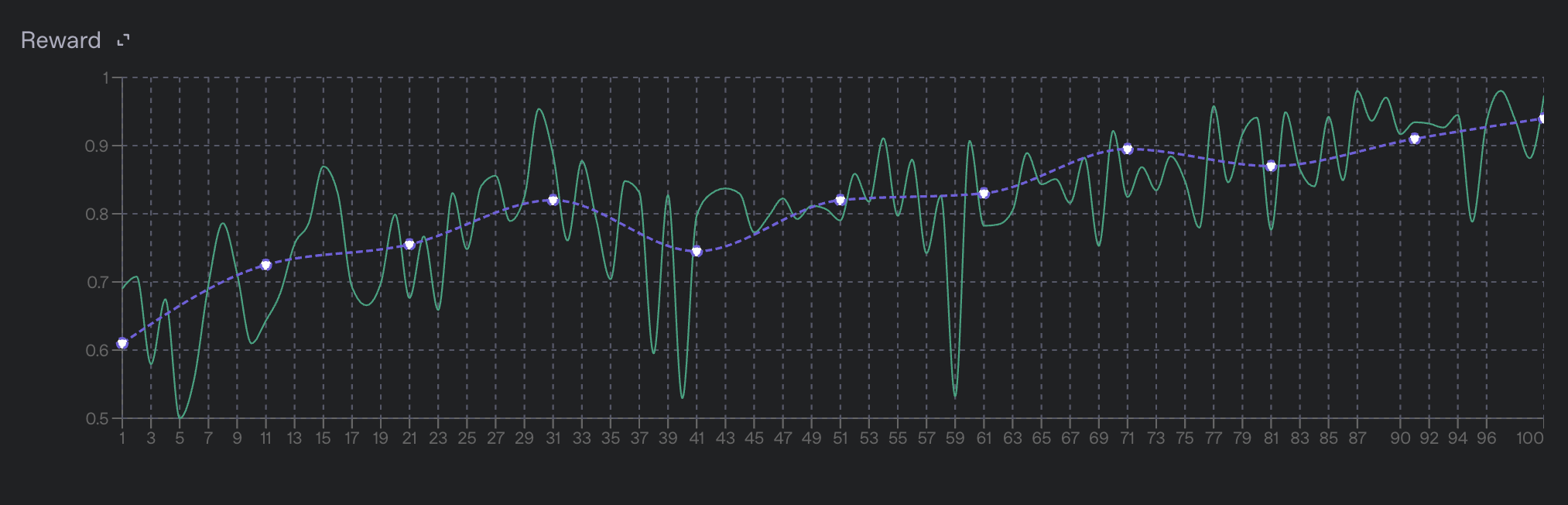
497 

498Find a full description of all training metrics in the [training metrics](#training-metrics) section.

499 

500#### Pausing and resuming jobs

501 

502To evaluate the current state of the model when your job is only partially finished, **pause** the job to stop the training process and produce a checkpoint at the current step. You can use this checkpoint to evaluate the model on a held-out test set. If the results look good, **resume** the job to continue training from that checkpoint. Learn more in [pausing and resuming jobs](#pausing-and-resuming-jobs).

503 

504#### Evals integration

505 

506Reinforcement fine-tuning jobs are integrated with our [evals product](https://developers.openai.com/api/docs/guides/evals). When you make a reinforcement fine-tuning job, a new eval is automatically created and associated with the job. As validation steps are performed, we combine the input prompts, model samples, and grader outputs to make a new [eval run](https://developers.openai.com/api/docs/guides/evals#creating-an-eval-run) for that step.

507 

508Learn more about the evals integration in the [appendix](#evals-integration-details) section below.

509 

510## Evaluate the results

511 

512By the time your fine-tuning job finishes, you should have a decent idea of how well the model is performing based on the mean reward value on the validation set. However, it's possible that the model has either _overfit_ to the training data or has learned to [reward hack](https://en.wikipedia.org/wiki/Reward_hacking) your grader, which allows it to produce high scores without actually being correct. Before deploying your model, inspect its behavior on a representative set of prompts to ensure it behaves how you expect.

513 

514Understanding the model's behavior can be done quickly by inspecting the evals associated with the fine-tuning job. Specifically, pay close attention to the run made for the final training step to see the end model's behavior. You can also use the evals product to compare the final run to earlier runs and see how the model's behavior has changed over the course of training.

515 

516### Try using your fine-tuned model

517 

518Evaluate your newly optimized model by using it! When the fine-tuned model finishes training, use its ID in either the [Responses](https://developers.openai.com/api/reference/resources/responses) or [Chat Completions](https://developers.openai.com/api/reference/resources/chat) API, just as you would an OpenAI base model.

519 

520 

521 

522Use your model in the Playground

523 

524

525 

5261. Navigate to your fine-tuning job in [the dashboard](https://platform.openai.com/finetune).

5271. In the right pane, navigate to **Output model** and copy the model ID. It should start with `ft:…`

5281. Open the [Playground](https://platform.openai.com/playground).

5291. In the **Model** dropdown menu, paste the model ID. Here, you should also see other fine-tuned models you've created.

5301. Run some prompts and see how your fine-tuned performs!

531 

532 

533

534 

535

536 

537

538Use your model with an API call

539 

540

541 

542```bash

543curl https://api.openai.com/v1/responses \

544 -H "Content-Type: application/json" \

545 -H "Authorization: Bearer $OPENAI_API_KEY" \

546 -d '{

547 "model": "ft:gpt-4.1-nano-2025-04-14:openai::BTz2REMH",

548 "input": "What is 4+4?"

549 }'

550```

551 

552 

553 

554### Use checkpoints if needed

555 

556Checkpoints are models you can use that are created before the final step of the training process. For RFT, OpenAI creates a full model checkpoint at each validation step and keeps the three with the highest `valid_reward_mean` scores. Checkpoints are useful for evaluating the model at different points in the training process and comparing performance at different steps.

557 

558 

559 

560Find checkpoints in the dashboard

561 

562

563 

5641. Navigate to the [fine-tuning dashboard](https://platform.openai.com/finetune).

5651. In the left panel, select the job you want to investigate. Wait until it succeeds.

5661. In the right panel, scroll to the list of checkpoints.

5671. Hover over any checkpoint to see a link to launch in the Playground.

5681. Test the checkpoint model's behavior by prompting it in the Playground.

569 

570 

571

572 

573

574 

575

576Query the API for checkpoints

577 

578

579 

5801. Wait until a job succeeds, which you can verify by [querying the status of a job](https://developers.openai.com/api/reference/resources/fine_tuning).

5811. [Query the checkpoints endpoint](https://developers.openai.com/api/reference/resources/fine_tuning/subresources/jobs/subresources/checkpoints/methods/list) with your fine-tuning job ID to access a list of model checkpoints for the fine-tuning job.

5821. Find the `fine_tuned_model_checkpoint` field for the name of the model checkpoint.

5831. Use this model just like you would the final fine-tuned model.

584 

585The checkpoint object contains `metrics` data to help you determine the usefulness of this model. As an example, the response looks like this:

586 

587```json

588{

589 "object": "fine_tuning.job.checkpoint",

590 "id": "ftckpt_zc4Q7MP6XxulcVzj4MZdwsAB",

591 "created_at": 1519129973,

592 "fine_tuned_model_checkpoint": "ft:gpt-3.5-turbo-0125:my-org:custom-suffix:96olL566:ckpt-step-2000",

593 "metrics": {

594 "full_valid_loss": 0.134,

595 "full_valid_mean_token_accuracy": 0.874

596 },

597 "fine_tuning_job_id": "ftjob-abc123",

598 "step_number": 2000

599}

600```

601 

602Each checkpoint specifies:

603 

604- `step_number`: The step at which the checkpoint was created (where each epoch is number of steps in the training set divided by the batch size)

605- `metrics`: An object containing the metrics for your fine-tuning job at the step when the checkpoint was created

606 

607 

608 

609## Safety checks

610 

611Before launching in production, review and follow the following safety information.

612 

613 

614 

615### How we assess for safety

616 

617 

618 

619Once a fine-tuning job is completed, we assess the resulting model’s behavior across 13 distinct safety categories. Each category represents a critical area where AI outputs could potentially cause harm if not properly controlled.

620 

621| Name | Description |

622| :--------------------- | :--------------------------------------------------------------------------------------------------------------------------------------------------------------------------------------------------------------------------------------------- |

623| advice | Advice or guidance that violates our policies. |

624| harassment/threatening | Harassment content that also includes violence or serious harm towards any target. |

625| hate | Content that expresses, incites, or promotes hate based on race, gender, ethnicity, religion, nationality, sexual orientation, disability status, or caste. Hateful content aimed at non-protected groups (e.g., chess players) is harassment. |

626| hate/threatening | Hateful content that also includes violence or serious harm towards the targeted group based on race, gender, ethnicity, religion, nationality, sexual orientation, disability status, or caste. |

627| highly-sensitive | Highly sensitive data that violates our policies. |

628| illicit | Content that gives advice or instruction on how to commit illicit acts. A phrase like "how to shoplift" would fit this category. |

629| propaganda | Praise or assistance for ideology that violates our policies. |

630| self-harm/instructions | Content that encourages performing acts of self-harm, such as suicide, cutting, and eating disorders, or that gives instructions or advice on how to commit such acts. |

631| self-harm/intent | Content where the speaker expresses that they are engaging or intend to engage in acts of self-harm, such as suicide, cutting, and eating disorders. |

632| sensitive | Sensitive data that violates our policies. |

633| sexual/minors | Sexual content that includes an individual who is under 18 years old. |

634| sexual | Content meant to arouse sexual excitement, such as the description of sexual activity, or that promotes sexual services (excluding sex education and wellness). |

635| violence | Content that depicts death, violence, or physical injury. |

636 

637Each category has a predefined pass threshold; if too many evaluated examples in a given category fail, OpenAI blocks the fine-tuned model from deployment. If your fine-tuned model does not pass the safety checks, OpenAI sends a message in the fine-tuning job explaining which categories don't meet the required thresholds. You can view the results in the moderation checks section of the fine-tuning job.

638 

639 

640 

641 

642 

643 

644 

645### How to pass safety checks

646 

647 

648 

649In addition to reviewing any failed safety checks in the fine-tuning job object, you can retrieve details about which categories failed by querying the [fine-tuning API events endpoint](https://developers.openai.com/api/reference/resources/fine_tuning/subresources/jobs/methods/list). Look for events of type `moderation_checks` for details about category results and enforcement. This information can help you narrow down which categories to target for retraining and improvement. The [model spec](https://cdn.openai.com/spec/model-spec-2024-05-08.html#overview) has rules and examples that can help identify areas for additional training data.

650 

651While these evaluations cover a broad range of safety categories, conduct your own evaluations of the fine-tuned model to ensure it's appropriate for your use case.

652 

653 

654 

655 

656 

657## Next steps

658 

659Now that you know the basics of reinforcement fine-tuning, explore other fine-tuning methods.

660 

661[Supervised fine-tuning

662 

663 

664 

665 Fine-tune a model by providing correct outputs for sample inputs.](https://developers.openai.com/api/docs/guides/supervised-fine-tuning)

666 

667[Vision fine-tuning

668 

669 

670 

671 Learn to fine-tune for computer vision with image inputs.](https://developers.openai.com/api/docs/guides/vision-fine-tuning)

672 

673[Direct preference optimization

674 

675 

676 

677 Fine-tune a model using direct preference optimization (DPO).](https://developers.openai.com/api/docs/guides/direct-preference-optimization)

678 

679## Appendix

680 

681### Training metrics

682 

683Reinforcement fine-tuning jobs publish per-step training metrics as [fine-tuning events](https://developers.openai.com/api/reference/resources/fine_tuning). Pull these metrics through the [API](https://developers.openai.com/api/reference/resources/fine_tuning/subresources/jobs/methods/list) or view them as graphs and charts in the [fine-tuning dashboard](https://platform.openai.com/finetune).

684 

685Learn more about training metrics below.

686 

687 

688 

689#### Full example training metrics

690 

691 

692 

693Below is an example metric event from a real reinforcement fine-tuning job. The various fields in this payload will be discussed in the following sections.

694 

695```json

696{

697 "object": "fine_tuning.job.event",

698 "id": "ftevent-Iq5LuNLDsac1C3vzshRBuBIy",

699 "created_at": 1746679539,

700 "level": "info",

701 "message": "Step 10/20 , train mean reward=0.42, full validation mean reward=0.68, full validation mean parse error=0.00",

702 "data": {

703 "step": 10,

704 "usage": {

705 "graders": [

706 {

707 "name": "basic_model_grader",

708 "type": "score_model",

709 "model": "gpt-4o-2024-08-06",

710 "train_prompt_tokens_mean": 241.0,

711 "valid_prompt_tokens_mean": 241.0,

712 "train_prompt_tokens_count": 120741.0,

713 "valid_prompt_tokens_count": 4820.0,

714 "train_completion_tokens_mean": 138.52694610778443,

715 "valid_completion_tokens_mean": 140.5,

716 "train_completion_tokens_count": 69402.0,

717 "valid_completion_tokens_count": 2810.0

718 }

719 ],

720 "samples": {

721 "train_reasoning_tokens_mean": 3330.017964071856,

722 "valid_reasoning_tokens_mean": 1948.9,

723 "train_reasoning_tokens_count": 1668339.0,

724 "valid_reasoning_tokens_count": 38978.0

725 }

726 },

727 "errors": {

728 "graders": [

729 {

730 "name": "basic_model_grader",

731 "type": "score_model",

732 "train_other_error_mean": 0.0,

733 "valid_other_error_mean": 0.0,

734 "train_other_error_count": 0.0,

735 "valid_other_error_count": 0.0,

736 "train_sample_parse_error_mean": 0.0,

737 "valid_sample_parse_error_mean": 0.0,

738 "train_sample_parse_error_count": 0.0,

739 "valid_sample_parse_error_count": 0.0,

740 "train_invalid_variable_error_mean": 0.0,

741 "valid_invalid_variable_error_mean": 0.0,

742 "train_invalid_variable_error_count": 0.0,

743 "valid_invalid_variable_error_count": 0.0

744 }

745 ]

746 },

747 "scores": {

748 "graders": [

749 {

750 "name": "basic_model_grader",

751 "type": "score_model",

752 "train_reward_mean": 0.4471057884231537,

753 "valid_reward_mean": 0.675

754 }

755 ],

756 "train_reward_mean": 0.4215686274509804,

757 "valid_reward_mean": 0.675

758 },

759 "timing": {

760 "step": {

761 "eval": 101.69386267662048,

762 "sampling": 226.82190561294556,

763 "training": 402.43121099472046,

764 "full_iteration": 731.5038568973541

765 },

766 "graders": [

767 {

768 "name": "basic_model_grader",

769 "type": "score_model",

770 "train_execution_latency_mean": 2.6894934929297594,

771 "valid_execution_latency_mean": 4.141402995586395

772 }

773 ]

774 },

775 "total_steps": 20,

776 "train_mean_reward": 0.4215686274509804,

777 "reasoning_tokens_mean": 3330.017964071856,

778 "completion_tokens_mean": 3376.0019607843137,

779 "full_valid_mean_reward": 0.675,

780 "mean_unresponsive_rewards": 0.0,

781 "model_graders_token_usage": {

782 "gpt-4o-2024-08-06": {

783 "eval_cached_tokens": 0,

784 "eval_prompt_tokens": 4820,

785 "train_cached_tokens": 0,

786 "train_prompt_tokens": 120741,

787 "eval_completion_tokens": 2810,

788 "train_completion_tokens": 69402

789 }

790 },

791 "full_valid_mean_parse_error": 0.0,

792 "valid_reasoning_tokens_mean": 1948.9

793 },

794 "type": "metrics"

795 },

796```

797 

798 

799 

800 

801 

802 

803 

804#### Score metrics

805 

806 

807 

808The top-level metrics to watch are `train_reward_mean` and `valid_reward_mean`, which indicate the average reward assigned by your graders across all samples in the training and validation datasets, respectively.

809 

810Additionally, if you use a [multi-grader](https://developers.openai.com/api/reference/resources/graders) configuration, per-grader train and validation reward metrics will be published as well. These metrics are included under the `event.data.scores` object in the fine-tuning events object, with one entry per grader. The per-grader metrics are useful for understanding how the model is performing on each individual grader, and can help you identify if the model is overfitting to one grader or another.

811 

812From the fine-tuning dashboard, the individual grader metrics will be displayed in their own graph below the overall `train_reward_mean` and `valid_reward_mean` metrics.

813 

814![Per-Grader Reward Metric Graph](https://cdn.openai.com/API/images/guides/RFT_MultiReward_Chart.png)
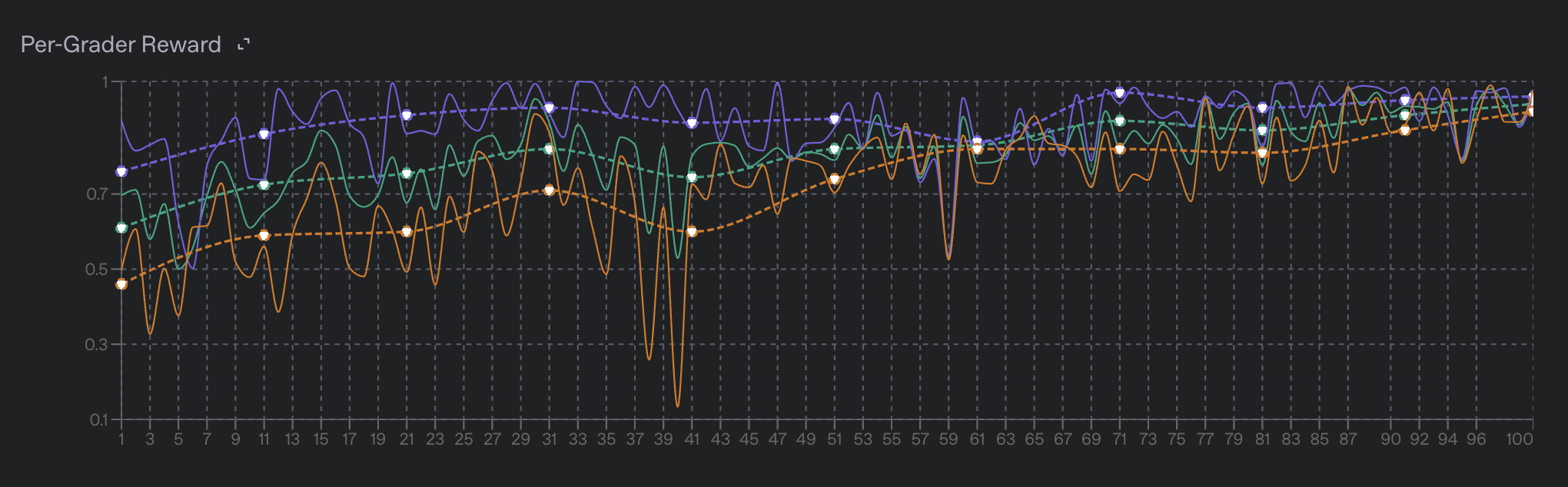
815 

816 

817 

818 

819 

820 

821 

822#### Usage metrics

823 

824 

825 

826An important characteristic of a reasoning model is the number of reasoning tokens it uses before responding to a prompt. Often, during training, the model will drastically change the average number of reasoning tokens it uses to respond to a prompt. This is a sign that the model is changing its behavior in response to the reward signal. The model may learn to use fewer reasoning tokens to achieve the same reward, or it may learn to use more reasoning tokens to achieve a higher reward.

827 

828You can monitor the `train_reasoning_tokens_mean` and `valid_reasoning_tokens_mean` metrics to see how the model is changing its behavior over time. These metrics are the average number of reasoning tokens used by the model to respond to a prompt in the training and validation datasets, respectively. You can also view the mean reasoning token count in the fine-tuning dashboard under the "Reasoning Tokens" chart.

829 

830![Reasoning Tokens Metric Graph](https://cdn.openai.com/API/images/guides/RFT_ReasoningTokens_Chart.png)
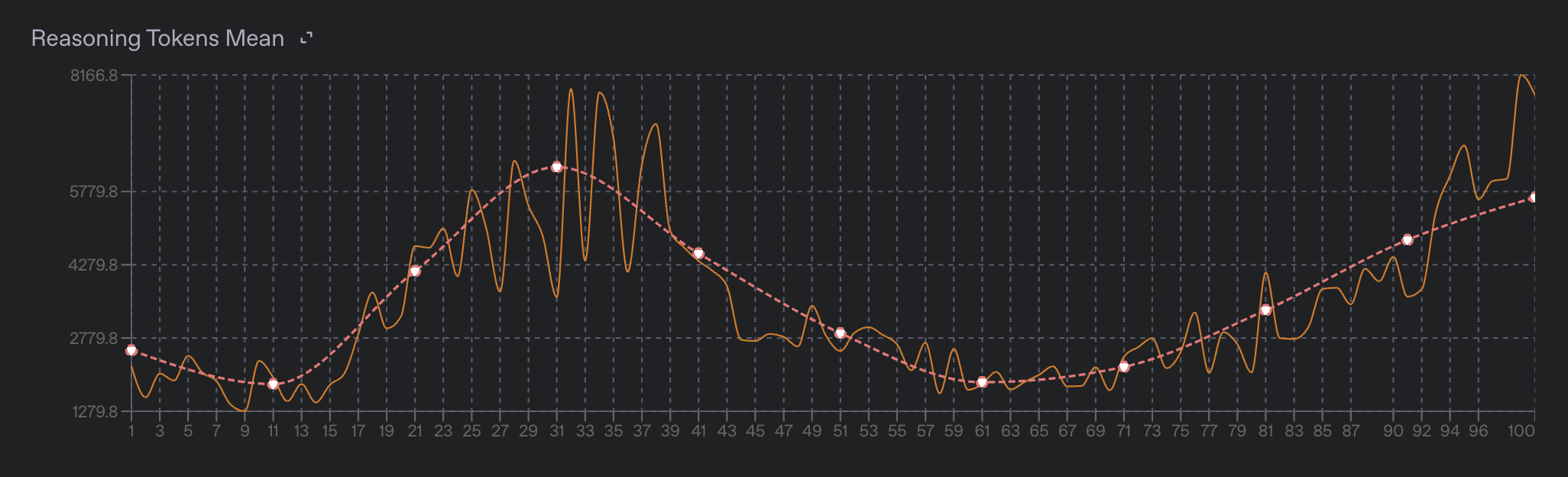
831 

832If you are using [model graders](https://developers.openai.com/api/docs/guides/graders#model-graders), you will likely want to monitor the token usage of these graders. Per-grader token usage statistics are available under the `event.data.usage.graders` object, and are broken down into:

833 

834- `train_prompt_tokens_mean`

835- `train_prompt_tokens_count`

836- `train_completion_tokens_mean`

837- `train_completion_tokens_count`.

838 

839The `_mean` metrics represent the average number of tokens used by the grader to process all prompts in the current step, while the `_count` metrics represent the total number of tokens used by the grader across all samples in the current step. The per-step token usage is also displayed on the fine-tuning dashboard under the "Grading Token Usage" chart.

840 

841![Model Grader Token Usage](https://cdn.openai.com/API/images/guides/RFT_ModelGraderTokenUsage.png)
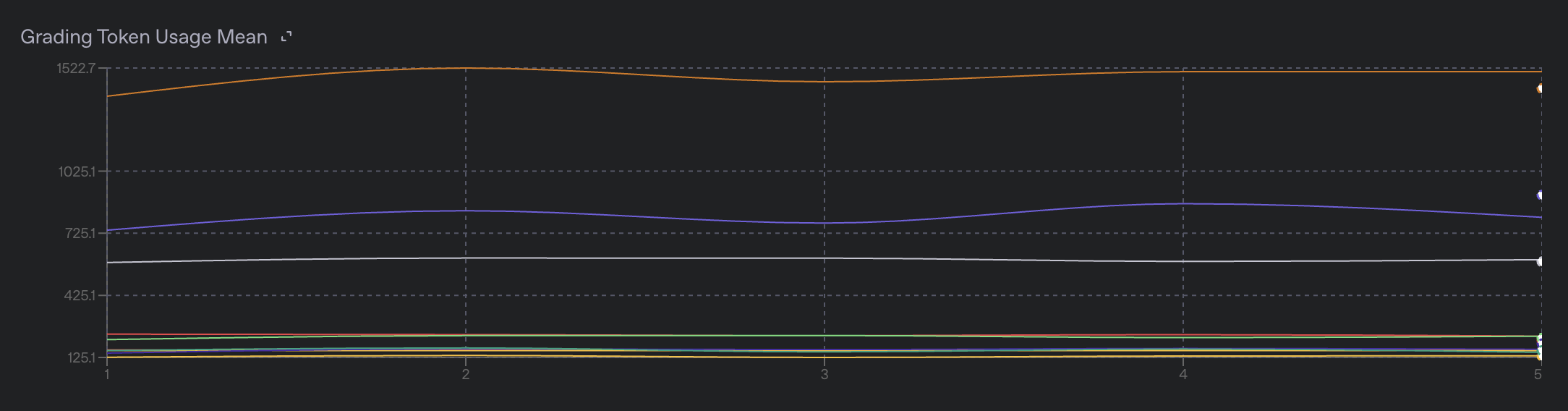
842 

843 

844 

845 

846 

847 

848 

849#### Timing metrics

850 

851 

852 

853We include various metrics that help you understand how long each step of the training process is taking and how different parts of the training process are contributing to the per-step timing.

854 

855These metrics are available under the `event.data.timing` object, and are broken down into `step` and `graders` fields.

856 

857The `step` field contains the following metrics:

858 

859- `sampling`: The time taken to sample the model outputs (rollouts) for the current step.

860- `training`: The time taken to train the model (backpropagation) for the current step.

861- `eval`: The time taken to evaluate the model on the full validation set.

862- `full_iteration`: The total time taken for the current step, including the above 3 metrics plus any additional overhead.

863 

864The step timing metrics are also displayed on the fine-tuning dashboard under the "Per Step Duration" chart.

865 

866![Per Step Duration Graph](https://cdn.openai.com/API/images/guides/RFT_PerStepDuration2.png)
867 

868The `graders` field contains timing information that details the time taken to execute each grader for the current step. Each grader will have its own timing under the `train_execution_latency_mean` and `valid_execution_latency_mean` metrics, which represent the average time taken to execute the grader on the training and validation datasets, respectively.

869 

870Graders are executed in parallel with a concurrency limit, so it is not always clear how individual grader latency adds up to the total time taken for grading. However, it is generally true that graders which take longer to execute individually will cause a job to execute more slowly. This means that slower model graders will cause the job to take longer to complete, and more expensive python code will do the same. The fastest graders generally are `string_check` and `text_similarity` as those are executed local to the training loop.

871 

872 

873 

874 

875 

876### Evals integration details

877 

878Reinforcement fine-tuning jobs are directly integrated with our [evals product](https://developers.openai.com/api/docs/guides/evals). When you make a reinforcement fine-tuning job, a new eval is automatically created and associated with the job.

879 

880As validation steps are performed, the input prompts, model samples, grader outputs, and more metadata will be combined to make a new [eval run](https://developers.openai.com/api/docs/guides/evals#creating-an-eval-run) for that step. At the end of the job, you will have one run for each validation step. This allows you to compare the performance of the model at different steps, and to see how the model's behavior has changed over the course of training.

881 

882You can find the eval associated with your fine-tuning job by viewing your job on the fine-tuning dashboard, or by finding the `eval_id` field on the [fine-tuning job object](https://developers.openai.com/api/reference/resources/fine_tuning).

883 

884The evals product is useful for inspecting the outputs of the model on specific data points, to get an understanding for how the model is behaving in different scenarios. It can help you figure out which slice of your dataset the model is performing poorly on which can help you identify areas for improvement in your training data.

885 

886The evals product can also help you find areas of improvement for your graders by finding areas where the grader is either overly lenient or overly harsh on the model outputs.

887 

888### Pausing and resuming jobs

889 

890You can pause a fine-tuning job at any time by using the [fine-tuning jobs API](https://developers.openai.com/api/reference/resources/fine_tuning). Calling the pause API will tell the training process to create a new model snapshot, stop training, and put the job into a "Paused" state. The model snapshot will go through a normal safety screening process after which it will be available for you to use throughout the OpenAI platform as a normal fine-tuned model.

891 

892If you wish to continue the training process for a paused job, you can do so by using the [fine-tuning jobs API](https://developers.openai.com/api/reference/resources/fine_tuning). This will resume the training process from the last checkpoint created when the job was paused and will continue training until the job is either completed or paused again.

893 

894### Grading with Tools

895 

896If you are training your model to [perform tool calls](https://developers.openai.com/api/docs/guides/function-calling), you will need to:

897 

8981. Provide the set of tools available for your model to call on each data point in the RFT training dataset. More info here in the [dataset API reference](https://developers.openai.com/api/reference/resources/fine_tuning).

8992. Configure your grader to assign rewards based on the contents of the tool calls made by the model. Information on grading tools calls can be found [here in the grading docs](https://developers.openai.com/api/docs/guides/graders/#sample-namespace)

900 

901### Billing details

902 

903Reinforcement fine-tuning jobs are billed based on the amount of time spent training, as well as the number of tokens used by the model during training. We only bill for time spent in the core training loop, not for time spent preparing the training data, validating datasets, waiting in queues, running safety evals, or other overhead.

904 

905Details on exactly how we bill for reinforcement fine-tuning jobs can be found in this [help center article](https://help.openai.com/en/articles/11323177-billing-guide-for-the-reinforcement-fine-tuning-api).

906 

907### Training errors

908 

909Reinforcement fine-tuning is a complex process with many moving parts, and there are many places where things can go wrong. We publish various error metrics to help you understand what is going wrong in your job, and how to fix it. In general, we try to avoid failing a job entirely unless a particularly serious error occurs. When errors do occur, they often happen during the grading step. Errors during grading often happen either to the model outputting a sample that the grader doesn't know how to handle, the grader failing to execute properly due to some sort of system error, or due to a bug in the grading logic itself.

910 

911The error metrics are available under the `event.data.errors` object, and are aggregated into counts and rates rolled up per-grader. We also display rates and counts of errors on the fine-tuning dashboard.

912 

913 

914 

915#### Grader errors

916 

917 

918 

919#### Generic grading errors

920 

921The grader errors are broken down into the following categories, and they exist in both `train_` (for training data) and `valid_` (for validation data) versions:

922 

923- `sample_parse_error_mean`: The average number of samples that failed to parse correctly. This often happens when the model fails to output valid JSON or adhere to a provided response format correctly. A small percentage of these errors, especially early in the training process, is normal. If you see a large number of these errors, it is likely that the response format of the model is not configured correctly or that your graders are misconfigured and looking for incorrect fields.

924- `invalid_variable_error_mean`: These errors occur when you attempt to reference a variable via a template that cannot be found either in the current data point or in the current model sample. This can happen if the model fails to provide output in the correct response format, or if your grader is misconfigured.

925- `other_error_mean`: This is a catch-all for any other errors that occur during grading. These errors are often caused by bugs in the grading logic itself, or by system errors that occur during grading.

926 

927#### Python grading errors

928 

929- `python_grader_server_error_mean`: These errors occur when our system for executing python graders in a remote sandbox experiences system errors. This normally happens due to reasons outside of your control, like networking failures or system outages. If you see a large number of these errors, it is likely that there is a system issue that is causing the errors. You can check the [OpenAI status page](https://status.openai.com/) for more information on any ongoing issues.

930- `python_grader_runtime_error_mean`: These errors occur when the python grader itself fails to execute properly. This can happen for a variety of reasons, including bugs in the grading logic, or if the grader is trying to access a variable that doesn't exist in the current context. If you see a large number of these errors, it is likely that there is a bug in your grading logic that needs to be fixed. If a large enough number of these errors occur, the job will fail and we will show you a sampling of tracebacks from the failed graders.

931 

932#### Model grading errors

933 

934- `model_grader_server_error_mean`: These errors occur when we fail to sample from a model grader. This can happen for a variety of reasons, but generally means that either the model grader was misconfigured, that you are attempting to use a model that is not available to your organization, or that there is a system issue that is happening at OpenAI.

guides/rft-use-cases.md +0 −500 deleted

File Deleted View Diff

1# Reinforcement fine-tuning use cases

2 

3> For the complete documentation index, see [llms.txt](/llms.txt). Markdown versions of documentation pages are available by appending `.md` to the page URL.

4 

5[Reinforcement fine-tuning](https://developers.openai.com/api/docs/guides/reinforcement-fine-tuning) (RFT) provides a way to improve your model's performance at specific tasks. The task must be clear and have verifiable answers.

6 

7OpenAI is winding down the fine-tuning platform. The platform is no longer

8 accessible to new users, but existing users of the fine-tuning platform will

9 be able to create training jobs for the coming months.

10

11 

12 All fine-tuned models will remain available for inference until their base

13 models are [deprecated](https://developers.openai.com/api/docs/deprecations). The full timeline is

14 [here](https://developers.openai.com/api/docs/deprecations).

15 

16## When to use reinforcement fine-tuning

17 

18An agentic workflow is designed to make decisions that are both correct and verifiable. RFT can help by providing explicit rubrics and using code‑based or LLM‑based graders to measure functional success, factual accuracy, or policy compliance.

19 

20Across early users, three clear use cases have emerged:

21 

221. **Turn instructions into working code**: Convert open-ended prompts into structured code, configs, or templates that must pass deterministic tests.

231. **Pull facts into a clean format**: Extract verifiable facts and summaries from messy, unstructured text and return JSON-structured or other schema-based outputs.

241. **Apply complex rules correctly**: Make fine-grained label or policy decisions when the information provided is nuanced, large in quantity, hierarchical, or high-stakes.

25 

26[Ready to use reinforcement fine-tuning? Skip to the guide →](https://developers.openai.com/api/docs/guides/reinforcement-fine-tuning)

27 

28### 1. Turn instructions into working code

29 

30In this use case, models reason over hidden domain constraints to produce structured outputs like code, queries, or infrastructure templates. Outputs must satisfy multiple correctness conditions, and success is usually deterministically graded: the artifact either compiles, passes tests, or meets an explicit schema.

31 

32#### Wiring verification IPs for semiconductor design

33 

34 

35 

36Use case

37 

38

39 

40> **Company**: [ChipStack](https://www.chipstack.ai) is building the next-generation of AI-powered tools for chip design and verification, aimed at significantly reducing the time and cost of developing and validating complex semiconductor chips.

41>

42> **Problem to solve**: One task that's challenging and time-consuming for humans is binding design interfaces to verification IPs (pre-created verification components that, when properly applied, can significantly enhance quality and coverage of verification). There are many verification IPs, and each can contain dozens to hundreds of signals that may be mapped. Someone must understand this domain well in order to apply the verification IP correctly.

43>

44> **Objective**: To train OpenAI reasoning models to do this instead, ChipStack prepared a dataset consisting of less than 50 samples, then performed several RFT variations. For the final evaluation report, they ran this evaluation set three times against each model and variation—o1-mini base and fine-tuned, o3-mini base and fine-tuned—and averaged the results per-sample then overall.

45 

46 

47

48 

49

50 

51

52Prompt

53 

54

55 

56> Below is a piece of example data provided.

57 

58```text

59[

60 {“name”: “BLOCK_SIZE”, “value”: “8”},

61 {“name”: “ADDR_WIDTH”, “value”: “4”}

62]

63```

64 

65 

66

67 

68

69 

70

71Grader code

72 

73

74 

75> Below is a grader definition in Python of a string map, represented as a list of objects with `name` and `value` properties.

76>

77> Conceptually, this is meant to model a type like `Dict[str, str]`.

78 

79```python

80{

81 "type": "python",

82 "name": "donors_caas",

83 "image_tag": "alpha",

84 "source": """from collections import Counter

85 

86def grade(sample: dict[str, str], item: dict[str, str]) -> float:

87 # multisets of (name, value) pairs

88 predicted = sample["output_json"]["predicted"]

89 expected = item["reference_answer"]

90 pred_counts = Counter((d["name"], d["value"]) for d in predicted)

91 exp_counts = Counter((d["name"], d["value"]) for d in expected)

92 

93 true_pos = sum(min(pred_counts[p], exp_counts[p]) for p in pred_counts)

94 pred_total = sum(pred_counts.values())

95 exp_total = sum(exp_counts.values())

96 

97 precision = true_pos / pred_total if pred_total else 0.0

98 recall = true_pos / exp_total if exp_total else 0.0

99 

100 if precision + recall == 0.0:

101 return 0.0

102 return 2 * precision * recall / (precision + recall)""",

103}

104```

105 

106 

107

108 

109

110 

111

112Results

113 

114

115 

116> For both o1-mini and o3-mini, performance improved by ~12 percentage points. The fine-tuned variants got much better about recognizing when not to apply wiring. Many commercial verification IPs can contain hundreds of optional signals, most of which are not meant to be applied.

117>

118> "Thanks to powerful base models and easy-to-use Reinforced Fine-Tuning APIs, we were able to significantly boost performance on our task with a small set of high-quality samples."

119>

120> —[ChipStack](https://www.chipstack.ai), next-generation of AI-powered tools for chip design and verification

121 

122 

123 

124#### Correct handling of conflicts and dupes in a schedule manager

125 

126 

127 

128Use case

129 

130

131 

132> **Company**: [Milo](https://www.joinmilo.com) helps busy parents manage chaotic family schedules by converting messy inputs—like text convos with to-dos, school newsletter PDFs, weekly reminders, sports schedule emails—into reliable calendar and list actions.

133>

134> **Problem to solve**: Base GPT-4o prompting and SFT fell short of trust thresholds.

135>

136> **Objective**: Milo used RFT to properly create coding tasks like event vs. list classification, recurrence rule generation, accurate updates and deletes, conflict detection, and strict output formatting. They defined a grader that checked whether generated item objects were complete, categorized correctly, and were a duplicate or had a calendar conflict.

137 

138 

139

140 

141

142 

143

144Results

145 

146

147 

148> Results showed performance improvements across the board, with average correctness scores **increasing from 0.86 to 0.91**, while the most challenging scenarios improved from **0.46 to 0.71** (where a perfect score=1).

149>

150> "Accuracy isn't just a metric—it's peace of mind for busy parents. These are still early days but with such important improvements in base performance, we're able to push more aggressively into complex reasoning needs."

151>

152> "Navigating and supporting family dynamics involves understanding nuanced implications of the data. Take conflicts—knowing soccer for Ethan conflicts with Ella's recital because Dad has to drive both kids goes deeper than simple overlapping times."

153>

154> —[Milo](https://www.joinmilo.com), AI scheduling tool for families

155 

156 

157 

158### 2. Pull facts into a clean format

159 

160These tasks typically involve subtle distinctions that demand clear classification guidelines. Successful framing requires explicit and hierarchical labeling schemes defined through consensus by domain experts. Without consistent agreement, grading signals become noisy, weakening RFT effectiveness.

161 

162#### Assigning ICD-10 medical codes

163 

164 

165 

166Use case

167 

168

169 

170> **Company**: [Ambience](https://www.ambiencehealthcare.com) is an AI platform that eliminates administrative burden for clinicians and ensures accurate, compliant documentation across 100+ specialties, helping physicians focus on patient care while increasing documentation quality and reducing compliance risk for health systems.

171>

172> **Problem to solve**: ICD-10 coding is one of the most intricate administrative tasks in medicine. After every patient encounter, clinicians must map each diagnosis to one of ~70,000 codes—navigating payor-specific rules on specificity, site-of-care, and mutually exclusive pairings. Errors can trigger audits and fines that stretch into nine figures.

173>

174> **Objective**: Using reinforcement fine-tuning on OpenAI frontier models, Ambience wanted to train a reasoning system that listens to the visit audio, pulls in relevant EHR context, and recommends ICD-10 codes with accuracy exceeding expert clinicians.

175 

176 

177

178 

179

180 

181

182Results

183 

184

185 

186> Ambience achieved model improvements that can lead human experts.

187>

188> On a gold-panel test set spanning hundreds of encounters, reinforcement fine-tuning moved the model from trailing humans to leading them by **12 points—eliminating roughly one quarter of the coding errors trained physicians make**:

189>

190> - o3-mini (base): 0.39 (-6 pts)

191> - Physician baseline: 0.45

192> - RFT-tuned o3-mini: 0.57 (+12 pts)

193>

194> The result is a real-time, point-of-care coding support that can raise reimbursement integrity while reducing compliance risk.

195>

196> “Accurate ICD-10 selection is mission-critical for compliant documentation. RFT unlocked a new level of coding precision we hadn’t seen from any foundation model and set a new bar for automated coding.”

197>

198> —[Ambience Healthcare](https://www.ambiencehealthcare.com)

199 

200 

201 

202#### Extracting excerpts to support legal claims

203 

204 

205 

206Use case

207 

208

209 

210> **Company**: [Harvey](https://www.harvey.ai) is building AI that legal teams trust—and that trust hinges on retrieving precisely the right evidence from a sprawling corpora of contracts, statutes, and case law. Legal professionals aren’t satisfied with models that merely generate plausible-sounding summaries or paraphrased answers. They demand verifiable citations—passages that can be traced directly back to source documents.

211>

212> **Problem to solve**: Harvey’s clients use its models to triage litigation risk, construct legal arguments, and support due diligence for legal professionals—all tasks where a single missed or misquoted sentence can flip an outcome. Models must be able to parse long, dense legal documents and extract only the portions that matter.

213> In practice, these inputs are often messy and inconsistent: some claims are vague, while others hinge on rare legal doctrines buried deep in boilerplate.

214>

215> **Objective**: The task’s requirements are to interpret nuanced legal claims, navigate long-form documents, and select on-point support with verbatim excerpts.

216 

217 

218

219 

220

221 

222

223Prompt

224 

225

226 

227```text

228## Instructions

229You will be provided with a question and a text excerpt. Identify any passages in the text that are directly relevant to answering the question.

230- If there are no relevant passages, return an empty list.

231- Passages must be copied **exactly** from the text. Do not paraphrase or summarize.

232## Excerpt

233"""{text_excerpt}"""

234```

235 

236 

237

238 

239

240 

241

242Grader

243 

244

245 

246```python

247from rapidfuzz import fuzz

248 

249 

250# Similarity ratio helper

251def fuzz_ratio(a: str, b: str) -> float:

252 """Return a normalized similarity ratio using RapidFuzz."""

253 if len(a) == 0 and len(b) == 0:

254 return 1.0

255 return fuzz.ratio(a, b) / 100.0

256 

257 

258# Main grading entrypoint (must be named \`grade\`)

259def grade(sample: dict, item: dict) -> float:

260 """Compute an F1‑style score for citation extraction answers using RapidFuzz."""

261 model_passages = (sample.get("output_json") or {}).get("passages", [])

262 ref_passages = (item.get("reference_answer") or {}).get("passages", [])

263 

264 # If there are no reference passages, return 0.

265 if not ref_passages:

266 return 0.0

267 

268 # Recall: average best match for each reference passage.

269 recall_scores = []

270 for ref in ref_passages:

271 best = 0.0

272 for out in model_passages:

273 score = fuzz_ratio(ref, out)

274 if score > best:

275 best = score

276 recall_scores.append(best)

277 recall = sum(recall_scores) / len(recall_scores)

278 

279 # Precision: average best match for each model passage.

280 if not model_passages:

281 precision = 0.0

282 else:

283 precision_scores = []

284 for out in model_passages:

285 best = 0.0

286 for ref in ref_passages:

287 score = fuzz_ratio(ref, out)

288 if score > best:

289 best = score

290 precision_scores.append(best)

291 precision = sum(precision_scores) / len(precision_scores)

292 

293 if precision + recall == 0:

294 return 0.0

295 

296 return 2 * precision * recall / (precision + recall)

297```

298 

299 

300

301 

302

303 

304

305Results

306 

307

308 

309> After reinforcement fine-tuning, Harvey saw a **20% increase** in the F1 score:

310>

311> - Baseline F1: 0.563

312> - Post-RFT F1 - 0.6765

313>

314> Using RFT, Harvey significantly improved legal fact-extraction performance, surpassing GPT-4o efficiency and accuracy. Early trials showed RFT **winning or tying in 93% of comparisons** against GPT-4o.

315>

316> “The RFT model demonstrated comparable or superior performance to GPT-4o, but with significantly faster inference, proving particularly beneficial for real-world legal use cases.

317>

318> —[Harvey](https://www.harvey.ai), AI for legal teams

319 

320 

321 

322### 3. Apply complex rules correctly

323 

324This use case involves pulling verifiable facts or entities from unstructured inputs into defined schemas (for example, JSON objects, condition codes, medical codes, legal citations, or financial metrics).

325 

326Successful extraction tasks typically benefit from precise, continuous grading methodologies—like span-level F1 scores, fuzzy text-matching metrics, or numeric accuracy checks—to evaluate how accurately the extracted information aligns with ground truth. Define explicit success criteria and detailed rubrics. Then, the model can achieve reliable, repeatable improvements.

327 

328#### Expert-level reasoning in tax analysis

329 

330 

331 

332Use case

333 

334

335 

336> **Company**: [Accordance](https://www.accordance.com) is building a platform for tax, audit, and CPA teams.

337>

338> **Problem to solve**: Taxation is a highly complex domain, requiring deep reasoning across nuanced fact patterns and intricate regulations. It's also a field that continues changing.

339>

340> **Objective**: Accordance wanted a high-trust system for sophisticated tax scenarios while maintaining accuracy. Unlike traditional hardcoded software, it's important that their data extraction tool adapts as the tax landscape evolves.

341 

342 

343

344 

345

346 

347

348Grader code

349 

350

351 

352```text

353[+0.05] For correctly identifying Alex (33.33%), Barbara (33.33% → 20%), Chris (33.33%), and Dana (13.33%) ownership percentages

354[+0.1] For correctly calculating Barbara's annual allocation as 26.67% and Dana's as 6.67% without closing of books

355[+0.15] For properly allocating Alex ($300,000), Barbara ($240,030), Chris ($300,000), and Dana ($60,030) ordinary income

356[+0.1] For calculating Alex's ending stock basis as $248,333 and debt basis as $75,000

357[+0.05] For calculating Barbara's remaining basis after sale as $264,421

358[+0.1] For calculating AAA before distributions as $1,215,000 and ending AAA as $315,000

359[+0.1] For identifying all distributions as tax-free return of capital under AAA

360[+0.1] For calculating Barbara's capital gain on stock sale as $223,720 ($400,000 - $176,280)

361[+0.1] For explaining that closing of books would allocate based on actual half-year results

362[+0.05] For identifying the ordering rules: AAA first, then E&P ($120,000), then remaining basis

363[+0.05] For noting distributions exceeding $1,215,000 would be dividends up to $120,000 E&P

364[+0.05] For correctly accounting for separately stated items in basis calculations (e.g., $50,000 Section 1231 gain)

365```

366 

367 

368

369 

370

371 

372

373Results

374 

375

376 

377> By collaborating with OpenAI and their in-house tax experts, Accordance achieved:

378>

379> - Almost **40% improvement** in tax analysis tasks over base models

380> - Superior performance compared to all other leading models on benchmarks like TaxBench

381> - The RFT-trained models demonstrated an ability to handle advanced tax scenarios with high accuracy—when evaluated by tax professionals, Accordance’s fine-tuned models showed expert-level reasoning, with the potential to save thousands of hours of manual work

382>

383> “We’ve achieved a 38.89% improvement in our tax analysis tasks over base models and significantly outperformed all other leading models on key tax benchmarks (including TaxBench). The RFT-trained models’ abilities to handle sophisticated tax scenarios while maintaining accuracy demonstrates the readiness of reinforcement fine-tuning—and AI more broadly—for professional applications. Most importantly, RFT provides a foundation for continuous adaptation as the tax landscape evolves, ensuring sustained value and relevance. When evaluated by tax experts, our fine-tuned models demonstrated expert-level reasoning capabilities that will save thousands of professional hours—this isn’t just an incremental improvement, it’s a paradigm shift in how tax work can be done.”

384>

385> —[Accordance](https://www.accordance.com/), AI tax accounting company

386 

387 

388 

389#### Enforcement of nuanced content moderation policies

390 

391 

392 

393Use case

394 

395

396 

397> **Company**: [SafetyKit](https://www.safetykit.com) is a risk and compliance platform that helps organizations make decisions across complex content moderation workflows.

398>

399> **Problem to solve**: These systems must handle large volumes of content and apply intricate policy logic that requires multistep reasoning. Because of the volume of data and subtle distinctions in labelling, these types of tasks can be difficult for general purpose models.

400>

401> **Objective**: SafetyKit aimed to replace multiple nodes in their most complex workflows with a single reasoning agent using a reinforcement fine-tuned model. The goal is to reduce SafetyKit’s time-to-market for novel policy enforcements even in challenging, nuanced domains.

402 

403 

404

405 

406

407 

408

409Results

410 

411

412 

413> SafetyKit is using their o3-mini RFT model to support advanced content moderation capabilities, ensuring user safety for one of the largest AI chatbot companies in the world. They have successfully improved F1-score **from 86% to 90%**, soon to replace dozens of 4o calls within their production pipeline.

414>

415> "SafetyKit’s RFT-enabled moderation achieved substantial improvements in nuanced content moderation tasks, crucial for safeguarding users in dynamic, real-world scenarios."

416>

417> —[SafetyKit](https://www.safetykit.com)

418 

419 

420 

421#### Legal document reviews, comparisons, and summaries

422 

423 

424 

425Use case

426 

427

428 

429> **Company**: [Thomson Reuters](https://www.thomsonreuters.com) is an AI and technology company empowering professionals with trusted content and workflow automation.

430>

431> **Problem to solve**: Legal professionals must read through large amounts of content before making any decisions. Thomson Reuter's CoCounsel product is designed to help these experts move faster by providing an AI assistant with content and industry knowledge. The models that power this tool must understand complex legal rules.

432>

433> **Objective**: Thomson Reuters aimed to create a reinforcement fine-tuned model excelling in legal AI skills. They conducted preliminary evaluations of RFT to see if they could achieve model performance improvements, using specialized datasets from three highly-used CoCounsel Legal AI skills for legal professionals:

434>

435> 1. Review documents: Generates detailed answers to questions asked against contracts, transcripts, and other legal documents

436> 1. Compare documents: Highlights substantive differences between two or more different contracts or documents

437> 1. Summarize: Summarizes the most important information within one or more documents to enable rapid legal review

438 

439 

440

441 

442

443 

444

445Results

446 

447

448 

449> ![Provide example data and create a fine-tuning job to optimize model performance for your use case](https://cdn.openai.com/API/docs/images/thomsonreuters-results.png)

450>

451> "LLM as a judge has been helpful in demonstrating the possibility of improving upon the reasoning models - in preliminary evaluations, the RFT model consistently performed better than the baseline o3-mini and o1 model"

452>

453> —[Thomson Reuters](https://www.thomsonreuters.com/), AI and technology company

454 

455 

456 

457## Evals are the foundation

458 

459**Before implementing RFT, we strongly recommended creating and running an eval for the task you intend to fine-tune on**. If the model you intend to fine-tune scores at either the absolute minimum or absolute maximum possible score, then RFT won’t be useful to you.

460 

461RFT works by reinforcing better answers to provided prompts. If we can’t distinguish the quality of different answers (that is, if they all receive the minimum or maximum possible score), then there's no training signal to learn from. However, if your eval scores somewhere in the range between the minimum and maximum possible scores, there's enough data to work with.

462 

463An effective eval reveals opportunities where human experts consistently agree but current frontier models struggle, presenting a valuable gap for RFT to close. [Get started with evals](https://developers.openai.com/api/docs/guides/evals).

464 

465## How to get better results from RFT

466 

467To see improvements in your fine-tuned model, there are two main places to revisit and refine: making sure your task is well defined, and making your grading scheme more robust.

468 

469<a id="reframe-or-clarify-your-task"></a>

470 

471### Revise or clarify your task

472 

473Good tasks give the model a fair chance to learn and let you quantify improvements.

474 

475- **Start with a task the model can already solve occasionally**. RFT works by sampling many answers, keeping what looks best, and nudging the model toward those answers. If the model never gets the answer correct today, it cannot improve.

476- **Make sure each answer can be graded**. A grader must read an answer and produce a score without a person in the loop. We support multiple [grader types](https://developers.openai.com/api/docs/guides/graders), including custom Python graders and LLM judges. If you can't write code to judge the answer with an available grader, RFT is not the right tool.

477- **Remove doubt about the “right” answer**. If two careful people often disagree on the solution, the task is too fuzzy. Rewrite the prompt, add context, or split the task into clearer parts until domain experts agree.

478- **Limit lucky guesses**. If the task is multiple choice with one best option, the model can win by chance. Add more classes, ask for short open‑ended text, or tweak the format so guessing is costly.

479 

480### Strengthen your grader

481 

482Clear, robust grading schemes are essential for RFT.

483 

484- **Produce a smooth score, not a pass/fail stamp**. A score that shifts gradually as answers improve provides a better training signal.

485- **Guard against reward hacking**. This happens when the model finds a shortcut that earns high scores without real skill.

486- **Avoid skewed data**. Datasets in which one label shows up most of the time invite the model to guess that label. Balance the set or up‑weight rare cases so the model must think.

487- **Use an LLM judge when code falls short**. For rich, open‑ended answers, have a [separate OpenAI model grade](https://developers.openai.com/api/docs/guides/graders#model-graders) your fine-tuned model's answers. Make sure you:

488 - **Evaluate the judge**: Run multiple candidate responses and correct answers through your LLM judge to ensure the grade returned is stable and aligned with preference.

489 - **Provide few-shot examples**. Include great, fair, and poor answers in the prompt to improve the grader's effectiveness.

490 

491Learn more about [grader types](https://developers.openai.com/api/docs/guides/graders).

492 

493## Other resources

494 

495For more inspiration, visit the [OpenAI Cookbook](https://developers.openai.com/cookbook), which contains example code and links to third-party resources, or learn more about our models and reasoning capabilities:

496 

497- [Meet the models](https://developers.openai.com/api/docs/models)

498- [Reinforcement fine-tuning guide](https://developers.openai.com/api/docs/guides/reinforcement-fine-tuning)

499- [Graders](https://developers.openai.com/api/docs/guides/graders)

500- [Model optimization overview](https://developers.openai.com/api/docs/guides/model-optimization)

Details

598 598 

599 599 

600 Fine-tune a model using direct preference optimization (DPO).](https://developers.openai.com/api/docs/guides/direct-preference-optimization)600 Fine-tune a model using direct preference optimization (DPO).](https://developers.openai.com/api/docs/guides/direct-preference-optimization)

601 

602[Reinforcement fine-tuning

603 

604 

605 

606 Fine-tune a reasoning model by grading its outputs.](https://developers.openai.com/api/docs/guides/reinforcement-fine-tuning)

Details

198 198 

199 199 

200 Fine-tune a model using direct preference optimization (DPO).](https://developers.openai.com/api/docs/guides/direct-preference-optimization)200 Fine-tune a model using direct preference optimization (DPO).](https://developers.openai.com/api/docs/guides/direct-preference-optimization)

201 

202[Reinforcement fine-tuning

203 

204 

205 

206 Fine-tune a reasoning model by grading its outputs.](https://developers.openai.com/api/docs/guides/reinforcement-fine-tuning)

Details

16 16 

17Install the WebSocket dependencies with `pip install "openai[realtime]>=3.8.0"` for Python, `npm install openai@^7.10.0 ws` for JavaScript, or `gem install openai async-websocket` for Ruby.17Install the WebSocket dependencies with `pip install "openai[realtime]>=3.8.0"` for Python, `npm install openai@^7.10.0 ws` for JavaScript, or `gem install openai async-websocket` for Ruby.

18 18 

19For Go, run `go get github.com/openai/openai-go/v3@v3.94.0`.19For Go, run `go get github.com/openai/openai-go/v3@v3.96.0`.

20For Java, add the Maven dependency `com.openai:openai-java:4.95.0` and use Java 17 or later for these examples.20For Java, add the Maven dependency `com.openai:openai-java:4.101.0` and use Java 17 or later for these examples.

21These Go and Java SDK versions provide native Responses WebSocket support.21These Go and Java SDK versions provide native Responses WebSocket support.

22 22 

23In WebSocket mode, start each turn by sending a `response.create` event from the client. The payload mirrors the normal [Responses create body](https://developers.openai.com/api/reference/resources/responses/methods/create), except that transport-specific fields like `stream` and `background` are not used.23In WebSocket mode, start each turn by sending a `response.create` event from the client. The payload mirrors the normal [Responses create body](https://developers.openai.com/api/reference/resources/responses/methods/create), except that transport-specific fields like `stream` and `background` are not used.